EasyManua.ls Logo

Yamaha DD-12 - Page 3

Yamaha DD-12
24 pages
Print Icon
To Next Page IconTo Next Page
To Previous Page IconTo Previous Page
Loading...
Taking
Care
of
Your
DD-12
Your
DD-12
Digital
Percussion
unit
will
give
you
years
of
playing
pleasure
if
you
follow
the
simple
rules
below.
1.
Avoid
placing
the
DD-12
in
areas
that
are
subject
to
excessive
heat
or
humidity.
Do
not
leave
the
instrument
near
heaters
or
in
a
car
exposed
to
direct
sunlight,
for
example.
2.
Avoid
locations
where
the
instrument
is
likely
to
be
exposed
to
excessive
dust
or
moisture.
3.
Make
any
connections
between
the
DD-12
and
other
devices
with
both
pieces
of
equipment
turned
off.
Lower
the
volume
on
all
devices
to
the
minimum
level
when
turning
the
power
on.
Su
4.
Do
not
subject
the
instrument
to
strong
physical
shocks,
and
avoid
placing
any
heavy
objects
on
top
of
it.
5.
Use
a
soft
cloth,
dry
or
slightly
damp,
to
clean
the
DD-12.
Never
use
chemicals
such
as
benzine
or
thinner.
6.
The
DD-12
contains
digital
circuitry
which
may
cause
interference
if
it
is
placed
close
to
radio
or
television
receivers.
If
this
occurs,
move
the
instrument
farther
away
from
the
affected
receiver.
lying
Power
to
the
DD-12
Your
DD-12
Digital
Percussion
unit
will
operate
on
either
batteries
or
an
optional
power
adaptor.
Follow
the
instructions
below
for
the
power
source
you
intend
to
use.
Using
batteries:
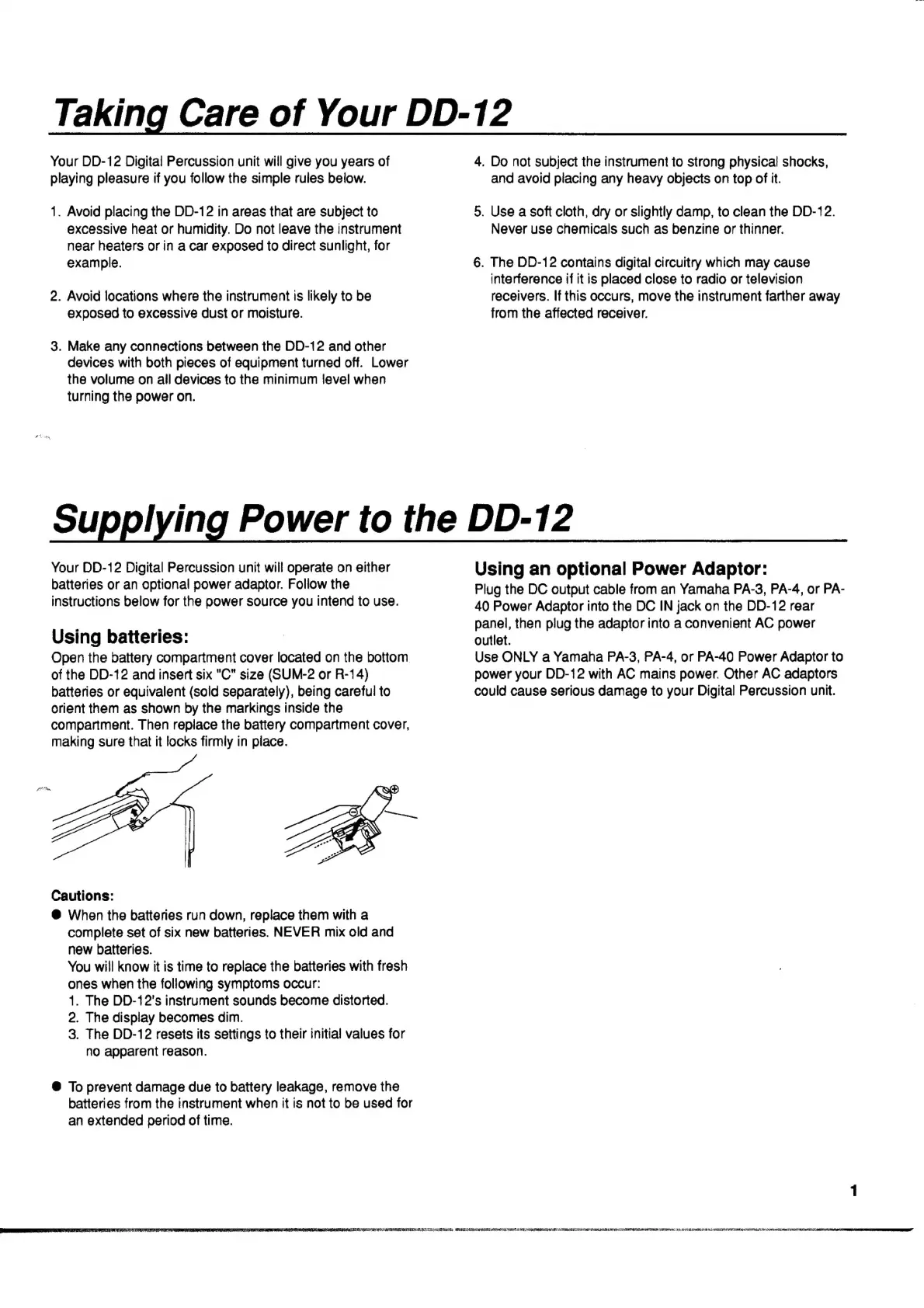
Open
the
battery
compartment
cover
located
on
the
bottom
of
the
DD-12
and
insert
six
"C"
size
(SUM-2
or
R-14)
batteries
or
equivalent
(sold
separately),
being
careful
to
orient
them
as
shown
by
the
markings
inside
the
compartment.
Then
replace
the
battery
compartment
cover,
making
sure
that
it
locks
firmly
in
place.
Cautions:
€
When
the
batteries
run
down,
replace
them
with
a
complete
set
of
six
new
batteries.
NEVER
mix
old
and
new
batteries.
You
will
know
it
is
time
to
replace
the
batteries
with
fresh
ones
when
the
following
symptoms
occur:
1.
The
DD-12's
instrument
sounds
become
distorted.
2.
The
display
becomes
dim.
3.
The
DD-12
resets
its
settings
to
their
initia!
values
for
no
apparent
reason.
€
To
prevent
damage
due
to
battery
leakage,
remove
the
batteries
from
the
instrument
when
it
is
not
to
be
used
for
an
extended
period
of
time.
Using
an
optional
Power
Adaptor:
Plug
the
DC
output
cable
from
an
Yamaha
PA-3,
PA-4,
or
PA-
40
Power
Adaptor
into
the
DC
IN
jack
on
the
DD-12
rear
panel,
then
plug
the
adaptor
into
a
convenient
AC
power
outlet.
Use
ONLY
a
Yamaha
PA-3,
PA-4,
or
PA-40
Power
Adaptor
to
power
your
DD-12
with
AC
mains
power.
Other
AC
adaptors
could
cause
serious
damage
to
your
Digital
Percussion
unit.