EasyManua.ls Logo

Yamaha DD-12 - Page 5

Yamaha DD-12
24 pages
Print Icon
To Next Page IconTo Next Page
To Previous Page IconTo Previous Page
Loading...
p
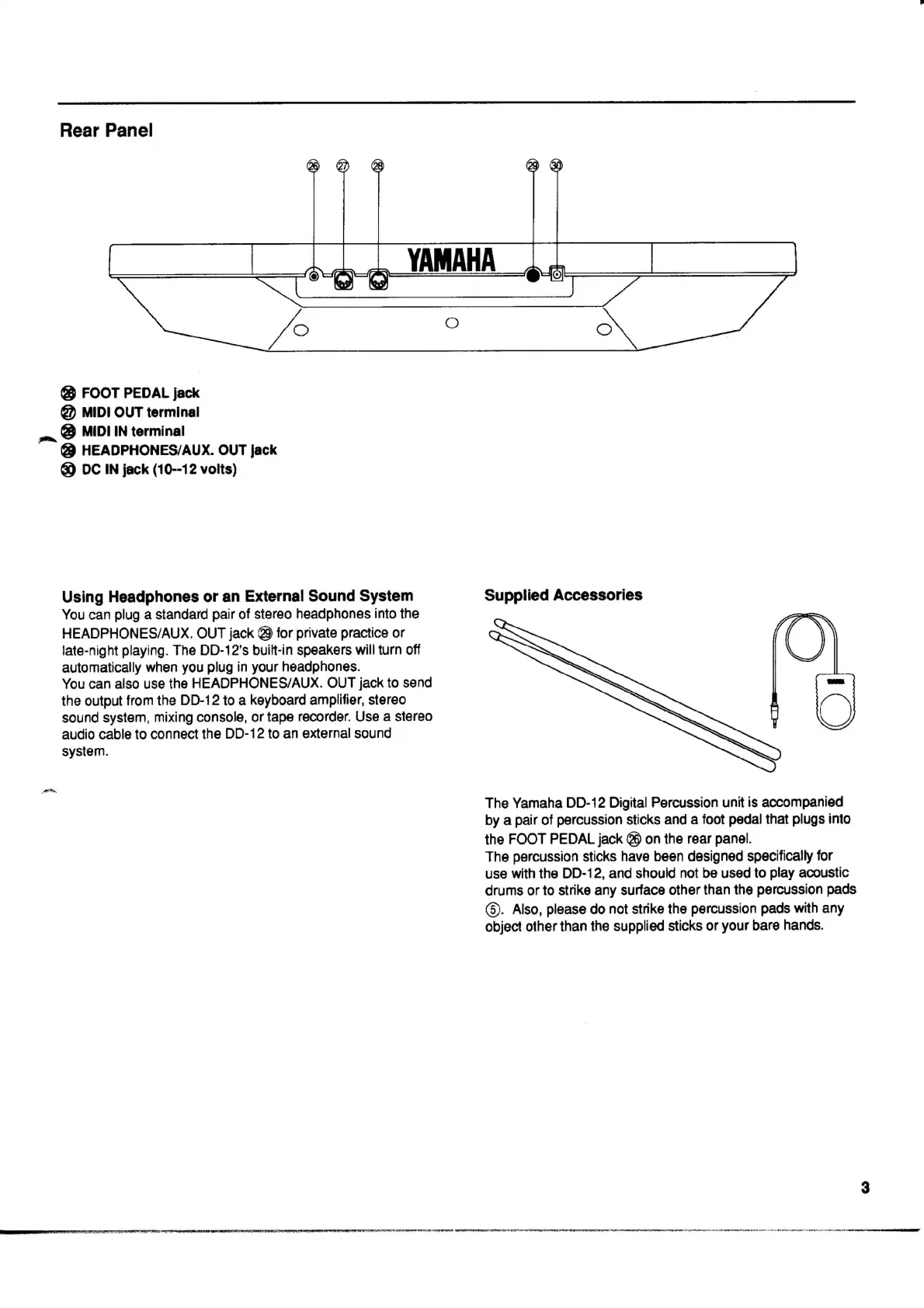
Rear
Panel
686
FOOT
PEDAL
jack
@)
MIDI
OUT
terminal
@
MIDI
IN
terminal
@
HEADPHONES/AUX.
OUT
jack
@)
DC
IN
jack
(10--12
volts)
Using
Headphones
or
an
External
Sound
System
You
can
plug
a
standard
pair
of
stereo
headphones
into
the
HEADPHONES/AUX.
OUT
jack
Q9
for
private
practice
or
late-night
playing.
The
DD-12's
built-in
speakers
will
turn
off
automatically
when
you
plug
in
your
headphones.
You
can
also
use
the
HEADPHONES/AUX.
OUT
jack
to
send
the
output
from
the
DD-12
to
a
keyboard
amplifier,
stereo
sound
system,
mixing
console,
or
tape
recorder.
Use
a
stereo
audio
cable
to
connect
the
DD-12
to
an
external
sound
system.
Supplied
Accessories
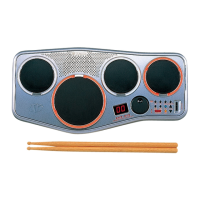
The
Yamaha
DD-12
Digital
Percussion
unit
is
accompanied
by
a
pair
of
percussion
sticks
and
a
foot
pedal
that
plugs
into
the
FOOT
PEDAL
jack
@
on
the
rear
panel.
The
percussion
sticks
have
been
designed
specifically
for
use
with
the
DD-12,
and
should
not
be
used
to
play
acoustic
drums
or
to
strike
any
surface
other
than
the
percussion
pads
(8).
Also,
please
do
not
strike
the
percussion
pads
with
any
object
other
than
the
supplied
sticks
or
your
bare
hands.