MX-100B
12
B
Item
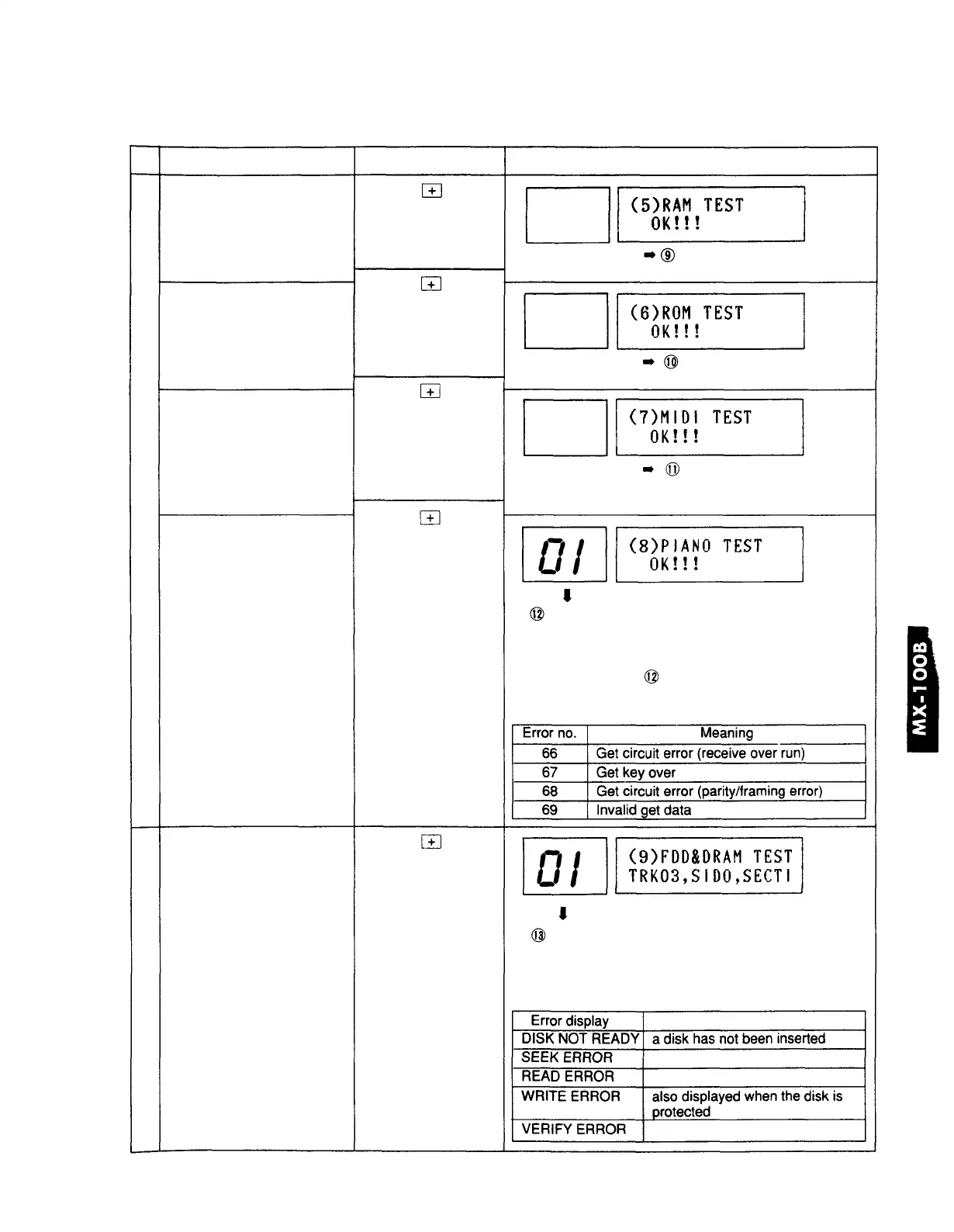
5. RAM test
6. ROM test
7. MIDI test
8. Piano test
9. FDD test
* execute the FDD test only
when necessary
Operation
press the Key
press the key
press the key
*connect MIDI IN/
OUT with a cable
*remove the cable
press the key
to the next test
press the key
* Insert a (formatted)
FD
(the test will start in
5 seconds)
Display / contents of test
OK (normal) or NG (faulty)
• Check whether RAM is OK or NG
OK (normal) or NG (faulty)
• Check whether ROM is OK or NG
OK (normal) or NG (faulty)
• Check whether MIDI functions are OK or NG
• If a MIDI cable is not connected, NG will be displayed
01~88, 90, 91
• Playback system test: repeat playback in the order of
keys 1~88, D/S pedal
• Record system test: in synchronization with the above
playback, display
* If an error occurs, the LCD will display the error number
and the LCD will indicate the meaning.
Track No. Side No. Sector No.
number of test times 00~
• FDD write/read/verify test
• LED LCD display contents test
• FDD test is repeated continuously for tracks 0~79
• If an error occurs it will be displayed in the LCD







 To Next Page