What does error 'E10: Internal Err' mean on my Yamaha Amplifier?
- AAngela RoblesSep 10, 2025
If your Yamaha Amplifier displays 'E10: Internal Err', it means there is no DSP response. Restart the unit, and then try the auto setup procedure again.

What does error 'E10: Internal Err' mean on my Yamaha Amplifier?
If your Yamaha Amplifier displays 'E10: Internal Err', it means there is no DSP response. Restart the unit, and then try the auto setup procedure again.
What does error E01: No Front SP mean on my Yamaha Amplifier?
If your Yamaha Amplifier displays 'E01: No Front SP', it means the front L/R channel signal(s) is(are) not detected. Make sure you have selected the front speakers using SPEAKERS A or B. Also, check the front L/R speaker connections to ensure they are properly connected.
Why does my Yamaha Amplifier say E08: No Signal during setup?
If your Yamaha Amplifier shows 'E08: No Signal', it means the optimizer microphone isn't detecting the test tones. First, check the microphone setting. Then, check both the speaker connections and their placement to ensure they are correct.
What does 'W1: Out of Phase' mean on my Yamaha Amplifier?
If your Yamaha Amplifier displays 'W1: Out of Phase', it means the speaker polarity is incorrect. Check the speaker connections to make sure they are properly connected. Note that this message may appear even when the speakers are connected correctly, depending on the speakers.
What to do if my Yamaha Amplifier displays error E02: No Surr. SP?
If your Yamaha Amplifier displays 'E02: No Surr. SP', it indicates that a surround channel signal is not being detected. Verify the surround speaker connections to ensure they are properly connected.
Why does my Yamaha Amplifier show 'E07: No MIC'?
If your Yamaha Amplifier displays 'E07: No MIC', it means that the optimizer microphone was unplugged during the auto setup procedure. Connect the supplied optimizer microphone to the OPTIMIZER MIC jack located on the front panel.
Why does my Yamaha Amplifier say 'No Setup Menu!'?
The Yamaha Amplifier displays 'No Setup Menu!' because no setup menu items have been selected. To resolve this, select at least one setup menu item.
What does 'E12: No Speaker' mean on my Yamaha Amplifier?
If your Yamaha Amplifier displays 'E12: No Speaker', it means all 9 speakers and 2 subwoofers are not connected. Check the speaker connections and placement.
What should I do if my Yamaha Amplifier shows 'E11: Complex Err'?
If your Yamaha Amplifier displays 'E11: Complex Err', it means that multiple errors have occurred. Check the speaker connections and placement to resolve this issue.
What does 'W3: Level Error' mean on my Yamaha Amplifier?
If your Yamaha Amplifier displays 'W3: Level Error', it means the difference in volume level between the speakers is excessive. Readjust the speaker installation, check the speaker connections, use speakers of similar quality, and adjust the output volume of the subwoofer.
Information and precautions for authorized service personnel.
Illustrations and identification of front panel controls and indicators.
Diagrams of the remote control units and their buttons.
Illustrations and identification of rear panel connectors and terminals.
Detailed technical specifications for the amplifier and tuner sections.
Diagrams showing the internal component layout from top, bottom, and side views.
Step-by-step instructions for disassembling the unit, ordered by part removal.
Procedures for checking the operation of key internal units and boards.
Procedures for accessing and using the unit's self-diagnosis features.
Instructions for updating the unit's firmware via RS-232C.
Block diagram illustrating the video signal processing circuit.
Explains how GUI displays vary based on input signal resolution.
Information on which video signals can be digitalized.
Notes limitations on OSD display for high-resolution signals.
Clarifies that video processing is only for monitor out signals.
Information on identifying and replacing critical components marked with Z.
Procedure for measuring leakage current after service completion.
Information on lead-free solder types recommended for repair.
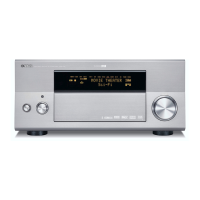
Front panel view and details specific to the RX-Z9 model.
Front panel view and details specific to the DSP-Z9 model.
Diagram of the standard remote control and its buttons.
Diagram of the GUI remote control and its buttons.
Illustration of the rear panel for RX-Z9 U and C models.
Illustration of the rear panel for RX-Z9 A model.
Illustration of the rear panel for DSP-Z9 R model.
Illustration of the rear panel for DSP-Z9 B model.
Illustration of the rear panel for DSP-Z9 G model.
Illustration of the rear panel for DSP-Z9 T model.
Illustration of the rear panel for DSP-Z9 K model.
Illustration of the rear panel for DSP-Z9 J model.
Detailed technical specifications for the amplifier section.
Specifications for output levels and impedances of various audio outputs.
Technical specifications for the video processing section.
Technical specifications for the FM tuner section.
Technical specifications for the AM tuner section.
General specifications including power supply, dimensions, and weight.
List of items included in the product package.
Parameters related to sound settings and audio processing.
Settings for bass and treble frequencies and levels.
Settings for audio delay and muting.
Basic THX settings like Ultra2 SWFR and Boundary Gain Comp.
Configuration options for subwoofer phase and bass output.
Configuration for speaker setup, including size and crossover frequency.
Adjustments for individual speaker levels and distances.
Selection between meter and feet for distance measurements.
Settings for video processing parameters like resolution and brightness.
Selection of video output resolution (e.g., 480p, 1080i).
Setting for video aspect ratio (e.g., Normal, Zoom).
Setting to suppress or allow cross color artifacts.
Selection of TV signal format (e.g., PAL, NTSC).
Various operational options including initialization and input mode.
Settings for on-screen display elements like wallpaper and position.
Adjustment for display brightness levels.
Selection of the display language.
Settings for multi-zone audio output and volume control.
Selection of sound modes like STEREO, Direct, or 9ch Stereo.
Options for selecting surround sound decoding types and parameters.
Settings related to THX processing, including Ultra2 SWFR and Boundary Gain Comp.
Configuration for speaker setup, including size, phase, and bass out.
Adjustments for individual speaker levels and distances.
Detailed parameter settings for surround sound, including delay and room size.
Diagram showing the internal layout from the top perspective.
Diagram showing the internal layout from the bottom perspective.
Diagram showing the internal layout from the right side perspective.
Diagram showing the internal layout from the left side perspective.
Diagram showing the internal layout from the front perspective.
Diagram showing the internal layout from the rear perspective.
Instructions for removing the top cover of the unit.
Instructions for removing the left and right side panels.
Instructions for removing the front panel assembly.
Instructions for removing the bottom cover of the unit.
Instructions for removing the left and right side frames.
Instructions for removing the left and right amplifier units.
Table showing connector assignments for amplifier unit wiring.
Instructions for removing the SUB TRANS (4) and (5) circuit boards.
Instructions for removing the SUB TRANS (1) and (2) circuit boards.
Instructions for removing the power transformer.
Instructions for removing the SUB TRANS (3) circuit board.
Instructions for removing the FUNCTION P.C.B.
Instructions for removing the sub chassis unit.
Instructions for removing the POWER (1) and (2) circuit boards.
Instructions for removing the DC fan motor.
Instructions for removing the rear panel unit.
Procedure for checking the operation of the amplifier units.
Procedure for checking the operation of SUB TRANS (4) and (5) circuit boards.
Procedure for checking the operation of the FUNCTION P.C.B.
Procedure for checking the operation of the sub-chassis unit.
Procedure for checking the operation of the POWER (1) and (2) circuit boards.
Procedure for checking the operation of VIDEO TOP and VIDEO BOTTOM circuit boards.
DIAG menu item for checking DSP signal paths with auto input.
DIAG menu item for checking RAM signal paths.
DIAG menu item for checking signal paths that bypass specific circuits.
DIAG menu item for checking i.LINK signal paths and modes.
DIAG menu item for checking PRO LOGIC settings.
DIAG menu item for configuring speaker settings.
DIAG menu item for manual channel testing.
DIAG menu item for checking the VFD (display) function.
DIAG menu item for checking video signal paths and processing.
DIAG menu item for checking i.LINK connection status.
DIAG menu item for sending i.LINK commands.
DIAG menu item for checking the integrity of printed circuit boards.
Reserved DIAG menu item.
DIAG menu item for checking RS-232C communication.
DIAG menu item related to DSP booting and firmware writing.
DIAG menu item related to 1394 interface booting.
DIAG menu item related to video processor booting.
DIAG menu item for managing preset memory and initialization.
DIAG menu item for checking AD values and fan status.
DIAG menu item for adjusting software switch settings.
DIAG menu item for displaying DSP and decoder version information.
DIAG menu item for displaying IEEE-1394 firmware information.
DIAG menu item for displaying video microprocessor information.
DIAG menu item for displaying main microprocessor information.
Steps to initiate the diagnostic function using unit keys.
Procedure to enter diagnostic mode with protection function disabled.
Steps to cancel the diagnostic mode and power off the unit.
Description of the screen display when the diagnostic function is activated.
Information on how the unit stores the history of protection function events.
How the menu list and function status are displayed during operation.
How to navigate and select items within the diagnostic menus.
Functions that operate in parallel with the diagnostic menu.
Procedure for adjusting speaker levels during diagnostic mode.
Explanation of the DSP signal path through auto input mode.
Explanation of DSP RAM signal paths and SRAM checks.
Explanation of bypass signal paths, including analog and DSP bypass.
Details on the analog signal path bypassing digital circuits.
Details on the DSP signal path bypassing DACs.
Explanation of the signal path bypassing the decoder (SHARC).
Explanation of the Pure Direct signal path and its settings.
Explanation of i.LINK audio signal paths and modes (AUTO, DIRECT, DSD ALL-CH).
Explanation of Pro Logic and Pro Logic II signal paths and functions.
Explanation of speaker setting modes and their functionalities.
Explanation of the manual test function for outputting test noise.
Program for checking the VFD (display) section's condition.
Menu for checking video circuits and signal paths.
Video signal path for outputting signals at 480i/576i resolution.
Video signal path bypassing the FLI2310 IC.
Video signal path bypassing IC30 and IC40.
Video signal path bypassing the digital circuit.
Video signal path with 480p conversion.
Video signal path with 1080i conversion.
Video signal path with 720p conversion.
Video signal path outputting test patterns from IC40.
Video signal path outputting test patterns from IC28.
Displays GUI video device register information.
Displays video information by selecting VIDEO INFO.
Displays GUID of connected i.LINK devices.
Issues "eject" command to connected i.LINK devices.
Self-checks each P.C.B. and displays the result.
Checks YSS for address/data bus and signal line connections.
Checks YG/MN devices and 1394 board for errors.
Checks RS-232C serial transmission and hardware flow port.
Sets item for writing ROM for DSP and decoder via RS-232C.
Sets item for writing program in FLASH ROM of 1394 P.C.B.
Sets item for writing program in ROM of video microprocessor.
Reserves or inhibits initialization of backup RAM parameters.
Lists factory preset stations for FM and AM bands.
Checks AD values for abnormality detect ports and fan drive test.
Displays A/D values of heat sink temperature detect ports.
Tests fan operation at high, medium, and low speeds.
Displays A/D values of panel key input ports when pressed.
Allows changing various settings using software switches.
Displays DSP and decoder program version information.
Displays IEEE-1394 (i.LINK) firmware version information.
Displays video microprocessor software version and related information.
Displays main microprocessor software version and input port level judgment.
Displays DSP microprocessor status information 1.
Displays DSP microprocessor status information 2.
Displays input stream information.
Displays setting information for each device.
Indicates DSP microprocessor mute history and factors.
Displays DIR status information 1 and 2.
Displays decoder DSP information 1 to 3.
Displays DSP (YSS930) information 1 and 2.
Displays i.LINK related information.
Detailed explanation of the STATUS 1 information.
Lists the necessary tools and software for firmware updates.
Steps to install the firmware loading program and files.
Instructions for performing the firmware update process.
Specific steps for updating the main microprocessor firmware.
Firmware update procedures for various Z9 models and processors.
Steps for automatic firmware loading.
Steps for manual firmware loading.
Block diagram illustrating the video signal processing circuit.
Explains how GUI displays vary based on input signal resolution.
Information on which video signals can be digitalized.
Notes limitations on OSD display for high-resolution signals.
Clarifies that video processing is only for monitor out signals.
Procedure for adjusting idling current for amplifier channels.
Assigns grid points for display data.
Pin connection diagrams for various components.
Details anode connections for various components.
Pin configuration and function details for IC14.
Pin configuration and function details for IC18.
Pin configuration and function details for IC27.
Pin configuration and function details for YSS930 DSP ICs.
Pin configuration and function details for IC56.
Pin configuration and function details for IC33.
Pin configuration and function details for IC10.
Block diagram of the video signal processing circuit.
Block diagram for the DSP1 circuit board.
Block diagram for the DSP2 circuit board.
Block diagram for the 1394 circuit board.
Component layout of DSP1 (1) P.C.B. for lead type devices.
Component layout of DSP1 (1) P.C.B. for surface mount devices.
Component layout of DSP1 (3) P.C.B. for lead type devices.
Component layout of DSP1 (3) P.C.B. for surface mount devices.
Component layout of DSP2 P.C.B. for lead type devices.
Component layout of DSP2 P.C.B. for surface mount devices.
Component layout of the 1394 P.C.B.
Component layout of the MAIN (L)-L P.C.B.
Component layout of the MAIN (L)-R P.C.B.
Component layout of the MAIN (R)-L P.C.B.
Component layout of the MAIN (R)-R P.C.B.
Component layout of VIDEO TOP P.C.B. for lead type devices.
Component layout of VIDEO BOTTOM P.C.B. for lead type devices.
Component layout of FUNCTION P.C.B. for lead type devices.
Component layout of OPERATION P.C.B.s for lead type devices.
Component layout of OPERATION P.C.B.s for surface mount devices.
Component layout of OPERATION P.C.B.s for lead type devices.
Component layout of OPERATION P.C.B.s for surface mount devices.
Component layout of the various POWER P.C.B.s.
Component layout of SUB TRANS (1) P.C.B.
Component layout of SUB TRANS (2) P.C.B.
Component layout of SUB TRANS (3) P.C.B.
Component layout of SUB TRANS (4) P.C.B.
Component layout of SUB TRANS (5) P.C.B.
Pin connection diagrams and external views for integrated circuits.
External views and pin connections for transistors.
External views and pin connections for field-effect transistors.
External views and pin connections for diodes.
List of abbreviations used in the electrical parts list.
List of electrical components with part numbers and descriptions.
List of newly added or revised parts for the FUNCTION P.C.B.
List of newly added or revised parts for the DSP1 P.C.B.
List of newly added or revised parts for the SUB TRANS & MAIN (L) P.C.B.s.
List of newly added or revised parts for the MAIN (L) & MAIN (R) P.C.B.s.
List of newly added or revised parts for the MAIN (R) P.C.B.
List of newly added or revised parts for the VIDEO TOP P.C.B.
List of newly added or revised parts for the VIDEO BOTTOM P.C.B.
List of newly added or revised parts for the MAIN (L) P.C.B.
List of newly added or revised parts for the MAIN (R) P.C.B.
List of newly added or revised parts for the MAIN (L) & MAIN (R) P.C.B.s.
List of newly added or revised parts for the MAIN (R) & POWER P.C.B.s.
List of newly added or revised parts for the POWER P.C.B.
List of newly added or revised chip capacitors.
List of newly added or revised chip resistors.
List of carbon resistors with part numbers, values, and power ratings.
Exploded view of the amplifier unit (R).
Exploded view of the amplifier unit (L).
Exploded view of the front panel assembly.
Exploded view of the sub chassis unit.
Exploded view of the rear panel unit.
List of mechanical parts, including new or revised items.
List of newly added or revised parts for the front panel and sub chassis.
List of newly added or revised parts for the rear panel unit.
List of newly added or revised parts for the AMP UNIT L.
List of newly added or revised parts for the AMP UNIT R.
Schematic diagram of the remote control unit.
Schematic diagram of the GUI remote control.


Loading...