EasyManua.ls Logo

Yamaha DZR315 - User Manual

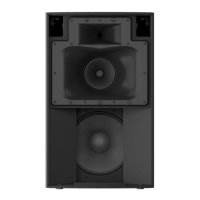
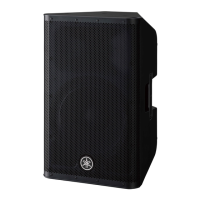
Yamaha DZR315
54 pages
Print Icon
To Next Page IconTo Next Page
Loading...
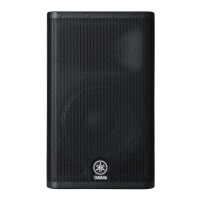
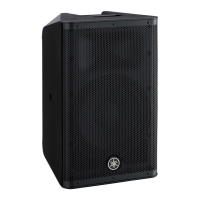
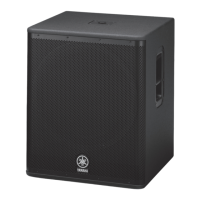
POWERED LOUDSPEAKER POWERED SUBWOOFER
Reference Manual
JA
EN

Other manuals for Yamaha DZR315

Questions and Answers

  • J
    John VillarrealAug 20, 2025
    How to fix Yamaha DZR315 Speakers when there is no sound?
    • P
      Paul ParkAug 20, 2025
      If there is no sound coming from your Yamaha Speakers, check the routing settings. On the HOME screen, if there is a signal in the INPUT meter but no signal in the SP Output Meter, verify if the signal is routed to SP OUT under ROUTER in the settings. Also, if you are using a Dante model, check the INPUT level on the ROUTER screen and raise the level if it is too low.
  • M
    Michael JohnsonAug 22, 2025
    Why Yamaha Speakers power does not come on?
    • S
      seth83Aug 22, 2025
      If the power does not come on, it might be because the time between turning the power off and on is too short. Wait about 20 seconds after turning the power off before turning it back on again.
  • P
    pamela77Aug 25, 2025
    Why is there no sound coming from my Yamaha Speaker System?
    • Z
      zmaloneAug 25, 2025
      If you're not getting any sound from your Yamaha Speaker System, first, on the HOME screen, if there is a signal in the INPUT meter but no signal in the SP Output Meter, verify the signal is routed to SP OUT under ROUTER in the settings. Also, if you have a Dante model, check the INPUT level under ROUTER in the settings and raise it if it is too low.
  • N
    Nicholas RossAug 26, 2025
    What does “Diagnosis mode” or “Service mode” appearing on Yamaha DZR315 Speakers screen mean?
    • S
      Stephen ThorntonAug 26, 2025
      If “Diagnosis mode” or “Service mode” appears on the screen, it indicates that the product is in the mode used for service purposes. Turn the power switch off and then turn it back on.
  • J
    Joseph MartinezAug 28, 2025
    What to do if the volume becomes low suddenly on Yamaha Speaker System?
    • R
      Ruth CooperAug 28, 2025
      If the volume of your Yamaha Speaker System suddenly becomes low, it might be due to the protection function being active because the amp is too hot, which triggers the limiter. In such cases, THERMAL is displayed on the HOME screen. To resolve this, improve the ventilation around the rear panel and shield it from direct sunlight to prevent the speaker from overheating.
  • R
    rwilliamsAug 30, 2025
    Why is the sound interrupted suddenly on my Yamaha Speaker System?
    • R
      Robin WrightAug 30, 2025
      If the sound from your Yamaha Speaker System is suddenly interrupted, this could be due to the protection function activating because the amp became too hot, triggering the mute function. When this happens, MUTED is displayed on the HOME screen, and the [POWER] indicator flashes. To fix this, improve ventilation around the rear panel and shield it from direct sunlight. If MUTED is not displayed and there is a signal in the SP Output Meter, the speaker units might be damaged. Please contact your Yamaha dealer.
  • D
    Daniel KellyAug 31, 2025
    How to fix Yamaha Speaker System when the power does not come on?
    • C
      carpenterronaldAug 31, 2025
      If your Yamaha Speaker System's power does not come on, it might be because the time between turning the power on and off is too short. Wait about 20 seconds after turning the power off before turning it back on again.
  • C
    ccopelandSep 2, 2025
    How to fix Yamaha Speaker System display that goes off after a few moments?
    • K
      knoxjeremySep 2, 2025
      If the display on your Yamaha Speaker System goes off after a few moments, it means the display's protection function is active. To return to the normal display, press either the main knob or the [ ] (back) key.
  • J
    Joseph ArmstrongSep 4, 2025
    Why does my Yamaha DZR315 Speakers volume become low suddenly?
    • J
      Joseph CannonSep 4, 2025
      The volume might be decreasing because the protection function is active due to the amp overheating, which triggers the limiter. If “THERMAL” is displayed on the HOME screen, try reducing the output level, improving ventilation around the rear panel, and shielding the rear panel from direct sunlight to lower the amplifier temperature.
  • E
    Eric EdwardsSep 6, 2025
    What to do if my Yamaha Speakers sound is interrupted suddenly?
    • C
      Cynthia CoxSep 6, 2025
      If the sound is suddenly interrupted, it might be due to the protection function activating because the amp became too hot, triggering the mute function. If “MUTED” is displayed on the HOME screen and the [POWER] indicator flashes, reduce the output level and improve ventilation around the rear panel. Also, shield the rear panel from direct sunlight. The system should recover once the temperature decreases. Alternatively, if MUTED is not displayed but there is a signal in the SP Output Meter, the speaker units might be damaged. Please contact your Yamaha dealer.

Summary

Functions

Rear Panel

Details the various terminals and indicators on the rear panel of the speakers.

Dante Section

Covers Dante jacks, indicators ([LINK], [1G], [SYNC]), and their functions.

Panel Operations

Basic Operations

Explains fundamental operations like using the main knob and back key.

Initialization

Details the procedures for resetting the product to its default settings.

Screen Functions

PRESET Screen

Explains how to recall, store, clear, edit titles, and protect presets.

ROUTER Screen

Details configuring signal routing, Dante input levels, and output levels.

UTILITY Screen

Used for configuring device settings and managing settings data via USB.

PANEL LOCK

Locks the operating panel to prevent inadvertent errors and allows PIN code management.

DANTE SETUP

Configures Dante settings and displays the Dante network status.

NETWORK

Configures network settings for controlling the product with an external device.

UPDATE FIRMWARE

Updates the product firmware and Dante module firmware using a USB flash drive.

About Dante

Dante Network System

Explains Dante technology, network protocols, and connection methods.

Dante Settings

Covers configuration of Dante settings via the DANTE SETUP screen.

Reference

Troubleshooting

Offers solutions for common problems like no power, no sound, or display issues.

Specifications

Lists detailed technical specifications for the DZR and DXS-XLF series speakers.

Yamaha DZR315 Specifications

General IconGeneral
Enclosure MaterialBirch Plywood
TypeActive
Woofer15"
Mid-range Driver8-inch
Tweeter1.4"
Amplifier ClassClass-D
Power Output2000W
Power rating2000W
Frequency Response40Hz - 20kHz
Coverage angle90° x 60°
Inputs2 x XLR/TRS Combo
Outputs2 x XLR
I/O ConnectorsXLR, TRS, RCA, EtherCon, PowerCON
Power requirements100-240V, 50/60Hz
Power consumption240W
Dimensions (W x H x D)450 mm x 823 mm x 526 mm (17.7" x 32.4" x 20.7")
Weight34.0 kg (75.0 lbs)
Net Weight32.5 kg

Related product manuals