Need help?
Do you have a question about the Yamaha Electone Stagea ELS-01 and is the answer not in the manual?
Basic precautions to avoid injury or death from electrical shock, fire, or other hazards.
Basic precautions to avoid physical injury or damage to the instrument or property.
Illustrates and labels the controls on the Electone's front panel.
Basic steps to plug in, turn on, and set the master volume for the Electone.
How to choose preset Registrations suited for different music genres.
Explains the four Voice sections available on the Upper Keyboard and two on the Lower Keyboard.
How to save current Electone settings to a Registration Memory button.
How to access the Music Data Recorder display via the panel button.
Detailed procedure for capturing keyboard and panel performances as a song.
How to start creating original rhythms by copying presets or from scratch.
Details the functions of the Right Footswitch (Registration Shift) and Left Footswitch (Rhythm, Glide, Rotary Speaker).
Steps to establish an Internet connection using a router or modem.
Explains the function of each jack and control on the Electone's connection panel.
 General
| Sound Generation | AWM (Advanced Wave Memory) |
|---|---|
| Effects | Reverb, chorus, DSP, and more |
| Registration | 8 Registration Memory buttons |
| Display | LCD |
| Speakers | Tweeter: 5cm x 2 |
| Storage | USB to device |
| Connections | MIDI IN/OUT, AUX IN, AUX OUT, Headphones, USB |
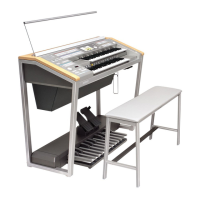
| Dimensions | 1, 229mm (W) x 574mm (D) x 1, 017mm (H) |
| Polyphony | Maximum 128 |

 To Next Page