EasyManua.ls Logo

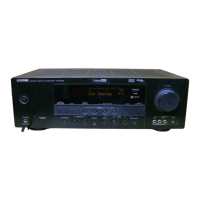
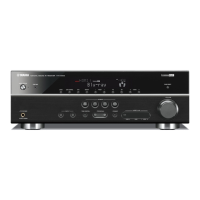
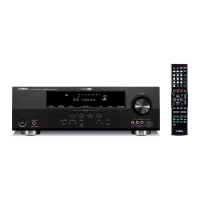
Yamaha HTR-6025 - User Manual

Yamaha HTR-6025
73 pages
Print Icon
To Next Page IconTo Next Page
Loading...
HTR-6025
AV R e c e i ve r
OWNER’S MANUAL
U

Table of Contents

Questions and Answers

  • M
    mmartinezAug 20, 2025
    Why is there no sound coming from my Yamaha HTR-6025?
    • W
      William HansenAug 20, 2025
      If you're experiencing a complete lack of sound from your Yamaha Receiver, there are several potential causes. First, ensure that all input and output cables are correctly connected; if the problem persists, the cables themselves may be defective. Also, verify that an appropriate Audio input jack has been selected. Make sure that you have selected an appropriate input source using the DINPUT l / h button on the front panel or the input selector buttons on the remote. Check that the front speakers are properly selected using the 9SPEAKERS button. Confirm that the volume isn't turned down and that the sound isn't muted by pressing NMUTE or QVOLUME +/– on the remote control. Finally, ensure that the source you are playing is compatible with the receiver's capabilities.
  • E
    ericescobarAug 22, 2025
    Why does my Yamaha Receiver suddenly enter standby mode?
    • J
      Jorge BradleyAug 22, 2025
      If your Yamaha Receiver suddenly enters standby mode, it may be due to the internal temperature being too high, which activates the overheat protection circuitry. Wait about 1 hour for the unit to cool down, and then turn it back on.
  • J
    jeffrey76Aug 25, 2025
    Why does the remote control not work with my Yamaha HTR-6025?
    • K
      Kara HayesAug 25, 2025
      If the remote control for your Yamaha Receiver isn't working properly, consider these points. Ensure that there are no obstructions and that you are within the operational range and angle. If direct sunlight or lighting is interfering with the remote control sensor, reposition the unit. Finally, verify that the remote control code is correctly set using the 'List of remote control codes'.
  • B
    Brendan SanfordAug 26, 2025
    Why is there no sound from the subwoofer on my Yamaha HTR-6025 Receiver?
    • M
      Miranda NicholsAug 26, 2025
      If you're not hearing any sound from the subwoofer connected to your Yamaha Receiver, there are a few settings to check. If you are playing a Dolby Digital or DTS signal, ensure that 'BASS OUT' in 'SPEAKER SET' is set to 'SWFR' or 'BOTH'. If you are playing a 2-channel source, set 'BASS OUT' to 'BOTH'. Also, if the source does not contain low-frequency bass signals, press BSTRAIGHT on the front panel so that display.
  • C
    Christopher LawsonAug 28, 2025
    What to do if my Yamaha HTR-6025 fails to turn on?
    • J
      Jonathan ReedAug 28, 2025
      If your Yamaha Receiver fails to turn on or enters standby mode shortly after being powered on, several factors could be at play. First, ensure the power cable is firmly connected to both the receiver and the power outlet. An incorrect speaker impedance setting can also cause this issue; adjust the setting to match your speakers. Another potential cause is the activation of the protection circuitry. To resolve this, check all speaker wire connections on the receiver and speakers, ensuring no wires are touching anything other than their designated connections. Lastly, if the receiver has been exposed to a strong electric shock, set it to standby mode, disconnect the power cable, wait 30 seconds, and then plug it back in.
  • A
    Amy CochranAug 30, 2025
    What to do if the sound suddenly goes off on my Yamaha HTR-6025?
    • M
      Makayla BowersAug 30, 2025
      If the sound from your Yamaha Receiver suddenly cuts off, it could be due to a few reasons. The protection circuitry may have been activated because of a short circuit, so verify that the impedance setting is correct. Alternatively, the sleep timer might have turned the unit off; in this case, turn the unit back on and restart the source. It's also possible that the sound is muted; press NMUTE or QVOLUME +/– on the remote control to resume audio output.
  • L
    Leonard ColemanSep 1, 2025
    Why is sound only heard from one side of my Yamaha Receiver?
    • T
      timgonzalezSep 1, 2025
      If you are only hearing sound from one speaker connected to your Yamaha Receiver, several factors could be the cause. If the unit is in 'STRAIGHT' mode and playing a monaural source, this is expected behavior. Check the cable connections to ensure they are properly connected; if issues persist, the cables might be defective. Verify the 'SP LEVEL' settings and adjust them as needed. If playing a monaural source with a CINEMA DSP program, the sound may be directed to the center channel. Ensure that 'CENTER' in 'SPEAKER SET' is set to 'SML' or 'LRG', and that 'SUR. LR' in 'SPEAKER SET' is set to 'SML' or 'LRG'. Finally, try a different sound field program if one of the HiFi DSP programs (except for 5ch Stereo) is selected.
  • A
    Ann WalkerSep 3, 2025
    Why can't I play Dolby Digital or DTS sources on my Yamaha Receiver?
    • B
      Bradley AllenSep 3, 2025
      If your Yamaha Receiver is not playing Dolby Digital or DTS sources and the corresponding indicator isn't lighting up, ensure that the connected component is set to output Dolby Digital or DTS digital signals by checking its operating instructions. Also, verify that the Audio input jack select is set to 'AUTO'.
  • K
    Kathryn GarciaSep 5, 2025
    Why is a humming sound heard from my Yamaha HTR-6025 Receiver?
    • T
      Teresa FrostSep 5, 2025
      If you hear a humming sound coming from your Yamaha Receiver, it might be due to incorrect cable connections. Ensure all audio cables are firmly connected. If the humming persists, the cables may be defective and need replacement.
  • J
    julianthompsonSep 7, 2025
    Why can't the volume level be increased on my Yamaha HTR-6025?
    • C
      Christian SteinSep 7, 2025
      If you cannot increase the volume level or the sound is distorted on your Yamaha Receiver, first check if the component connected to the AUDIO OUT (REC) jacks is turned off and turn it on. If that's not the problem, you might be trying to exceed the maximum volume level. Adjust the 'MAX VOL.' setting to resolve this.

Summary

Important safety instructions

Caution: Read this before operating your unit.

WARNING

Crucial warning to reduce risk of fire or electric shock.

Getting started

Quick start guide

Preparation: Check the items

Lists necessary items for initial setup and DVD playback.

Step 1: Set up your speakers

Instructions for connecting speakers to the unit.

Step 2: Connect your DVD player and other components

Guide for connecting external audio/video sources.

Step 3: Turn on the power and press SCENE 1 button

Steps to power on the unit and initiate basic playback.

Connections

Rear panel

Identifies and describes all rear panel connection terminals.

Placing speakers

Recommends optimal speaker placement for surround sound.

Connecting speakers

Detailed guide on connecting speaker wires to terminals.

Setting the speaker impedance

Guide to setting speaker impedance for optimal performance.

Connecting video components

Instructions for connecting video sources like DVD players.

Connecting audio components

Details on connecting CD players, recorders, and multi-channel sources.

Remote control features

Using remote control on the SCENE feature

How to use the remote for SCENE functions and component control.

Selecting the SCENE templates

Creating your original SCENE templates

Instructions for customizing and creating new SCENE templates.

Selecting the desired SCENE template

Steps to assign and select preset SCENE templates.

Playback

Basic operations

General steps for playing audio and video sources.

FM;AM tuning

Recording

Set menu

Basic setup BASIC SETUP

Automatic system setup for speakers and parameters.

Manual setup MANUAL SETUP

Manual adjustment of speaker and system parameters.

Sound menu 1 SOUND MENU

Adjusts audio quality, tone, and video signal processing delays.

Input menu 2 INPUT MENU

Reassigns input jacks, selects input mode, or renames sources.

Option menu 3 OPTION MENU

Adjusts optional system parameters like display brightness and memory guard.

Using set menu

Navigates and adjusts parameters within the set menu system.

Speaker settings A)SPEAKER SET

Manually adjusts speaker size, crossover, and front speaker location.

Advanced setup

Speaker impedance SP IMP.

Sets unit's speaker impedance to match connected speakers.

Troubleshooting

General

Common issues like unit failing to turn on or no sound.

Sound issues

Addresses problems like sound suddenly going off or sound from one side only.

Audio playback issues

Problems with Dolby/DTS sources, humming, volume, and recording.

Tuner issues

Troubleshooting FM stereo reception and tuning problems.

Remote control issues

Addresses problems with the remote control not functioning.

Yamaha HTR-6025 Specifications

General IconGeneral
BrandYamaha
ModelHTR-6025
CategoryReceiver
LanguageEnglish

Related product manuals