EasyManua.ls Logo

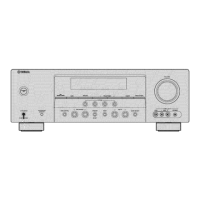
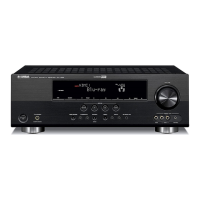
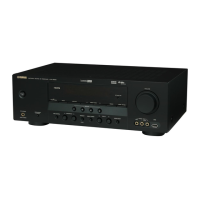
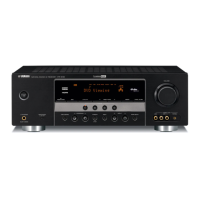
Yamaha HTR-6130 - User Manual

Yamaha HTR-6130
78 pages
Print Icon
To Next Page IconTo Next Page
Loading...
HTR-6130
AV R e c e i ve r
OWNER’S MANUAL
U
01EN_HTR-6130_U_cv-1.fm Page 1 Sunday, December 2, 2007 8:32 PM
Black process 45.0° 240.0 LPI

Table of Contents

Other manuals for Yamaha HTR-6130

Questions and Answers

  • K
    Kathryn HarveyJul 26, 2025
    What to do if my Yamaha Receiver has no sound?
    • C
      Christopher ReillyJul 26, 2025
      If your Yamaha Receiver isn't producing any sound, here are some things to check: * Ensure all input and output cables are properly connected and not defective. * Select the correct audio input jack. * Choose the appropriate input source using the front panel or remote control. * Select the correct front speakers with ISPEAKERS. * Make sure the volume isn't turned down or muted (press FMUTE or IVOLUME +/-). * Ensure the source you're playing can be reproduced by the unit. * If using HDMI, also make an analog or digital connection. * Verify the settings of the connected component are correct.
  • B
    beverly73Aug 1, 2025
    How to fix sound only coming from one speaker on my Yamaha HTR-6130?
    • V
      Valerie AndersonAug 1, 2025
      If sound is only coming from one speaker on your Yamaha Receiver, check the following: * Ensure the cable connections are correct and that the cables are not defective. * Adjust the “SP LEVEL” settings.
  • S
    Stephen PhillipsAug 7, 2025
    Why is there no sound from the center speaker on my Yamaha HTR-6130 Receiver?
    • Z
      Zachary RiosAug 7, 2025
      If you're not hearing sound from the center speaker of your Yamaha Receiver, consider these possibilities: * The unit might be in “STRAIGHT” mode while playing a monaural source. Press LSTRAIGHT on the front panel to disable “STRAIGHT” mode. * “CENTER” in “SPEAKER SET” may be set to “NONE”. Change it to “SML” or “LRG”. * The current sound field program might not output sound from the center speaker. Try a different program. * “SUR. LR” in “SPEAKER SET” may be set to “NONE”. Set “SUR. LR” to “SML” or “LRG.”
  • G
    Greg JohnsonAug 12, 2025
    Why does my Yamaha HTR-6130 Receiver fail to turn on or enter standby mode?
    • J
      Jonathan MartinezAug 12, 2025
      Your Yamaha Receiver might fail to turn on or enter standby mode due to several reasons: * The power cable may not be properly connected. Ensure it's firmly plugged in. * The speaker impedance setting could be incorrect. Adjust it to match your speakers. * The protection circuitry may have been activated. Check all speaker wire connections to ensure they are secure and not touching anything else. * The unit might have been exposed to a strong electric shock. Try setting it to standby mode, disconnecting the power cable, waiting 30 seconds, and then plugging it back in.
  • B
    Brian PriceAug 19, 2025
    What to do if the sound suddenly goes off on my Yamaha Receiver?
    • J
      Jasmine CarlsonSep 12, 2025
      If the sound on your Yamaha Receiver suddenly cuts off, it could be due to: * The protection circuitry being activated due to a short circuit. Verify the impedance setting is correct. * Speaker wires touching each other. Ensure they are not, and then turn the unit back on. * The sleep timer turning off the unit. Turn the unit back on and play the source again.

Summary

Important Safety Instructions

Explanation of Graphical Symbols

Details the meaning of graphical symbols used for safety warnings in the manual.

Outdoor Antenna Grounding

Provides safety guidelines for grounding outdoor antennas to prevent surges and shocks.

Quick Start Guide

Step 1: Set up your speakers

Guide to connecting and positioning speakers for initial DVD playback setup.

PREPARATION

BASIC OPERATION

ADVANCED OPERATION

Troubleshooting

General Issues and Solutions

Common problems with the unit and their remedies.

Tuner and Remote Control Issues

Troubleshooting tips for tuner reception and remote control operation.

iPod and Bluetooth Connectivity

Solutions for problems encountered with iPod and Bluetooth connections.

Yamaha HTR-6130 Specifications

General IconGeneral
Channels5.1
HDMI Inputs2
HDMI Outputs1
Dolby DigitalYes
DTSYes
FM/AM TunerYes
Response Bandwidth10 Hz - 100 kHz
Signal-To-Noise Ratio100 dB
Total Harmonic Distortion0.9%
Input Impedance47 kOhm
Input Sensitivity200 mV
Audio D/A Converter192kHz/24-bit
Surround System Class5.1 channel
Digital Sound Processor (DSP)Yes
DSP Preset Qty17
Tuner BandsAM/FM
Preset Station Qty40
HDMIYes
Frequency Response10 Hz - 100 kHz
Dimensions435 x 151 x 315 mm
Additional FeaturesCompressed Music Enhancer
Connector TypeHDMI
Video Inputs/Outputs2 HDMI inputs, 1 HDMI output, Composite video inputs/outputs
Audio Inputs/Outputsdigital audio input (optical)

Related product manuals