EasyManua.ls Logo

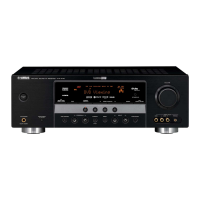
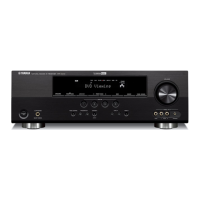
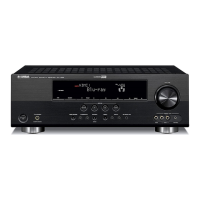
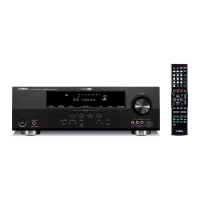
Yamaha HTR-6180 - User Manual

Yamaha HTR-6180
152 pages
Print Icon
To Next Page IconTo Next Page
Loading...
YAMAHA ELECTRONICS CORPORATION, USA
6660 ORANGETHORPE AVE., BUENA PARK, CALIF. 90620, U.S.A.
YAMAHA CANADA MUSIC LTD.
135 MILNER AVE., SCARBOROUGH, ONTARIO M1S 3R1, CANADA
YAMAHA ELECTRONIK EUROPA G.m.b.H.
SIEMENSSTR. 22-34, 25462 RELLINGEN BEI HAMBURG, GERMANY
YAMAHA ELECTRONIQUE FRANCE S.A.
RUE AMBROISE CROIZAT BP70 CROISSY-BEAUBOURG 77312 MARNE-LA-VALLEE CEDEX02, FRANCE
YAMAHA ELECTRONICS (UK) LTD.
YAMAHA HOUSE, 200 RICKMANSWORTH ROAD WATFORD, HERTS WD18 7GQ, ENGLAND
YAMAHA SCANDINAVIA A.B.
J A WETTERGRENS GATA 1, BOX 30053, 400 43 VÄSTRA FRÖLUNDA, SWEDEN
YAMAHA MUSIC AUSTRALIA PTY, LTD.
17-33 MARKET ST., SOUTH MELBOURNE, 3205 VIC., AUSTRALIA
©
2008 All rights reserved.
HTR-6180
Printed in Malaysia WN24840
HTR-6180
AV Receiver
OWNER’S MANUAL
U
HTR-6180_U-cv.fm Page 1 Monday, December 10, 2007 1:32 PM
Black process 45.0° 240.0 LPI

Table of Contents

Other manuals for Yamaha HTR-6180

Questions and Answers

Summary

IMPORTANT SAFETY INSTRUCTIONS

Features

Built-in 7-channel power amplifier

Details the amplifier's minimum RMS output power for each channel.

SCENE function

Allows saving and recalling preferred input sources and sound field programs.

Sound field programs

Describes Yamaha's technology for creating sound fields and available modes.

HDMI (High-Definition Multimedia Interface)

Explains HDMI interface features and compatibility.

Quick start guide

Step 1: Set up your speakers

Guides on speaker placement and connection to the unit.

Step 2: Connect your DVD player and other components

Instructions for connecting audio and video sources to the unit.

Step 3: Press SCENE 1 button

Explains how to use the SCENE function for quick playback setup.

Connections

HDMI signal compatibility

Lists supported audio/video signal types and resolutions for HDMI connection.

Connecting a TV monitor or projector

Provides guidance on connecting the unit to a TV or projector via HDMI, Component, S-Video, or Video.

Connecting other components

Covers connecting DVD players and other video sources to the unit.

Connecting audio components

Explains how to connect turntables, CD recorders, MD recorders, and tape decks.

Setting the speaker impedance

Explains how to set the speaker impedance for optimal performance.

Turning this unit on and off

Guides on powering the unit on and off, and entering standby mode.

Placing speakers

7.1-channel speaker layout

Recommends a 7.1-channel layout for optimal surround sound experience.

6.1-channel speaker layout

Describes the recommended layout for a 6.1-channel speaker system.

5.1-channel speaker layout

Details the recommended layout for a 5.1-channel speaker system.

Connecting the speakers

Provides instructions for connecting various speaker configurations.

Remote control features

OPTIMIZING THE SPEAKER SETTING FOR YOUR LISTENING ROOM (YPAO)

Using AUTO SETUP

Guides on using the YPAO system for automatic speaker setup and room acoustics optimization.

SELECTING THE SCENE TEMPLATES

PLAYBACK

SOUND FIELD PROGRAMS

USING AUDIO FEATURES

Adjusting the speaker level

Guides on manually adjusting the output level for each speaker.

FM;AM TUNING

USING HD RADIO FEATURES (U.S.A. MODEL ONLY)

XM SATELLITE RADIO TUNING

SIRIUS SATELLITE RADIO TUNING

USING IPOD

USING BLUETOOTH COMPONENTS

Advanced sound configurations

Changing sound field parameter settings

Guides on adjusting sound field parameters to customize audio settings.

Sound field parameters for the advanced configurations

Lists and describes advanced sound field parameters for detailed customization.

CUSTOMIZING THIS UNIT (MANUAL SETUP)

Auto setup AUTO SETUP

Explains how to use automatic setup for speaker and system parameters.

Speaker settings A)SPEAKER SET

Covers assigning functions to EXTRA SP terminals and speaker size/type settings.

Speaker distance C)SP DISTANCE

Explains how to manually adjust speaker distance and delay for precise sound arrival.

Volume menu 2 VOLUME MENU

Allows manual adjustment of various volume-related settings.

Sound menu 3 SOUND MENU

Provides access to audio parameters including Equalizer, LFE Level, and Dynamic Range.

Audio and video synchronization (lip sync) D)LIPSYNC

Guides on adjusting audio and video sync for better lip-sync performance.

Input menu 4 INPUT MENU

Allows adjustment of parameters for each input source.

5 OPTION MENU

Provides access to optional system parameters like display and video settings.

E)HDMI SET

Guides on selecting where HDMI audio signals are played back.

Manual setup MANUAL SETUP

Guides on manually adjusting speaker and system parameters.

Speaker level B)SP LEVEL

Guides on manually adjusting speaker output levels for balance.

F)ZONE2 SET

Covers setting maximum and initial volume levels for Zone 2 audio.

REMOTE CONTROL FEATURES

Controlling this unit, a TV, or other components

Explains how to set the operation mode selector to control different devices.

Setting remote control codes

Guides on programming the remote control with codes for various components.

Resetting all remote control codes

Explains how to reset all remote control codes to factory defaults.

USING MULTI-ZONE CONFIGURATION

Connecting Zone 2

Details the equipment needed and how to connect for multi-zone audio setup.

Controlling Zone 2 with the remote control

Details setting the remote control for Zone 2 operation and controlling Zone 2.

Controlling Zone 2

Explains how to select input sources and operate Zone 2 audio.

Advanced setup

Using the advanced setup

Guides on accessing and using the unit's advanced setup menu.

Speaker Impedance SP IMP.

Explains how to set the speaker impedance to match the connected speakers.

TROUBLESHOOTING

General

Provides troubleshooting for general problems like power issues and no sound.

AUTO SETUP

Troubleshooting for errors encountered during the automatic speaker setup process.

RESETTING THE SYSTEM

Summary

IMPORTANT SAFETY INSTRUCTIONS

Features

Built-in 7-channel power amplifier

Details the amplifier's minimum RMS output power for each channel.

SCENE function

Allows saving and recalling preferred input sources and sound field programs.

Sound field programs

Describes Yamaha's technology for creating sound fields and available modes.

HDMI (High-Definition Multimedia Interface)

Explains HDMI interface features and compatibility.

Quick start guide

Step 1: Set up your speakers

Guides on speaker placement and connection to the unit.

Step 2: Connect your DVD player and other components

Instructions for connecting audio and video sources to the unit.

Step 3: Press SCENE 1 button

Explains how to use the SCENE function for quick playback setup.

Connections

HDMI signal compatibility

Lists supported audio/video signal types and resolutions for HDMI connection.

Connecting a TV monitor or projector

Provides guidance on connecting the unit to a TV or projector via HDMI, Component, S-Video, or Video.

Connecting other components

Covers connecting DVD players and other video sources to the unit.

Connecting audio components

Explains how to connect turntables, CD recorders, MD recorders, and tape decks.

Setting the speaker impedance

Explains how to set the speaker impedance for optimal performance.

Turning this unit on and off

Guides on powering the unit on and off, and entering standby mode.

Placing speakers

7.1-channel speaker layout

Recommends a 7.1-channel layout for optimal surround sound experience.

6.1-channel speaker layout

Describes the recommended layout for a 6.1-channel speaker system.

5.1-channel speaker layout

Details the recommended layout for a 5.1-channel speaker system.

Connecting the speakers

Provides instructions for connecting various speaker configurations.

Remote control features

OPTIMIZING THE SPEAKER SETTING FOR YOUR LISTENING ROOM (YPAO)

Using AUTO SETUP

Guides on using the YPAO system for automatic speaker setup and room acoustics optimization.

SELECTING THE SCENE TEMPLATES

PLAYBACK

SOUND FIELD PROGRAMS

USING AUDIO FEATURES

Adjusting the speaker level

Guides on manually adjusting the output level for each speaker.

FM;AM TUNING

USING HD RADIO FEATURES (U.S.A. MODEL ONLY)

XM SATELLITE RADIO TUNING

SIRIUS SATELLITE RADIO TUNING

USING IPOD

USING BLUETOOTH COMPONENTS

Advanced sound configurations

Changing sound field parameter settings

Guides on adjusting sound field parameters to customize audio settings.

Sound field parameters for the advanced configurations

Lists and describes advanced sound field parameters for detailed customization.

CUSTOMIZING THIS UNIT (MANUAL SETUP)

Auto setup AUTO SETUP

Explains how to use automatic setup for speaker and system parameters.

Speaker settings A)SPEAKER SET

Covers assigning functions to EXTRA SP terminals and speaker size/type settings.

Speaker distance C)SP DISTANCE

Explains how to manually adjust speaker distance and delay for precise sound arrival.

Volume menu 2 VOLUME MENU

Allows manual adjustment of various volume-related settings.

Sound menu 3 SOUND MENU

Provides access to audio parameters including Equalizer, LFE Level, and Dynamic Range.

Audio and video synchronization (lip sync) D)LIPSYNC

Guides on adjusting audio and video sync for better lip-sync performance.

Input menu 4 INPUT MENU

Allows adjustment of parameters for each input source.

5 OPTION MENU

Provides access to optional system parameters like display and video settings.

E)HDMI SET

Guides on selecting where HDMI audio signals are played back.

Manual setup MANUAL SETUP

Guides on manually adjusting speaker and system parameters.

Speaker level B)SP LEVEL

Guides on manually adjusting speaker output levels for balance.

F)ZONE2 SET

Covers setting maximum and initial volume levels for Zone 2 audio.

REMOTE CONTROL FEATURES

Controlling this unit, a TV, or other components

Explains how to set the operation mode selector to control different devices.

Setting remote control codes

Guides on programming the remote control with codes for various components.

Resetting all remote control codes

Explains how to reset all remote control codes to factory defaults.

USING MULTI-ZONE CONFIGURATION

Connecting Zone 2

Details the equipment needed and how to connect for multi-zone audio setup.

Controlling Zone 2 with the remote control

Details setting the remote control for Zone 2 operation and controlling Zone 2.

Controlling Zone 2

Explains how to select input sources and operate Zone 2 audio.

Advanced setup

Using the advanced setup

Guides on accessing and using the unit's advanced setup menu.

Speaker Impedance SP IMP.

Explains how to set the speaker impedance to match the connected speakers.

TROUBLESHOOTING

General

Provides troubleshooting for general problems like power issues and no sound.

AUTO SETUP

Troubleshooting for errors encountered during the automatic speaker setup process.

RESETTING THE SYSTEM

Yamaha HTR-6180 Specifications

General IconGeneral
Channels7.1
Frequency Response10 Hz - 100 kHz
Response Bandwidth10 Hz - 100 kHz
Signal-To-Noise Ratio100 dB
HDMI SwitchingYes
Input Sensitivity200 mV
Audio D/A Converter192 kHz/24-bit
Tuner Presets40
Output ConnectionsHDMI
Audio Formats SupportedDolby TrueHD, DTS-HD Master Audio
Input Impedance47 kOhm
Video Inputs/Outputs4 x HDMI In, 1 x HDMI Out
Digital Audio InputsOptical x 2, Coaxial x 2

Related product manuals