EasyManua.ls Logo

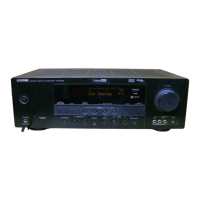
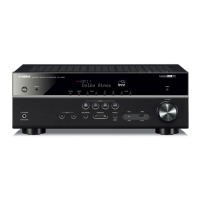
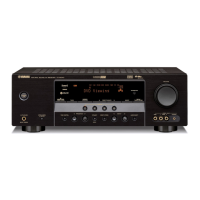
Yamaha HTR-6040 - User Manual

Yamaha HTR-6040
93 pages
Print Icon
To Next Page IconTo Next Page
Loading...
YAMAHA ELECTRONICS CORPORATION, USA
6660 ORANGETHORPE AVE., BUENA PARK, CALIF. 90620, U.S.A.
YAMAHA CANADA MUSIC LTD.
135 MILNER AVE., SCARBOROUGH, ONTARIO M1S 3R1, CANADA
YAMAHA ELECTRONIK EUROPA G.m.b.H.
SIEMENSSTR. 22-34, 25462 RELLINGEN BEI HAMBURG, GERMANY
YAMAHA ELECTRONIQUE FRANCE S.A.
RUE AMBROISE CROIZAT BP70 CROISSY-BEAUBOURG 77312 MARNE-LA-VALLEE CEDEX02, FRANCE
YAMAHA ELECTRONICS (UK) LTD.
YAMAHA HOUSE, 200 RICKMANSWORTH ROAD WATFORD, HERTS WD18 7GQ, ENGLAND
YAMAHA SCANDINAVIA A.B.
J A WETTERGRENS GATA 1, BOX 30053, 400 43 VÄSTRA FRÖLUNDA, SWEDEN
YAMAHA MUSIC AUSTRALIA PTY, LTD.
17-33 MARKET ST., SOUTH MELBOURNE, 3205 VIC., AUSTRALIA
©
2007 All rights reserved.
Printed in China WJ63990
HTR-6040
AV Receiver
OWNER’S MANUAL
U
HTR-6040_U-cv.fm Page 1 Friday, December 15, 2006 1:42 PM

Table of Contents

Other manuals for Yamaha HTR-6040

Questions and Answers

  • D
    Dylan Jacobson Jr.Aug 17, 2025
    What to do if my Yamaha HTR-6040 has no sound?
    • D
      Dr. Jason Bridges Jr.Aug 17, 2025
      If your Yamaha Receiver isn't producing any sound, here are a few things to check: * Ensure all input and output cables are correctly connected and not defective. * Verify that the appropriate Audio input jack is selected. * Confirm that you've selected the correct input source using the DINPUT l / h on the front panel or the remote control input selector buttons. * Make sure the front speakers are properly selected using 9SPEAKERS on the front panel. * Check that the volume isn't turned down or muted. Adjust the volume and press LMUTE or JVOLUME +/– on the remote to unmute. * Ensure the source you're playing can be reproduced by the receiver.
  • J
    Joseph SmallAug 20, 2025
    What to do if the sound on my Yamaha HTR-6040 Receiver suddenly goes off?
    • M
      Mr. Ronald WebbAug 20, 2025
      If the sound on your Yamaha Receiver suddenly cuts out, it could be due to a few reasons. The protection circuitry might have been activated due to a short circuit. Check that the impedance setting is correct and ensure that the speaker wires aren't touching each other. Then, turn the unit back on. Also, the sleep timer may have turned off the unit. Turn the unit back on and play the source again.
  • A
    Amy MckinneyAug 23, 2025
    Why is there no sound from the subwoofer on my Yamaha HTR-6040 Receiver?
    • C
      Cindy LaraAug 23, 2025
      If you're not hearing sound from the subwoofer connected to your Yamaha Receiver, it could be due to a few reasons: * When playing a Dolby Digital or DTS signal, check if “BASS” in “SPEAKER SET” is set to “FRNT”. * When playing a 2-channel source, check if “BASS” in “SPEAKER SET” is set to “SWFR” or “FRNT”. * The source itself might not contain low-frequency bass signals. This is not a malfunction.
  • I
    Ian AndersonAug 26, 2025
    Why does my Yamaha HTR-6040 fail to turn on or enter standby mode?
    • A
      Alexis LyonsAug 26, 2025
      Your Yamaha Receiver might fail to turn on or enter standby mode due to several reasons: * The power cable may not be properly connected. Ensure the power cable is firmly connected. * The speaker impedance setting could be incorrect. Set the speaker impedance to match your speakers. * The protection circuitry may have been activated. Check all speaker wire connections to ensure they are secure and not touching anything other than their respective connections. * The unit may have been exposed to a strong electric shock. Set the unit to standby mode, disconnect the power cable, plug it back in after 30 seconds, and then use it normally.
  • M
    Matthew KnoxAug 28, 2025
    How to fix 'CHECK SP WIRES' on my Yamaha Receiver?
    • J
      Joshua PrestonAug 28, 2025
      If you see “CHECK SP WIRES” on the front panel of your Yamaha Receiver, it means that speaker cables are short-circuited. Make sure all speaker cables are connected correctly. Also, the unit might be too close to digital or high-frequency equipment. Move the unit further away from such equipment.
  • S
    shebertAug 31, 2025
    Why is my Yamaha HTR-6040 making a humming sound?
    • A
      Andre SmithAug 31, 2025
      A humming sound from your Yamaha Receiver is typically caused by incorrect cable connections. Ensure that the audio cables are firmly connected. If the humming persists, the cables may be defective.
  • M
    Michael FosterSep 5, 2025
    Why can't I play Dolby Digital or DTS sources on my Yamaha Receiver?
    • R
      Ryan GomezSep 5, 2025
      If your Yamaha Receiver isn't playing Dolby Digital or DTS sources, it may be because the connected component is not set to output Dolby Digital or DTS digital signals. Make the appropriate settings following the operating instructions for your component. Also, the Audio input jack select may be set to “ANALOG”. Set the Audio input jack select to “AUTO”.
  • J
    John RamirezSep 8, 2025
    Why does my Yamaha HTR-6040 suddenly enter standby mode?
    • C
      Chad PenaSep 8, 2025
      If your Yamaha Receiver suddenly enters standby mode, it's likely because the internal temperature is too high, activating the overheat protection circuitry. Wait about 1 hour for the unit to cool down before turning it back on.
  • R
    Regina ChangSep 12, 2025
    Why can't I record a source with an analog component connected to the AUDIO OUT jacks on my Yamaha HTR-6040 Receiver?
    • J
      Jacqueline BlevinsSep 12, 2025
      If you're unable to record a source with an analog component connected to the AUDIO OUT (REC) jacks of your Yamaha Receiver, it's likely because the source component isn't connected to the analog AUDIO IN jacks of the unit. Connect the source component to the analog AUDIO IN jacks.
  • R
    Ruth RoblesSep 14, 2025
    Why can't the sound effect be recorded on my Yamaha Receiver?
    • W
      wcarlsonSep 14, 2025
      It is not possible to record the sound effect with a recording component. This is not malfunction.

Summary

Important Safety Instructions

Graphical Symbols and Warnings

Explains symbols used in safety instructions and provides initial cautions.

Antenna Grounding and FCC Compliance

Guidelines for grounding outdoor antennas and FCC compliance information.

Pre-Operation Cautions & Getting Started

Unit Precautions and Initial Setup

Operating precautions, accessory check, remote setup, and voltage selector.

Product Features and Quick Start Guide

Core Features Overview

Details amplifier, decoders, DSP, tuner, XM Radio, and iPod capabilities.

Quick Start Procedures

Item check, speaker setup, component connections, and initial operation.

Connections Guide

Rear Panel and Speaker Connections

Identifies rear terminals and guides speaker placement and connection.

Audio, Video, iPod, and Power Setup

Explains jacks, cables, connecting components, and power setup.

Audio Settings and Playback

Speaker Optimization and SCENE Templates

Automates speaker setup and guides SCENE template selection/creation.

Playback Modes and Features

Guides playback, sound fields, hi-fi stereo, and listening modes.

Tuning and Radio Operations

FM;AM Tuning and Presets

Guides tuning methods, presets, selection, and exchange.

XM Satellite Radio Setup and Operation

Covers XM setup, activation, channel search, and information display.

SET MENU Configuration

Menu Navigation and Sound Settings

Outlines SET MENU structure, Sound Menu, and related parameters.

Input, Option, and Advanced Settings

Covers Input Menu, Option Menu, and advanced setup parameters.

Remote Control Usage and Troubleshooting

Remote Control Features and Codes

Details SCENE control, controlling other components, and setting codes.

Remote Control Troubleshooting

Resolves remote control issues and guides system reset.

Troubleshooting Guide

General and Component Issues

Addresses common problems like power, sound, tuner, XM, iPod, and setup.

Setup and Error Handling

Resolves AUTO SETUP errors, warnings, and system reset procedures.

Glossary, Specifications, and Panels

Glossary of Terms

Defines audio, video, and technical terms used in the manual.

Technical Specifications

Lists detailed specifications for audio, tuner, video, and general unit parameters.

Panel Layouts and Codes

Identifies controls on front/remote panels and lists remote control codes.

Yamaha HTR-6040 Specifications

General IconGeneral
BrandYamaha
ModelHTR-6040
CategoryReceiver
LanguageEnglish

Related product manuals