EasyManua.ls Logo

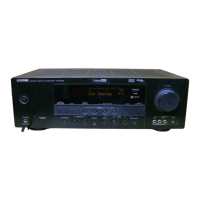
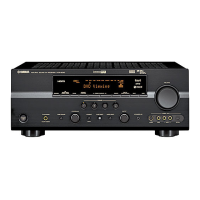
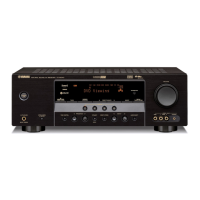
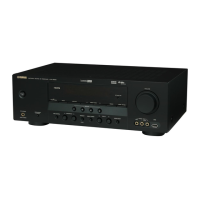
Yamaha HTR-6030 - Service Manual

Yamaha HTR-6030
100 pages
Print Icon
To Next Page IconTo Next Page
Loading...
SERVICE MANUAL
101040
P.O.Box 1, Hamamatsu, Japan
2007 All rights reserved.
This manual is copyrighted by YAMAHA and may not be copied or
redistributed either in print or electronically without permission.
'07.02
RX-V361/HTR-6030/DSP-AX361
RX-V361/HTR-6030/
DSP-AX361
AV RECEIVER/AV AMPLIFIER
IMPORTANT NOTICE
This manual has been provided for the use of authorized YAMAHA Retailers and their service personnel.
It has been assumed that basic service procedures inherent to the industry, and more specifically YAMAHA Products, are already
known and understood by the users, and have therefore not been restated.
WARNING: Failure to follow appropriate service and safety procedures when servicing this product may result in personal
injury, destruction of expensive components, and failure of the product to perform as specified. For these reasons,
we advise all YAMAHA product owners that any service required should be performed by an authorized
YAMAHA Retailer or the appointed service representative.
IMPORTANT: The presentation or sale of this manual to any individual or firm does not constitute authorization, certification or
recognition of any applicable technical capabilities, or establish a principle-agent relationship of any form.
The data provided is believed to be accurate and applicable to the unit(s) indicated on the cover. The research, engineering, and
service departments of YAMAHA are continually striving to improve YAMAHA products. Modifications are, therefore, inevitable
and specifications are subject to change without notice or obligation to retrofit. Should any discrepancy appear to exist, please
contact the distributor's Service Division.
WARNING: Static discharges can destroy expensive components. Discharge any static electricity your body may have
accumulated by grounding yourself to the ground buss in the unit (heavy gauge black wires connect to this buss).
IMPORTANT: Turn the unit OFF during disassembly and part replacement. Recheck all work before you apply power to the unit.
CONTENTS
TO SERVICE PERSONNEL .......................................... 2
FRONT PANELS ........................................................ 3–4
REAR PANELS .......................................................... 5–9
REMOTE CONTROL PANELS ...................................... 9
SPECIFICATIONS / 参考仕様 ................................ 10–12
INTERNAL VIEW ......................................................... 13
DISASSEMBLY PROCEDURES / 分解手順.......... 14–16
UPDATING FIRMWARE/
ファームウェアの書き込み ..................................... 17–19
SELF DIAGNOSIS FUNCTION (DIAG)/
自己診断機能(ダイアグ) ..................................... 20–37
DISPLAY DATA ........................................................... 39
IC DATA ................................................................. 40–54
BLOCK DIAGRAMS .............................................. 55–56
PIN CONNECTION DIAGRAMS .................................. 57
PRINTED CIRCUIT BOARDS................................ 58–70
SCHEMATIC DIAGRAMS ...................................... 71–80
REPLACEMENT PARTS LIST .............................. 81–95
REMOTE CONTROL.............................................. 96–98
Advanced setup / すべての設定を初期設に戻す ....... 99

Table of Contents

Other manuals for Yamaha HTR-6030

Questions and Answers

  • M
    Mason SheppardAug 15, 2025
    What to do if my Yamaha HTR-6030 Receiver has no sound?
    • E
      Emily MoonAug 16, 2025
      If your Yamaha Receiver produces no sound, check the input and output cable connections to ensure they are properly connected; the cables may be defective. Make sure an appropriate Audio input jack is selected and that you've selected the correct input source using DINPUT l / h on the front panel or the remote. Also, ensure the front speakers are properly selected with 9SPEAKERS, the volume isn't turned down or muted (press NMUTE or QVOLUME +/- to unmute), and that the source signals can be reproduced by the unit.
  • W
    whiterussellAug 18, 2025
    What to do if my Yamaha HTR-6030 Receiver remote control does not work?
    • D
      David RiveraAug 19, 2025
      If the remote control for your Yamaha Receiver isn't working, make sure you are within 6 m (20 ft) and no more than 30 degrees off-axis from the front panel. Ensure that direct sunlight or lighting isn't interfering with the remote control sensor by repositioning the unit. Verify the remote control code is correctly set, using the “List of remote control codes”.
  • B
    bthomasAug 21, 2025
    What to do if only one speaker side works on my Yamaha HTR-6030 Receiver?
    • D
      david75Aug 21, 2025
      If sound is only heard from the speaker on one side or only the center speaker outputs substantial sound on your Yamaha Receiver, try another sound field program. Ensure “CENTER” and “SUR. LR” in “SPEAKER SET” are set to “SML” or “LRG.” Check for incorrect cable connections and that the cables may be defective. Adjust the “SP LEVEL” settings.
  • M
    moodysharonAug 25, 2025
    What to do if my Yamaha Receiver fails to turn on?
    • M
      Michael LambAug 25, 2025
      If your Yamaha Receiver fails to turn on or enters standby mode soon after being turned on, there could be several reasons. Ensure the power cable is firmly connected. Check the speaker impedance setting and adjust it to match your speakers. Also, verify all speaker wire connections are secure and not touching anything else. If the unit experienced a strong electric shock, put it in standby mode, disconnect the power cable, wait 30 seconds, and then plug it back in.
  • D
    Donald NelsonAug 27, 2025
    What to do if my Yamaha HTR-6030 Receiver suddenly enters standby mode?
    • T
      Tyler MartinezAug 27, 2025
      If your Yamaha Receiver suddenly enters standby mode, it's possible the internal temperature is too high, activating the overheat protection circuitry. Wait about 1 hour for the unit to cool down before turning it back on.
  • A
    Anthony LinAug 30, 2025
    Why is FM stereo reception noisy on my Yamaha Receiver?
    • S
      Sarah BakerAug 30, 2025
      Noisy FM stereo reception on your Yamaha Receiver can occur if the transmitter is too far away or the antenna input is poor, which can be caused by the characteristics of FM stereo broadcasts. Check the antenna connections to resolve this issue.
  • J
    Jonathan WilsonSep 2, 2025
    Why can't I play Dolby Digital or DTS sources on my Yamaha HTR-6030 Receiver?
    • D
      douglaskellySep 3, 2025
      If you cannot play Dolby Digital or DTS sources on your Yamaha Receiver, ensure the connected component is set to output Dolby Digital or DTS digital signals by checking its operating instructions. Also, verify that the Audio input jack select is set to “AUTO,” not “ANALOG.”
  • M
    Michelle HawkinsSep 5, 2025
    How to fix a humming sound from Yamaha HTR-6030 Receiver?
    • J
      Jacqueline BellSep 5, 2025
      If you hear a humming sound from your Yamaha Receiver, ensure the audio cables are firmly connected. If the problem persists, the cables may be defective.
  • J
    Jon WilsonSep 8, 2025
    What does CHECK SP WIRES mean on my Yamaha HTR-6030 Receiver?
    • N
      Nathan FosterSep 8, 2025
      If “CHECK SP WIRES” appears on the front panel display of your Yamaha Receiver, it indicates that the speaker cables are short-circuited. Make sure all speaker cables are connected correctly.
  • I
    iwatersSep 12, 2025
    What to do if the volume level cannot be increased on my Yamaha Receiver?
    • F
      fcarneySep 12, 2025
      If the volume level cannot be increased or the sound is distorted on your Yamaha Receiver, ensure the component connected to the AUDIO OUT (REC) jacks is turned on. Also, check if you are trying to exceed the maximum volume level, and adjust the “MAX VOL.” setting if necessary.

Summary

Important Notice and Safety Information

Service and Safety Procedures Warning

Warns about personal injury and product damage from improper servicing.

Manual Authorization Clarification

Clarifies that manual provision does not grant service authorization.

Static Discharge Warning

Warns of component damage from static discharge.

Disassembly and Power Safety

Advises powering off unit during disassembly and checks.

Service Personnel Guidelines

Critical Component Replacement

Emphasizes replacing critical components with exact specifications.

Leakage Current Measurement Procedure

Details leakage current testing for electrical safety.

Chemical Content and Safety Notice

Warns about lead in solder and potential health risks.

Lead-Free Solder Recommendations

Provides guidance on using lead-free solder for repairs.

Front Panel Layouts (Part 1)

RX-V361 (U, C Models) Front Panel

Shows front panel layout for RX-V361 (U, C models).

RX-V361 (R, T, K, A, B, G, E, L Models) Front Panel

Shows front panel layout for RX-V361 (R, T, K, A, B, G, E, L models).

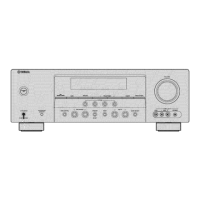
HTR-6030 (U, C Models) Front Panel

Shows front panel layout for HTR-6030 (U, C models).

Front Panel Layouts (Part 2)

HTR-6030 (R, T, K, A, G, E Models) Front Panel

Shows front panel layout for HTR-6030 (R, T, K, A, G, E models).

DSP-AX361 (J Model) Front Panel

Shows front panel layout for DSP-AX361 (J model).

Rear Panel Layouts (Part 1)

RX-V361 (U, C Models) Rear Panel

Shows rear panel layout for RX-V361 (U, C models).

RX-V361 (R Model) Rear Panel

Shows rear panel layout for RX-V361 (R model).

RX-V361 (T Model) Rear Panel

Shows rear panel layout for RX-V361 (T model).

Rear Panel Layouts (Part 2)

RX-V361 (K Model) Rear Panel

Shows rear panel layout for RX-V361 (K model).

RX-V361 (A Model) Rear Panel

Shows rear panel layout for RX-V361 (A model).

RX-V361 (B, G, E Models) Rear Panel

Shows rear panel layout for RX-V361 (B, G, E models).

Rear Panel Layouts (Part 3)

RX-V361 (L Model) Rear Panel

Shows rear panel layout for RX-V361 (L model).

HTR-6030 (U, C Models) Rear Panel

Shows rear panel layout for HTR-6030 (U, C models).

HTR-6030 (R Model) Rear Panel

Shows rear panel layout for HTR-6030 (R model).

Rear Panel Layouts (Part 4)

HTR-6030 (T Model) Rear Panel

Shows rear panel layout for HTR-6030 (T model).

HTR-6030 (K Model) Rear Panel

Shows rear panel layout for HTR-6030 (K model).

HTR-6030 (A Model) Rear Panel

Shows rear panel layout for HTR-6030 (A model).

Remote Control Panel Layouts

RAV311 Remote Control Layout

Shows remote control layout for RAV311.

RAV312 Remote Control Layout

Shows remote control layout for RAV312.

RAV28 Remote Control Layout

Shows remote control layout for RAV28.

Specifications Overview (Part 1)

Audio Section Specifications

Details audio output power and related specifications.

Video Section Specifications

Details video signal type and levels.

General Specifications

Lists general specifications like power supply and consumption.

Specifications Overview (Part 2)

SCENE Template Configurations

Describes SCENE templates for various listening modes.

Sound Field and Surround Menu

Details sound field parameters and surround settings.

Supported Surround Decoders

Lists supported surround decoding formats.

Specifications Overview (Part 3)

SET Menu Table

Provides a table of available settings in the SET MENU.

Internal Component Views

Top View Component Identification

Identifies major components from the top view.

Front View Component Identification

Identifies major components from the front view.

Disassembly Procedures (Part 1)

Top Cover Removal Steps

Step-by-step instructions for removing the top cover.

Front Panel Unit Removal Steps

Instructions for removing the front panel unit.

MAIN (2) P.C.B. Removal

Steps to remove the MAIN (2) P.C.B.s.

DSP P.C.B. Removal Steps

Procedures for removing the DSP P.C.B.

PCB Checking Procedures

PCB Inspection and Grounding

Steps for checking PCBs and ensuring proper grounding.

Firmware Update Process (Part 1)

Required Tools for Firmware Update

Lists necessary tools for firmware update.

Firmware Update Operation Steps

Step-by-step guide for updating firmware.

Firmware Update Process (Part 3)

Confirming Firmware Version and Checksum

How to confirm successful firmware version update.

Self Diagnosis Function (DIAG) Menu Overview

DIAG Menu Item List (Part 1)

Lists the available DIAG menu items.

Self Diagnosis Function (DIAG) Menu Overview (Part 2)

DIAG Menu Item List (Part 2)

Lists further available DIAG menu items.

Self Diagnosis Function (DIAG) Operation

Initiating DIAG Mode

Instructions on how to start the DIAG mode.

DIAG with Protection Mode Cancelled

How to start DIAG with protection function disabled.

Canceling DIAG Mode

Steps to cancel the DIAG mode.

DIAG Mode Startup Display

What is displayed when the DIAG mode starts.

Self Diagnosis Function (DIAG) Protection History (Part 1)

No Protection History Display

Displays when no protection history is found.

Excess Current Protection History

Explains protection history due to excess current.

Abnormal DC Output Protection History

Explains protection history due to abnormal DC output.

Self Diagnosis Function (DIAG) Protection History (Part 2)

Power Supply Voltage Protection History

Explains protection history due to abnormal power supply voltage.

Heat Sink Temperature Protection History

Explains protection history due to excessive heat sink temperature.

Protection History Management

How protection history is stored and cleared.

Self Diagnosis Function (DIAG) Menu Navigation

DIAG Menu and Sub-menu Operation

How to navigate DIAG menus and sub-menus.

Functions Available in DIAG Mode

Functions available during DIAG mode operation.

DIAG Mode Initial Settings

Initial settings when starting the DIAG mode.

DIAG Menu Details (Part 1)

1. BYPASS Function Details

Details the BYPASS function, analog or DSP output.

2. AUDIO CHECK Function Details

Describes the AUDIO CHECK function and output distribution.

DIAG Menu Details (Part 2)

3. SPEAKER SET Details

Explains SPEAKER SET settings and analog switch configurations.

DIAG Menu Details (Part 3)

4. 6 CH INPUT Function Details

Details the 6CH INPUT selection and its sub-menus.

5. MIC CHECK Function Details

Explains the MIC CHECK function for audio output.

DIAG Menu Details (Part 4)

6. FL CHECK Function Details

Describes the FL display check program.

DIAG Menu Details (Part 5)

7. TEST TONE Function Details

Explains the TEST TONE function for noise output.

8. FACTORY PRESET Function Details

Used for initializing or inhibiting back-up RAM.

DIAG Menu Details (Part 6)

9. A;D DATA CHECK Function Details

Displays A/D conversion values for panel keys and protection functions.

DIAG Menu Details (Part 7)

A;D DATA CHECK Values

Details A/D conversion values for protection functions.

K0;K1 Panel Key A;D Values

Details panel key A/D values and checks.

DIAG Menu Details (Part 8)

10. XM STATUS Check

Checks output of XM radio antenna module.

11. DOCK Function Applicability

Notes DOCK function applicability.

12. USB CHECK Function Applicability

Notes USB CHECK applicability.

DIAG Menu Details (Part 9)

13. DAB CHECK Applicability

Notes DAB CHECK applicability.

14. IF STATUS Applicability

Notes IF STATUS applicability.

15. Protection Setting Values

Displays A/D setting values for each protection.

DIAG Menu Details (Part 10)

16. Protection History Display

Displays past protection histories.

DIAG Menu Details (Part 11)

17. SOFT SWITCH Function

Switches function settings on PCB via software.

DIAG Menu Details (Part 12)

18. ROM VER;SUM Display

Displays firmware version and checksum.

Display Data Information

V2001 Display Data Details

Shows display data for V2001.

V2001 Pin Connection Assignments

Pin assignments for connector V2001.

V2001 Anode and Grid Connections

Anode and grid connections for display segments.

IC Data - ADSP-BF531 CPU

IC101: ADSP-BF531 CPU Pin Details

Pin details for ADSP-BF531 CPU.

IC Data - ADSP-BF531 CPU (Continued)

IC101: ADSP-BF531 CPU Pin Details (Continued)

Continues pin details for ADSP-BF531 CPU.

IC Data - ADSP-BF531 CPU (Continued)

IC101: ADSP-BF531 CPU Pin Details (Continued)

Continues pin details for ADSP-BF531 CPU.

IC Data - Extended Ports and Multiplexers

IC204-IC206 Extended Port Details

Pin details for IC204-IC206.

IC204 Pin Details

Pin details for IC204.

IC205 Pin Details

Pin details for IC205.

IC Data - Extended Ports (Continued)

IC206 Pin Details

Pin details for IC206.

IC Data - ADC Select and Multiplexers

IC401 ADC Select Port Details

Details IC401 ADC select port.

IC401 ADC Pin Details

Pin details for IC401.

IC402;IC403 Multiplexer Pin Details

Pin details for IC402, IC403.

IC Data - Multiplexer Details (Continued)

IC402 Pin Details

Pin details for IC402.

IC403 Pin Details

Pin details for IC403.

IC Data - Audio CODEC

IC301 AK4588 VQ Pin Details

Pin details for IC301 AK4588VQ.

IC Data - Audio CODEC (Continued)

IC301 AK4588 VQ Pin Details (Continued)

Continues pin details for IC301 AK4588VQ.

IC Data - Audio CODEC (Continued)

IC301 AK4588 VQ Pin Details (Continued)

Continues pin details for IC301 AK4588VQ.

IC Data - Volume Control IC

IC161 R2 A15215 FP Pin Details

Pin details for IC161 R2A15215FP.

IC Data - Volume Control IC (Continued)

IC161 R2 A15215 FP Pin Details (Continued)

Continues pin details for IC161 R2A15215FP.

IC Data - Volume Control IC (Continued)

IC161 R2 A15215 FP Pin Details (Continued)

Continues pin details for IC161 R2A15215FP.

IC Data - VFD Controller;Driver

IC201 M66003-0131 FP-R Pin Details

Pin details for IC201 M66003-0131FP-R.

IC Data - VFD Controller;Driver (Continued)

IC201 M66003-0131 FP-R Pin Details (Continued)

Continues pin details for IC201 M66003-0131FP-R.

Block Diagrams - Video, Audio, Power Supply

Video, Audio, and Power Supply Section Block Diagram

Block diagram for video, audio, and power supply sections.

Block Diagrams - Control Section

Control Section Block Diagram

Block diagram of the control section.

Component Pin Connection Diagrams

IC Pin Connection Diagrams

Pin connection diagrams for various ICs.

Diode and Transistor Pin Diagrams

Pin connection diagrams for diodes and transistors.

Printed Circuit Board Layouts (Part 1)

DSP P.C.B. (Side A) Component Layout

Component layout for DSP P.C.B. (Side A).

Printed Circuit Board Layouts (Part 2)

DSP P.C.B. (Side B) Component Layout

Component layout for DSP P.C.B. (Side B).

Printed Circuit Board Layouts (Part 3)

OPERATION (1) P.C.B. (Side A) Layout

Component layout for OPERATION (1) P.C.B. (Side A).

Printed Circuit Board Layouts (Part 4)

OPERATION (1) P.C.B. (Side B) Layout

Component layout for OPERATION (1) P.C.B. (Side B).

Printed Circuit Board Layouts (Part 5)

OPERATION (2) P.C.B. (Side A) Layout

Component layout for OPERATION (2) P.C.B. (Side A).

Printed Circuit Board Layouts (Part 6)

OPERATION (2) P.C.B. (Side B) Layout

Component layout for OPERATION (2) P.C.B. (Side B).

Printed Circuit Board Layouts (Part 7)

OPERATION (3) P.C.B. (Side A) Layout

Component layout for OPERATION (3) P.C.B. (Side A).

OPERATION (3) P.C.B. (Side B) Layout

Component layout for OPERATION (3) P.C.B. (Side B).

OPERATION (5) P.C.B. (Side A) Layout

Component layout for OPERATION (5) P.C.B. (Side A).

OPERATION (6) P.C.B. (Side A) Layout

Component layout for OPERATION (6) P.C.B. (Side A).

OPERATION (6) P.C.B. (Side B) Layout

Component layout for OPERATION (6) P.C.B. (Side B).

Printed Circuit Board Layouts (Part 8)

OPERATION (7) P.C.B. (Side A) Layout

Component layout for OPERATION (7) P.C.B. (Side A).

OPERATION (7) P.C.B. (Side B) Layout

Component layout for OPERATION (7) P.C.B. (Side B).

OPERATION (10) P.C.B. (Side A) Layout

Component layout for OPERATION (10) P.C.B. (Side A).

OPERATION (11) P.C.B. (Side A) Layout

Component layout for OPERATION (11) P.C.B. (Side A).

Printed Circuit Board Layouts (Part 9)

MAIN (1) P.C.B. (Side A) Layout

Component layout for MAIN (1) P.C.B. (Side A).

Printed Circuit Board Layouts (Part 10)

MAIN (1) P.C.B. (Side B) Layout

Component layout for MAIN (1) P.C.B. (Side B).

Printed Circuit Board Layouts (Part 11)

MAIN (2) P.C.B. (Side A) Layout

Component layout for MAIN (2) P.C.B. (Side A).

MAIN (2) P.C.B. (Side B) Layout

Component layout for MAIN (2) P.C.B. (Side B).

Printed Circuit Board Layouts (Part 12)

MAIN (3) P.C.B. (Side A) Layout

Component layout for MAIN (3) P.C.B. (Side A).

MAIN (4) P.C.B. (Side A) Layout

Component layout for MAIN (4) P.C.B. (Side A).

Printed Circuit Board Layouts (Part 13)

D-VIDEO P.C.B. (Side A) Layout

Component layout for D-VIDEO P.C.B. (Side A).

D-VIDEO P.C.B. (Side B) Layout

Component layout for D-VIDEO P.C.B. (Side B).

Schematic Diagrams (Part 1)

DSP Section Schematic (1;5)

Schematic diagram for DSP section (1 of 5).

Schematic Diagrams (Part 2)

DSP Section Schematic (2;5)

Schematic diagram for DSP section (2 of 5).

Schematic Diagrams (Part 3)

DSP Section Schematic (3;5)

Schematic diagram for DSP section (3 of 5).

Schematic Diagrams (Part 4)

DSP Section Schematic (4;5)

Schematic diagram for DSP section (4 of 5).

Schematic Diagrams (Part 5)

DSP Section Schematic (5;5)

Schematic diagram for DSP section (5 of 5).

Schematic Diagrams (Part 6)

Operation Section Schematic (1;2)

Schematic diagram for Operation 1/2.

Schematic Diagrams (Part 7)

Operation Section Schematic (2;2)

Schematic diagram for Operation 2/2.

Schematic Diagrams (Part 8)

Main Section Schematic (1;2)

Schematic diagram for Main 1/2.

Schematic Diagrams (Part 9)

Main Section Schematic (2;2)

Schematic diagram for Main 2/2.

Schematic Diagrams (Part 10)

D-VIDEO Section Schematic (J Model)

Schematic diagram for D-VIDEO (J model).

Replacement Parts List - Electrical Components

Electrical Component Parts List

Lists electrical components for replacement.

Replacement Parts List - DSP P.C.B.

DSP P.C.B. Component List (Part 1)

Parts list for the DSP P.C.B.

Replacement Parts List - DSP P.C.B. (Continued)

DSP P.C.B. Component List (Part 2)

Continues parts list for the DSP P.C.B.

Replacement Parts List - DSP and Operation P.C.B.s

DSP and Operation P.C.B. Component List

Parts list for DSP and OPERATION P.C.B.s.

Replacement Parts List - Operation P.C.B.

Operation P.C.B. Component List

Parts list for OPERATION P.C.B.

Replacement Parts List - Operation and Main P.C.B.s

Operation and Main P.C.B. Component List

Parts list for OPERATION and MAIN P.C.B.s.

Replacement Parts List - Main P.C.B. (Part 1)

Main P.C.B. Component List (Part 1)

Parts list for MAIN P.C.B.

Replacement Parts List - Main P.C.B. (Part 2)

Main P.C.B. Component List (Part 2)

Continues parts list for MAIN P.C.B.

Replacement Parts List - Main P.C.B. (Part 3)

Main P.C.B. Component List (Part 3)

Continues parts list for MAIN P.C.B.

Replacement Parts List - Main and D-VIDEO P.C.B.s

Main and D-VIDEO P.C.B. Component List

Parts list for MAIN and D-VIDEO P.C.B.s.

Replacement Parts List - D-VIDEO P.C.B. and Resistors

D-VIDEO P.C.B. and Resistor List

Parts list for D-VIDEO P.C.B. and carbon resistors.

Overall Assembly Diagram

Overall Assembly with Part References

Exploded view of the overall assembly with part references.

Accessory Parts List

Included Accessories List

Lists included accessories like remote controls and cables.

Front Panel Unit Assembly Diagram

Front Panel Unit with Part References

Exploded view of the front panel unit with part references.

Amplifier Unit Assembly Diagram

AMP Unit with Part References

Exploded view of the AMP unit with part references.

Remote Control Details (Part 1)

Remote Control Schematic Diagram

Schematic diagram of the remote control.

Remote Control Panel Layouts

Layouts of different remote control models.

Remote Control Details (Part 2)

Remote Control Key Number Layout

Key number layout for remote controls.

Remote Control Key Codes

Lists key codes for remote control commands.

Remote Control Details (Part 3)

RAV28 Remote Control Schematic

Schematic diagram for RAV28 remote control.

RAV28 Key Number Layout

Key number layout for RAV28 remote.

RAV28 Key Codes

Key codes for RAV28 remote control commands.

Advanced Setup Guide

Speaker Impedance Setting (SP IMP.)

Sets speaker impedance for optimal performance.

Factory Preset Reset (PRESET)

Resets all unit parameters to factory default settings.

Tuner Frequency Step Setting (TU)

Sets tuner frequency step based on region.

Yamaha HTR-6030 Specifications

General IconGeneral
Channels5.1
HDMI Outputs1
Dolby DigitalYes
DTSYes
FM/AM TunerYes
Response Bandwidth10 Hz - 100 kHz
Signal-To-Noise Ratio100 dB
Total Harmonic Distortion0.9%
Input Impedance47 kOhm
Input Sensitivity200 mV
Audio D/A Converter192kHz/24-bit
Surround Sound EffectsYes
Surround System Class5.1 channel
Digital Sound Processor (DSP)Yes
DSP Preset Qty14
Tuner BandsFM/AM
Preset Station Qty40
Frequency Response10 Hz - 100 kHz
Power Output100 W per channel
Built-in DecodersDolby Digital, DTS
Connector TypeHeadphones, Composite video/audio input/output
Video Inputs/Outputscomposite video / audio input, composite video / audio output, HDMI input, HDMI output
Audio Inputs/Outputs2 Optical digital inputs, 1 Coaxial digital input

Related product manuals