EasyManua.ls Logo

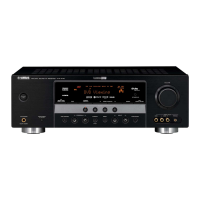
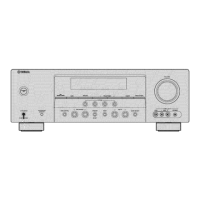
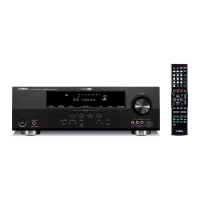
Yamaha HTR-6150 - User Manual

Yamaha HTR-6150
218 pages
Print Icon
To Next Page IconTo Next Page
Loading...
YAMAHA ELECTRONICS CORPORATION, USA
6660 ORANGETHORPE AVE., BUENA PARK, CALIF. 90620, U.S.A.
YAMAHA CANADA MUSIC LTD.
135 MILNER AVE., SCARBOROUGH, ONTARIO M1S 3R1, CANADA
YAMAHA ELECTRONIK EUROPA G.m.b.H.
SIEMENSSTR. 22-34, 25462 RELLINGEN BEI HAMBURG, GERMANY
YAMAHA ELECTRONIQUE FRANCE S.A.
RUE AMBROISE CROIZAT BP70 CROISSY-BEAUBOURG 77312 MARNE-LA-VALLEE CEDEX02, FRANCE
YAMAHA ELECTRONICS (UK) LTD.
YAMAHA HOUSE, 200 RICKMANSWORTH ROAD WATFORD, HERTS WD18 7GQ, ENGLAND
YAMAHA SCANDINAVIA A.B.
J A WETTERGRENS GATA 1, BOX 30053, 400 43 VÄSTRA FRÖLUNDA, SWEDEN
YAMAHA MUSIC AUSTRALIA PTY. LTD.
LEVEL 1, 99 QUEENSBRIDGE STREET, SOUTHBANK, VIC 3006, AUSTRALIA
©
2008 All rights reserved.
HTR-6150
Printed in China WN25630
HTR-6150
AV Receiver
Ampli-tuner audio-vidéo
OWNER’S MANUAL
MODE D’EMPLOI
UC
Mediator 1046
Medion 1044, 1048
MEI 1004
Memorex 1001, 1002, 1003,
1004, 1005, 1008,
1013, 1014, 1042,
1045, 1047
Memphis 1050
Metz 1048
MGA 1014
MGN Technology
1002, 1014
Micromaxx 1044, 1048
Microstar 1044, 1048
Migros 1042
Minolta 1010
Mitsubishi 1011, 1042, 1046
Montgomery Ward
1008
Motorola 1004, 1008
MTC 1002, 1014
Multitech 1002, 1005, 1006,
1042, 1046, 1050
Murphy 1042
National 1048
NEC 1000, 1001, 1007,
1011, 1043, 1051
Neckermann 1043, 1046
NEI 1046
Nesco 1050
Nikko 1003
Noblex 1002, 1014
Nokia 1043, 1047
Nordmende 1043
Oceanic 1042, 1043
Okano 1044
Olympus 1004
Optimus 1003, 1008
Orion 1012, 1013, 1044,
1065
Orson 1042
Osaki 1042, 1045, 1050
Otto Versand 1046
Palladium 1043, 1045, 1050
Panasonic 1004, 1020, 1034,
1040, 1048, 1054,
1072
Pathe Marconi 1043
Penney 1010, 1014
Pentax 1010, 1049
Perdio 1042
Philco 1004, 1051
Philips 1004, 1025, 1033,
1046, 1056, 1057,
1059, 1062, 1063
Philips Magnavox
1018
Phonola 1046
Pilot 1003
Pioneer 1011, 1046
Prinz 1042
Profex 1050
Profitronic 1014
Proline 1042
Proscan 1009
Prosonic 1044
Protec 1006
Pye 1046, 1056
Quarter 1001
Quartz 1001, 1047
Quasar 1004, 1035
Quelle 1042, 1046, 1047
Radio Shack 1003
Radio Shack/Realistic
1001, 1002, 1003,
1004, 1005, 1008
Radiola 1046
Radix 1003
Randex 1003
RCA 1002, 1004, 1009,
1010, 1014, 1015,
1022, 1032
Realistic 1001, 1002, 1003,
1004, 1005, 1008
Rex 1043
RFT 1046
Roadstar 1045, 1050, 1066
Saba 1043
Saisho 1044, 1050
Salora 1047
Samsung 1002, 1014, 1021,
1027, 1052, 1068,
1070
Sanky 1008
Sansui 1007, 1011, 1013,
1043
Sanyo 1001, 1002, 1014,
1047
SBR 1046
Schaub Lorenz 1042, 1043, 1047
Schneider 1042, 1044, 1045,
1046, 1050
Scott 1012
Sears 1001, 1003, 1004,
1010
SEG 1050
SEI-Sinudyne 1046
Seleco 1043
Sentron 1050
Sharp 1008, 1023, 1028,
1053, 1073
Shintom 1006, 1047, 1050
Shivaki 1045
Shogun 1002, 1014
Siemens 1045, 1047
Signature 2000 1008
Silva 1045
Singer 1004, 1006
Sinudyne 1046
Sontec 1045
Sony 1016, 1019, 1055,
1060, 1064, 1074
STS 1004, 1010
Sunkai 1044
Sunstar 1042
Suntronic 1042
Sunwood 1050
Sylvania 1004, 1005, 1031,
1041
Symphonic 1005
Taisho 1044
Tandy 1001
Tashiko 1003, 1042
Tatung 1007, 1042, 1043,
1046, 1066
TCM 1044, 1048
Teac 1005, 1007
Technics 1004, 1048
Teknika 1003, 1004, 1005
Teleavia 1043
Telefunken 1043
Tenosal 1050
Tensai 1042, 1045, 1050
Tevion 1044, 1048
Thomson 1043, 1058
Thorn 1043, 1047
TMK 1002, 1014
Tokai 1045, 1050
Tonsai 1050
Toshiba 1013, 1024, 1029,
1043, 1046, 1066,
1075
Totevision 1002, 1003, 1014
Towada 1050
Towika 1050
Uher 1045
Unitech 1002, 1014
Universum 1042, 1045, 1046
Vector Research 1000
Video Concepts 1000
Videon 1044, 1048
Videosonic 1002, 1014
Wards 1002, 1003, 1004,
1005, 1006, 1008,
1010, 1014
Weltblick 1045
White Westinghouse
1013
XR-1000 1004, 1005, 1006
Yamaha 1000, 1001, 1007
Yamishi 10 50
Yokan 1050
Yoko 1045, 1050
Zenith 1013, 1026, 1037
HTR-6150_UC-cv.fm Page 1 Wednesday, December 26, 2007 3:48 PM
Black process 45.0° 240.0 LPI


Table of Contents

Other manuals for Yamaha HTR-6150

Questions and Answers

  • E
    Eric ReevesAug 18, 2025
    What to do if my Yamaha HTR-6150 Receiver fails to turn on?
    • M
      mitchell83Aug 19, 2025
      If your Yamaha Receiver fails to turn on or enters standby mode shortly after being powered on, there could be several reasons. First, ensure the power cable is firmly connected. Second, check that the speaker impedance setting matches your speakers. Third, verify that all speaker wire connections are secure and not touching anything other than their respective connections, as the protection circuitry might have been activated. Finally, if the unit experienced a strong electric shock, put it in standby mode, disconnect the power cable, wait 30 seconds, and then reconnect it.
  • A
    Anthony MaysAug 21, 2025
    How to fix no sound on Yamaha HTR-6150 Receiver?
    • C
      Clifford JohnsonAug 21, 2025
      If there is no sound from your Yamaha Receiver, check the following: Ensure the input and output cables are correctly connected, and if the problem continues, the cables may be defective. Set an appropriate Audio input jack select, or set Audio input jack select to “AUTO”. If you are playing a source encoded in Dolby Digital or DTS while Audio input jack select is set to “ANALOG,” switch to “COAX/OPT.” Also, make sure an appropriate input source is selected and that the front speakers are properly selected. Verify that the volume is not turned down or muted; press J MUTE or N VOLUME +/– to resume audio output. Finally, ensure the source signals can be reproduced by the unit.
  • M
    Michelle PayneAug 23, 2025
    Why does my Yamaha Receiver suddenly go into standby mode?
    • R
      Rhonda LawsonAug 23, 2025
      If your Yamaha Receiver suddenly enters standby mode, it may be due to overheating; wait about 1 hour for it to cool down before turning it back on. Alternatively, some digital signals might be input via the HDMI jack; try turning off the power of the component connected to the HDMI IN jacks.
  • W
    wmedinaAug 26, 2025
    Why is there no sound from center speaker on Yamaha HTR-6150?
    • D
      Daniel LeblancAug 26, 2025
      If you are not hearing sound from the center or surround speakers on your Yamaha Receiver, ensure that “CENTER SP” in “SPEAKER SET” is set to “SML” or “LRG”. Also, try another sound field program. Finally, check that “SUR. L/R SP” in “SPEAKER SET” is set to “SML” or “LRG” and “SUR.B L/R SP” is set to a setting other than “NONE”.
  • D
    Denise SheltonAug 28, 2025
    Why does the sound on my Yamaha HTR-6150 suddenly go off?
    • S
      susanchenAug 28, 2025
      If the sound from your Yamaha Receiver suddenly goes off, it could be due to a few reasons. The protection circuitry may have been activated because of a short circuit, so check that the impedance setting is correct. Alternatively, the sleep timer might have turned off the unit; if so, turn the unit back on and play the source again. Also, the sound could be muted; press J MUTE or N VOLUME +/– to resume audio output.
  • R
    reillydeanAug 30, 2025
    What to do if no sound from HDMI on Yamaha HTR-6150?
    • S
      Samantha MorrisonAug 30, 2025
      If you are not hearing sound from the HDMI component connected to your Yamaha Receiver, it could be due to several reasons. The HDMI component might not accept multi-channel audio signals, in which case you should convert the multi-channel audio signals to 2-channel audio signals at the source component. Also, check to ensure that speaker cables are not short-circuited. Finally, the unit might be too close to digital or high-frequency equipment; try moving it further away.
  • R
    Robert ChapmanSep 1, 2025
    Why is the volume distorted on my Yamaha HTR-6150 Receiver?
    • K
      Kevin GillespieSep 2, 2025
      If the volume level on your Yamaha Receiver cannot be increased or the sound is distorted, ensure that the component connected to the AUDIO OUT (REC) jacks is turned on. Also, check the “MAX VOL.” setting to ensure you are not trying to exceed the maximum volume level.
  • K
    Kimberly WigginsSep 4, 2025
    Why is my Yamaha HTR-6150 humming?
    • K
      kevinholderSep 4, 2025
      If you hear a humming sound from your Yamaha Receiver, ensure that the audio cables are firmly connected. If the problem persists, the cables may be defective.
  • C
    Clayton CarrSep 6, 2025
    How to improve FM stereo reception on Yamaha HTR-6150 Receiver?
    • K
      kevinwrightSep 6, 2025
      If you are experiencing noisy FM stereo reception with your Yamaha Receiver, check the antenna connections. Adjust the antenna position to eliminate multi-path interference. If using the automatic tuning method is not working, use a high-quality directional FM antenna. If previously preset stations can no longer be tuned into, set preset stations.
  • I
    ibarnesSep 8, 2025
    Why is the picture disturbed on my Yamaha HTR-6150?
    • J
      Julia WrightSep 8, 2025
      If the picture is disturbed when using your Yamaha Receiver, it may be because the video source uses scrambled or encoded signals to prevent dubbing. This is not a malfunction.

Summary

IMPORTANT SAFETY INSTRUCTIONS

Explanation of Graphical Symbols

Explains the meaning of symbols used to alert users to potential hazards.

Damage Requiring Service

Lists conditions under which the product requires qualified service personnel.

Features

Built-in 7-channel power amplifier

Details the minimum RMS output power for the amplifier across different impedance settings.

HDMI (High-Definition Multimedia Interface)

Describes the HDMI interface capabilities for video and audio signal transmission.

Radio tuners

Lists the tuning capabilities for FM, XM Satellite Radio, and SIRIUS Satellite Radio.

Getting started

Supplied accessories

Lists all the parts that should be included with the product.

Installing batteries in the remote control

Provides instructions on how to install batteries into the remote control.

VOLTAGE SELECTOR

Instructs users to set the voltage selector before plugging in the unit.

Quick start guide

Preparation: Check the items

Lists the necessary items to check before setting up for DVD playback.

Step 1: Set up your speakers

Guides users through the process of setting up speakers for optimal audio.

Step 2: Connect your DVD player and other components

Provides instructions for connecting external audio and video components.

Step 3: Press SCENE 1 button

Explains how to activate the SCENE function for immediate playback.

Connections

Rear panel

Diagram and list of all input/output jacks located on the rear panel.

Speaker terminals

Information on connecting speakers to the appropriate terminals.

HDMI jacks

Details on the High-Definition Multimedia Interface jacks for audio/video.

Connecting other components

Connecting audio components

Instructions for connecting CD players, CD recorders, and MD recorders.

Front panel display

HDMI indicator

Describes the HDMI indicator light and its meaning.

Input source indicators

Explains the indicators that show the currently selected input source.

Optimizing the speaker setting for your listening room

Using AUTO SETUP

Guides on using the automatic speaker setup system for room acoustics.

Selecting the SCENE templates

Selecting the desired SCENE template

Instructions on how to select and assign SCENE templates to buttons.

Creating your original SCENE templates

Explains how to customize existing SCENE templates or create new ones.

Playback

Basic operations

Covers fundamental playback controls like input selection and volume adjustment.

Sound field programs

Sound field program descriptions

Details the various sound field programs and their features.

FM;AM tuning

Automatic tuning

Instructions for automatically tuning into FM and AM radio stations.

Manual tuning

Guidance on manually tuning FM and AM radio stations.

XM Satellite Radio tuning

Connecting the XM Mini-Tuner Dock

Explains how to connect the XM Mini-Tuner Dock for satellite radio reception.

Basic XM Satellite Radio operations

Covers searching, selecting, and displaying XM Satellite Radio channels.

SIRIUS Satellite Radio tuning

Connecting the SiriusConnect tuner

Details on connecting the SiriusConnect tuner for satellite radio.

Basic SIRIUS Satellite Radio operations

Guides on activating subscription and searching SIRIUS Satellite Radio channels.

Using iPod

Controlling iPod

Instructions on controlling an iPod using the remote control and OSD.

Using Bluetooth components

Pairing the Bluetooth adapter and your Bluetooth component

Explains the process of pairing Bluetooth devices for wireless audio.

SET MENU

Sound menu

Allows manual adjustment of speaker settings and system parameters.

Input menu

Enables reassignment of input jacks, decoder mode, and renaming input sources.

Option menu

Provides access to optional system parameters like display and memory settings.

Remote control features

Controlling this unit

Instructions on using the remote control to operate the main unit.

Setting remote control codes

Guides on setting remote control codes to operate other components.

Using multi-zone configuration

Connecting Zone 2

Details on setting up a second audio zone for independent playback.

Advanced setup

Speaker impedance

Sets the unit's speaker impedance to match the connected speakers.

Bi-amplifier setting

Activates or deactivates the bi-amplifier function for speakers.

Troubleshooting

General

Addresses common operational problems not related to specific functions.

AUTO SETUP

Provides solutions for errors or warnings encountered during automatic setup.

Specifications

Yamaha HTR-6150 Specifications

General IconGeneral
TypeAV Receiver
Channels7.1
Total Harmonic Distortion (THD)0.06%
Input Sensitivity200 mV
Input Impedance47 kOhms
Signal-to-Noise Ratio100 dB
HDMIYes
HDMI Inputs3
HDMI Outputs1
Component Video Inputs3
Component Video Outputs1
Composite Video Inputs4
Composite Video Outputs1
S-Video Inputs2
S-Video Outputs1
Digital Audio Inputs (Optical)2
Digital Audio Inputs (Coaxial)2
Analog Audio Outputs1
Subwoofer Output1
TunerAM/FM
Audio D/A Converter192 kHz/24-bit
Frequency Response10 Hz - 100 kHz
Surround Sound FormatsDolby Digital, DTS
Power Output100W per channel (8 ohms, 20Hz-20kHz, 0.09% THD)

Related product manuals