Set List Organizer Owner’s Manual 9
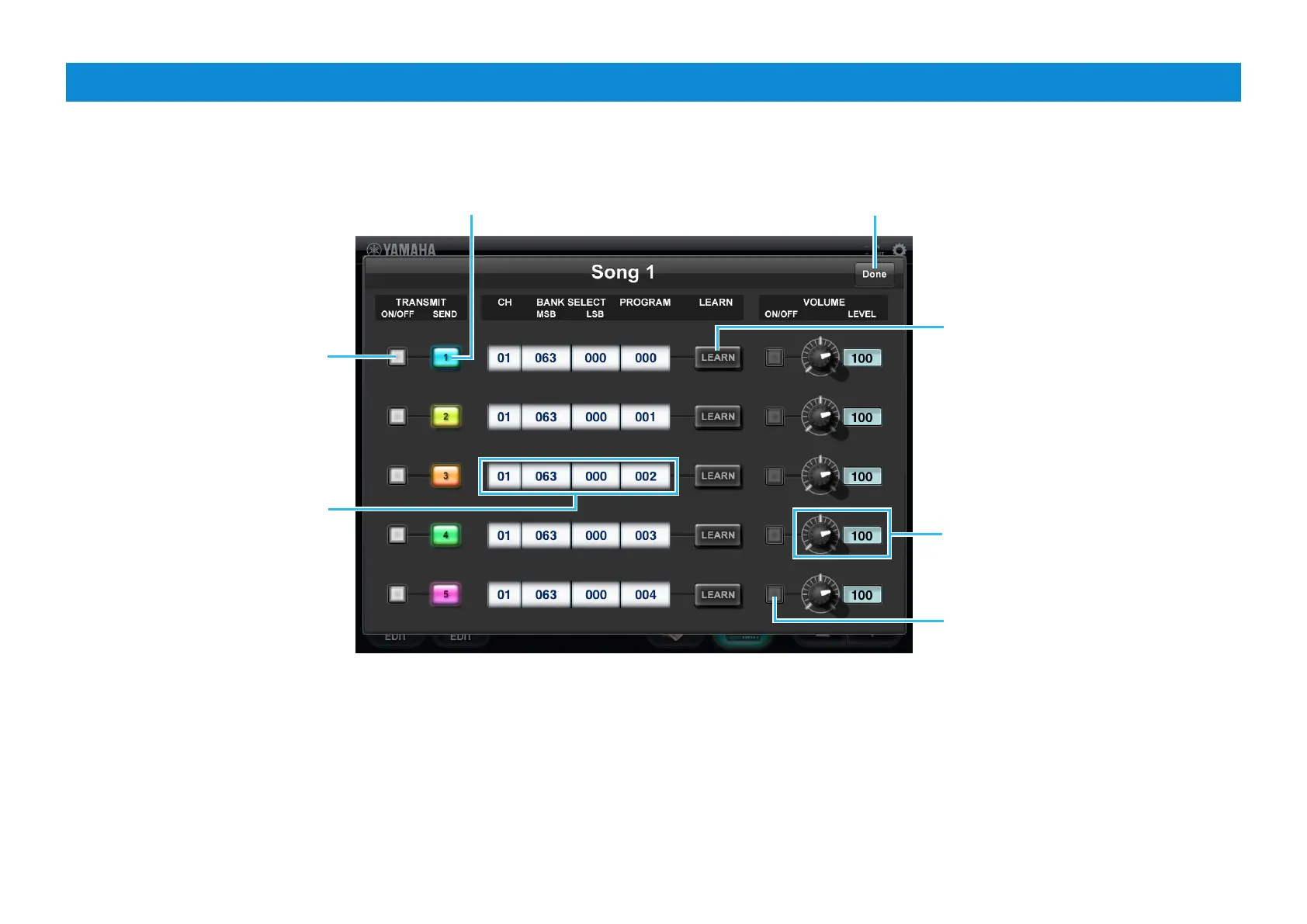
Program Change Edit window
This window lets you assign the Program Change setting including MIDI channel, Bank Select and the volume value to each Program Change button.
U.R.G., Digital Musical Instruments Division
© 2011 Yamaha Corporation
106MW-A0
Closes the window.
Equivalent to the Program Change button
number on the Main display.
Program Change ON/OFF button
When set to ON, the corresponding
Program Change button becomes
available. When set to OFF, the
corresponding Program Change
button becomes gray, indicating it is
unavailable.
Indicates the MIDI channel, Bank
Select MSB, Bank Select LSB and
Program Change. Tapping this area
calls up the window for setting the
value.
If you want to make the settings simply
and quickly, this [LEARN] button is
useful. Tap [LEARN] (the button starts
flashing), then transmit the Program
Change messages from the MIDI
instrument. The received MIDI messages
will be assigned to the corresponding
Program Change button. Tapping this
While flashing cancels the Learn status.
Adjusts the volume of the Voice
specified via the Program Change. The
volume can be adjusted by operating the
knob, or by tapping the value to call up
the slider for changing the value.
Volume ON/OFF button
When set to ON, tapping the Program
Change button transmits the volume
value, and doesn’t transmit when set to
OFF.











 To Previous Page