Set List Organizer Owner’s Manual 2
Creating a Set List
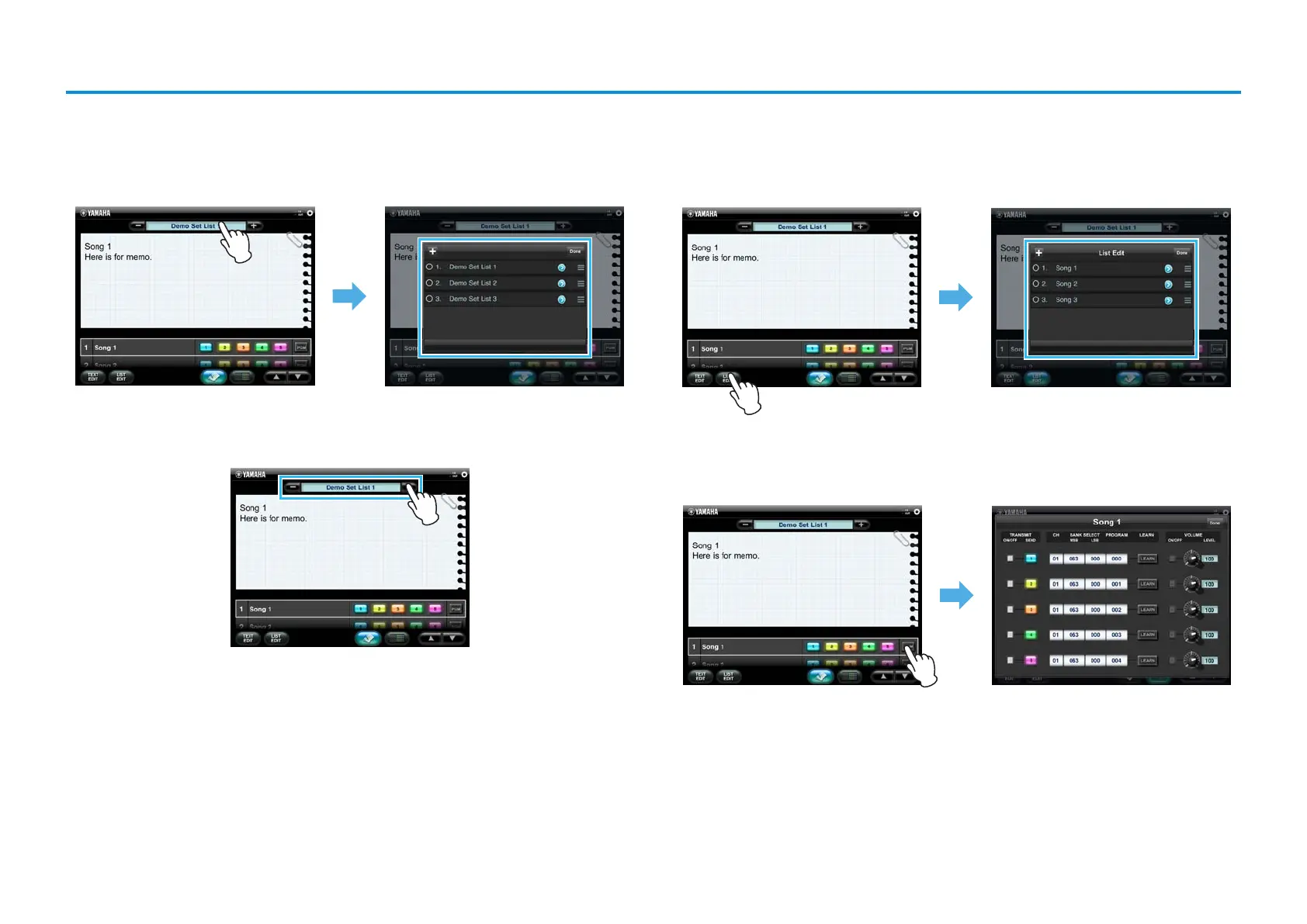
1. Create a new empty Set List.
On the Main display, tap the Set List name to call up the Set List table. On this table,
add the new empty Set List. For details, refer to the Main display.
2. On the Main display, select the Set List created in Step 1
3. Add a Song to the Set List selected in Step 2.
Tap [LIST EDIT] to call up the Set List Edit window. Add the Song to this table. For
details, refer to the Set List Edit window.
4.
Make the Program Change settings for the Song added in Step 3.
Tap [PGM] of the selected Song to call up the Program Change Edit window, then
make the desired settings. For details, refer to the Program Change Edit window.










 To Next Page