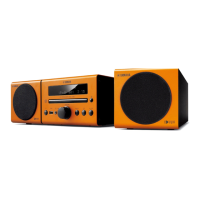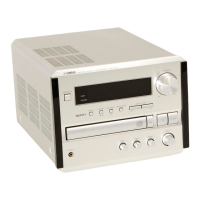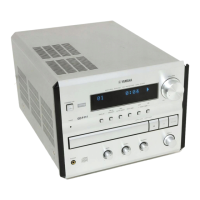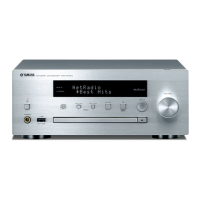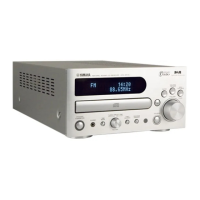
What to do if my Yamaha M170 Car Receiver says 'No Disc'?
- EElizabeth NelsonAug 19, 2025
If the message 'No Disc' appears on your Yamaha Car Receiver display, even with a disc inserted, ensure the disc is properly placed in the disc tray.
What to do if my Yamaha M170 Car Receiver says 'No Disc'?
If the message 'No Disc' appears on your Yamaha Car Receiver display, even with a disc inserted, ensure the disc is properly placed in the disc tray.
What to do if my Yamaha M170 turns on and off immediately?
If your Yamaha Car Receiver powers on but immediately shuts off, check the following: * Ensure the power cable is firmly plugged into the outlet. * Verify all speaker cables are properly connected to prevent shorts. * If the unit experienced a strong electrical shock, set it to Standby, disconnect the power cable for 30 seconds, then reconnect and turn it on.
Why are my Yamaha M170 Car Receiver speakers not working?
If your Yamaha Car Receiver speakers aren't producing sound: * Check the volume level and adjust it if it's too low. * Ensure the Mute function is disabled. * Verify the correct input source is selected. * Confirm all cables are properly connected. * Make sure the disc you are using is supported by the unit.
How to fix a Yamaha Car Receiver remote that is not working?
If the remote control isn't operating your Yamaha Car Receiver, consider these possibilities: * Ensure you're within the remote's operational range. * Check if direct sunlight or lighting is interfering with the remote sensor; if so, adjust the lighting or unit's orientation. * Verify the remote control mode selection is correct for your intended use. * Replace the batteries with new ones, if they are worn out.
Why is there so much noise during stereo broadcast on my Yamaha Car Receiver?
If you are experiencing excessive noise during stereo broadcast on your Yamaha Car Receiver: * Ensure the FM antenna is properly connected. * If the radio station is distant or reception is weak, try Manual Tuning or use a multi-channel outdoor antenna.
Why does the sound on my Yamaha M170 Car Receiver suddenly turn off?
If your Yamaha Car Receiver suddenly turns off, the Sleep Timer might be set. Turn the unit back on and play the source again.
Why is the volume on my Yamaha Car Receiver distorted or not increasing?
If the volume on your Yamaha Car Receiver does not increase or sounds are distorted, the equipment connected to the unit's output jack may be turned off. Turn on the power of the equipment connected to this unit’s output jack.
What causes low sound on one side of my Yamaha M170?
If you notice that the sound is too low on one side of your Yamaha Car Receiver, ensure all cables are properly connected.
How to reduce noise on my Yamaha M170?
If your Yamaha Car Receiver is generating too much noise, it could be due to atmospheric electricity, lightening, fluorescent lights, motors, or thermostat electric devices. Connect an outdoor antenna and establish better grounding to decrease noises. If the unit is near a TV, especially in the evening, move it further away.
Why does my Yamaha Car Receiver take so long to start playback?
If your Yamaha Car Receiver's playback doesn't start immediately when pressing play, ensure the disc is properly set in the disc tray, and that the disc is clean and compatible with the unit. If the unit was moved from a cold to a warm place, condensation might have formed; wait one to two hours before trying again.
Essential guidelines for safe and optimal operation of the unit.
Warning about laser radiation exposure from the product.
Precautions against fire and electric shock hazards.
Instructions for fitting a UK plug and wiring standards.
Procedure for connecting passive speakers to the unit.
How to connect an active subwoofer to the unit.
Guidance on connecting external devices like VCR, MD, or CD-R.
Instructions for connecting and positioning the AM loop antenna.
Procedure for connecting the supplied indoor FM antenna.
How to connect and position the indoor DAB antenna.
Quickly scan and save available FM/AM stations.
Manually tune into FM/AM stations by frequency.
Tune into FM stations based on program genre (PTY).
Initial scan process to create a DAB channel list.
Scanning for new DAB channels or specific ranges.
Manually tune to DAB channels and check signal strength.
Solutions for common operational problems with the unit.
Troubleshooting steps for a non-functional remote control.
Solutions for issues related to CD playback.
Resolving problems with FM, AM, and DAB radio reception.
| Brand | Yamaha |
|---|---|
| Model | M170 |
| Category | Car Receiver |
| Language | English |