2
Deep Edit
Any of the parameters in the currently selected patch can be edited. You can use this, along with the
ability to select a different effect type, to create original patches.
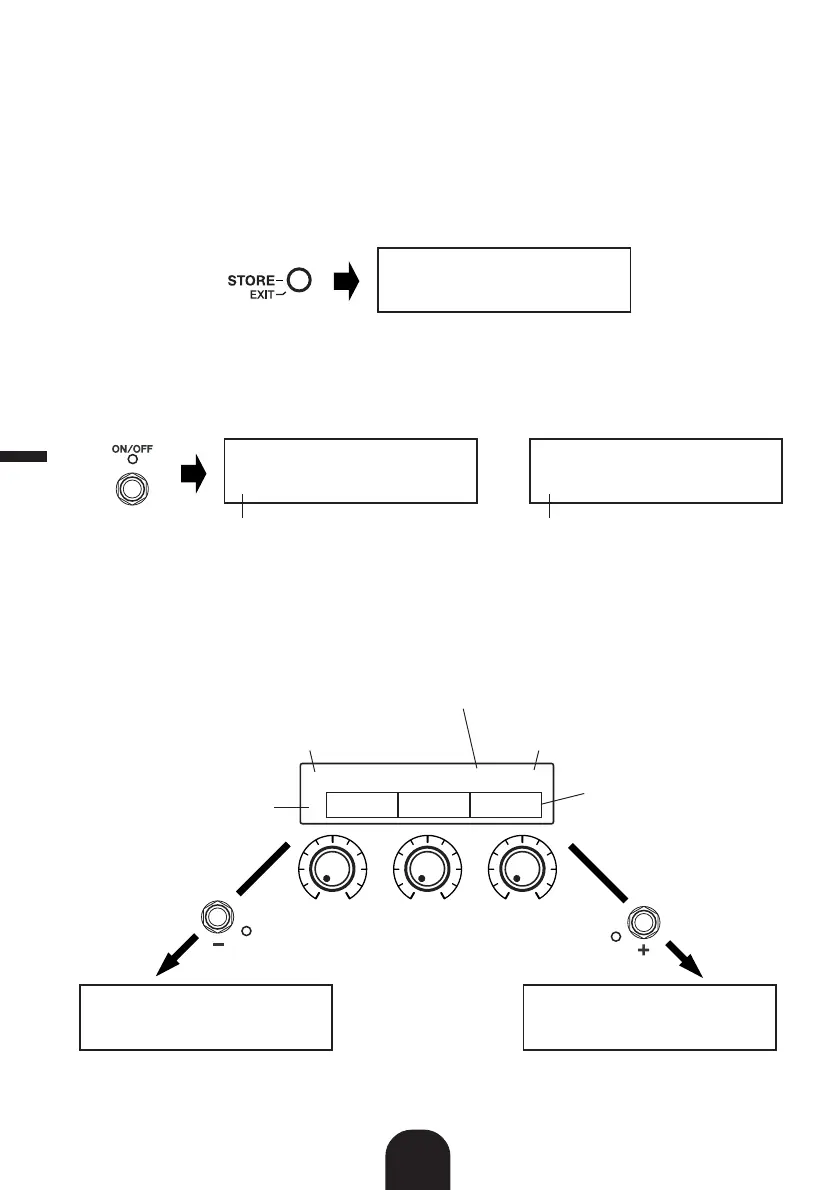
q Press the [STORE/EXIT] button.
“PRESS[STORE]1sec” will appear on the lower half of the display.
* If you press the [STORE/EXIT] button when a Preset Patch is selected, the corresponding User Patch number will
automatically be selected as the destination patch number for storing.
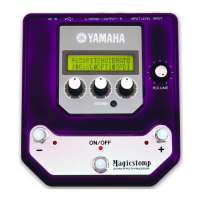
w Press the ON/OFF switch once and release quickly (within one second).
You are now in the Deep Edit Mode and the display should appear as shown below.
* If you press the ON/OFF switch for more than 1 second, you will enter the Name Edit Mode (→ Owner’s Manual:
page 18)
e Use the +/– switches to select the parameter setting display.
Parameters for the currently selected patch are arranged on several pages. Use the “+” or “–”
switches to view the next or previous page on the display.
* For more information on individual parameters, refer to the separate “Effect List” sheet.
U01:DIST1
PRESS[STORE]1sec
0EDIT-KNOB0TYPEŸ
؇KNB1fiKNB2áKNB3
Deep Edit Icon
ÿEDIT-PRM:02/07Ÿ
؇MID0fiTRE0áPRE0
or
Deep Edit Icon
ÿEDIT-PRM:03/07Ÿ
؇VOL0fiSTE0áBASF
Parameter
Use the knobs located below
the display to make settings
Deep Edit Icon
This icon indicates a previous page exists
Use the “–“ switch to view the previous page
This icon indicates a following page exists
Use the “+” switch to view the next page
Parameter Setting Display Page
Shown is page 3 of 7
ÿEDIT-PRM:02/07Ÿ
؇MID0fiTRE0áPRE0
ÿEDIT-PRM:04/07Ÿ
؇MIDFfiTREFáPREF
Previous page Next page
English


 To Next Page