EasyManua.ls Logo

Yamaha MG124C - User Manual

Yamaha MG124C
24 pages
Print Icon
To Next Page IconTo Next Page
Loading...
ES
FR
DE
EN
Owner’s Manual
Bedienungsanleitung
Mode d’emploi
Manual de instrucciones
Owner’s Manual
Bedienungsanleitung
Mode d’emploi
Manual de instrucciones
MIXING CONSOLE
MIXING CONSOLE
Features
Input Channels..............................................................page 12
With up to six mic/line inputs or up to four stereo inputs, the MG
mixer can simultaneously connect to a wide range of devices:
microphones, line-level devices, stereo synthesizers, and more.
Compression.................................................................page 10
Compression increases the overall level without introducing
distortion by compressing excessive peaks in the signals from
microphones and guitars.
AUX Sends and Stereo AUX Return............................page 14
You can use the AUX SEND jack to feed the signal sent to an
external signal processor, and then return the processed stereo
signal through the RETURN jack.
High-quality digital effects (MG124CX).................page 16, 17
With digital effects built in, the MG124CX can deliver a wide
range of sound variations all by itself.
Caractéristiques
Canaux d’entrée...............................................................page 44
Avec six entrées micro/ligne ou quatre entrées stéréo maximum,
la console de mixage MG peut connecter simultanément une
grande variété d’appareils : micros, appareils de ligne,
synthétiseurs stéréo, etc.
Compression....................................................................page 42
La compression augmente le niveau général sans engendrer de
distorsion en comprimant les pics excessifs des signaux des
micros et des guitares.
Envois AUX et retour AUX stéréo...................................page 46
Vous pouvez utiliser la prise jack AUX SEND pour envoyer le
signal vers une unité de traitement de signaux externes, puis pour
renvoyer le signal stéréo traité via la prise jack RETURN.
Effets numériques de qualité supérieure (MG124CX)
....
page 48, 49
Grâce aux effets numériques intégrés, la console MG124CX peut
proposer de nombreuses variations de sons.
Funktionen
Eingangskanäle............................................................Seite 28
Mit bis zu sechs Mikrofon-/Line-Eingängen oder bis zu vier
Stereoeingängen können viele Geräte gleichzeitig am MG-
Mischpult angeschlossen werden: Mikrofone, Geräte mit
Leitungspegel, Stereo-Synthesizer uvm.
Kompression................................................................Seite 26
Kompression erhöht den Durchschnittspegel, ohne Verzerrung
hinzuzufügen, indem übermäßige Pegelspitzen der Signale von
Mikrofonen oder Gitarren komprimiert werden.
AUX Sends und Stereo AUX Return...........................Seite 30
Von der AUX SEND-Buchse können Sie das Signal einzeln an
einen externen Signalprozessor führen, und das verarbeitete
Stereosignal über die RETURN-Buchse zurück in das Pult
führen.
Hochwertige Digitaleffekte (MG124CX)................Seite 32, 33
Mit den eingebauten digitalen Effekten kann das MG124CX aus
sich heraus eine Reihe von Klangvariationen liefern.
Características
Canales de entrada.......................................................página 60
Con un máximo de seis entradas de micrófono/línea o cuatro
entradas estereofónicas, la mezcladora MG puede conectarse
simultáneamente con una gran variedad de dispositivos:
micrófonos, dispositivos de nivel de línea, sintetizadores
estereofónicos, etc.
Compresión...................................................................página 58
La compresión aumenta el nivel general sin causar distorsión,
mediante la compresión del exceso de picos en las señales de
los micrófonos y guitarras.
Envíos AUX y retorno AUX estereofónico..................página 62
Puede utilizar la toma AUX SEND para introducir la señal enviada
en un procesador de señales externo y luego devolver la señal
estereofónica procesada a través de la toma RETURN (retorno).
Efectos digitales de alta calidad (MG124CX)...........page 64, 65
Gracias a sus efectos digitales incorporados, la mezcladora
MG124CX puede producir por sí misma una amplia gama de
variaciones de sonido.

Questions and Answers

Summary

Features

Input Channels

Details input channel capabilities for connecting various audio devices like microphones and synthesizers.

Compression

Explains how compression manages signal peaks, enhancing overall level without distortion.

AUX Sends and Stereo AUX Return

Describes using AUX SEND for external processing and returning via the RETURN jack.

High-quality digital effects (MG124 CX)

Highlights the built-in digital effects for creating diverse sound variations on the MG124CX model.

Precautions

General Safety Warnings

Lists critical warnings to prevent serious injury or death from electrical shock, fire, or other hazards.

General Cautionary Advice

Provides essential cautions to prevent physical injury and damage to the device or property.

Introduction

Before Turning on the Mixer

Guides users on essential pre-operation checks and power connection procedures for safe startup.

Turning the Power On

Details the steps for powering the mixer on and off, including standby mode considerations.

Mixer Basics

Quick Guide

Offers a brief overview and initial steps for operating the mixer and achieving basic sound output.

Getting Sound to the Speakers

Explains the initial setup process for connecting speakers and achieving stereo output.

Making the Most of Your Mixer

Provides tips and explanations for optimizing mixer performance and sound quality.

Balanced, Unbalanced-Whats the Difference?

Explains the concept of balanced and unbalanced audio connections and their impact on noise.

Signal Levels and the Decibel

Defines the decibel (dB) unit and its application in measuring audio signal levels.

To EQ or Not to EQ

Discusses the principles and techniques for effective use of equalization in mixing.

Ambience

Details how to use reverb and delay effects to add depth and atmosphere to the mix.

Modulation Effects

Explains phasing, chorus, and flanging effects, their principles, and applications.

Compression

Covers the function of compression in controlling dynamic range and improving signal consistency.

Reference

Setup

Outlines the initial setup procedures and connection examples for the mixing console.

Front & Rear Panels

Provides an overview of the mixer's physical layout, including all input and output jacks.

Channel Control Section

Details the controls for individual input channels, including gain, EQ, and routing.

Master Control Section

Explains the main output controls, including stereo, group, monitor, and effect send levels.

DIGITAL EFFECT

Describes the integrated digital effects processor, its controls, and programs.

Rear Input;Output Section

Identifies and explains the function of the mixer's rear panel connectors.

Digital Effect Program List

Lists and describes all 16 internal digital effect programs available on the MG124CX.

Jack List

Provides detailed information on connector types, polarities, and configurations for all jacks.

Troubleshooting

Specifications

Electrical Specifications

Lists technical electrical specifications including frequency response, distortion, and noise levels.

General Specifications

Covers overall technical details like input/output levels, power consumption, dimensions, and weight.

Input Specifications

Details the input connectors, gain ranges, sensitivity, nominal levels, and connector types.

Output Specifications

Lists output connectors, impedance, nominal levels, clipping points, and connector types.

Dimensional Diagrams

Shows the physical dimensions of the mixer through technical drawings.

Block Diagram and Level Diagram

Illustrates the internal signal flow and level relationships within the mixer.

Summary

Features

Input Channels

Details input channel capabilities for connecting various audio devices like microphones and synthesizers.

Compression

Explains how compression manages signal peaks, enhancing overall level without distortion.

AUX Sends and Stereo AUX Return

Describes using AUX SEND for external processing and returning via the RETURN jack.

High-quality digital effects (MG124 CX)

Highlights the built-in digital effects for creating diverse sound variations on the MG124CX model.

Precautions

General Safety Warnings

Lists critical warnings to prevent serious injury or death from electrical shock, fire, or other hazards.

General Cautionary Advice

Provides essential cautions to prevent physical injury and damage to the device or property.

Introduction

Before Turning on the Mixer

Guides users on essential pre-operation checks and power connection procedures for safe startup.

Turning the Power On

Details the steps for powering the mixer on and off, including standby mode considerations.

Mixer Basics

Quick Guide

Offers a brief overview and initial steps for operating the mixer and achieving basic sound output.

Getting Sound to the Speakers

Explains the initial setup process for connecting speakers and achieving stereo output.

Making the Most of Your Mixer

Provides tips and explanations for optimizing mixer performance and sound quality.

Balanced, Unbalanced-Whats the Difference?

Explains the concept of balanced and unbalanced audio connections and their impact on noise.

Signal Levels and the Decibel

Defines the decibel (dB) unit and its application in measuring audio signal levels.

To EQ or Not to EQ

Discusses the principles and techniques for effective use of equalization in mixing.

Ambience

Details how to use reverb and delay effects to add depth and atmosphere to the mix.

Modulation Effects

Explains phasing, chorus, and flanging effects, their principles, and applications.

Compression

Covers the function of compression in controlling dynamic range and improving signal consistency.

Reference

Setup

Outlines the initial setup procedures and connection examples for the mixing console.

Front & Rear Panels

Provides an overview of the mixer's physical layout, including all input and output jacks.

Channel Control Section

Details the controls for individual input channels, including gain, EQ, and routing.

Master Control Section

Explains the main output controls, including stereo, group, monitor, and effect send levels.

DIGITAL EFFECT

Describes the integrated digital effects processor, its controls, and programs.

Rear Input;Output Section

Identifies and explains the function of the mixer's rear panel connectors.

Digital Effect Program List

Lists and describes all 16 internal digital effect programs available on the MG124CX.

Jack List

Provides detailed information on connector types, polarities, and configurations for all jacks.

Troubleshooting

Specifications

Electrical Specifications

Lists technical electrical specifications including frequency response, distortion, and noise levels.

General Specifications

Covers overall technical details like input/output levels, power consumption, dimensions, and weight.

Input Specifications

Details the input connectors, gain ranges, sensitivity, nominal levels, and connector types.

Output Specifications

Lists output connectors, impedance, nominal levels, clipping points, and connector types.

Dimensional Diagrams

Shows the physical dimensions of the mixer through technical drawings.

Block Diagram and Level Diagram

Illustrates the internal signal flow and level relationships within the mixer.

Overview

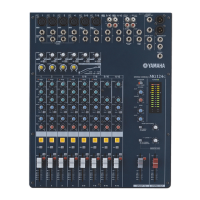
The Yamaha MG124CX/MG124C mixing console is a versatile audio mixer designed for a wide range of usage environments, offering ease of operation and support for multiple input devices. The MG124CX model further enhances audio production with high-quality built-in digital effects.

Function Description

The MG mixer is equipped with multiple input channels, supporting up to six mic/line inputs or four stereo inputs. This allows for simultaneous connection of various devices such as microphones, line-level devices, and stereo synthesizers.

Compression: A key feature of the mixer is its compression capability, which increases the overall audio level without introducing distortion. This is achieved by compressing excessive peaks in signals, particularly useful for microphones and guitars, resulting in a smoother, more unified sound. The MG compressor simplifies this process by allowing adjustment with a single control, automatically setting pertinent parameters.

AUX Sends and Stereo AUX Return: The mixer includes AUX SEND jacks, enabling users to route signals to external signal processors. The processed stereo signal can then be returned to the mixer via the RETURN jacks. This feature is useful for adding external effects or creating monitor mixes.

Digital Effects (MG124CX): The MG124CX model boasts high-quality built-in digital effects, offering a wide range of sound variations. These effects include various reverbs, delays, chorus, flanger, phaser, auto wah, and distortion. The effects can be applied to individual channels, similar to external effects processors.

Equalizer (EQ): Each channel features a three-band equalizer (HIGH, MID, and LOW) for adjusting frequency bands. Channels 1-8 have a three-band EQ, while stereo channels 9/10 and 11/12 have a two-band EQ (HIGH and LOW). The EQ controls allow for boosting or attenuating specific frequency ranges, enabling users to refine the sound of each instrument or vocal. The "7/80 Switch" (High Pass Filter) cuts frequencies below 80 Hz, which is useful for removing unwanted low-end rumble from microphones.

PAN/BAL Control: The PAN control (channels 1-4) determines the stereo positioning of a channel signal on the Group 1 and 2 buses or the Stereo L and R buses. The PAN/BAL control (channels 5/6 and 7/8) acts as a PAN control for mono inputs and a BAL control for stereo inputs. The BAL control (channels 9/10 and 11/12) sets the balance between left and right channels for stereo inputs.

ON and ST Switches: The ON switch sends the channel signal to the buses, indicated by an orange light. The ST switch assigns the channel's signal to the Stereo L and R buses.

PFL (Pre-Fader Listen) Switch: This switch allows monitoring of a channel's pre-fader signal through the PHONES and MONITOR OUT jacks, enabling accurate level adjustment before the signal reaches the main mix.

Channel Faders: These faders adjust the level of individual channel signals, used to create the desired balance among various channels in the mix.

Master Control Section:

  • 2TR IN Jacks: RCA pin jacks for inputting a stereo sound source, such as a CD player. The signal level can be adjusted via the 2TR IN control.
  • REC OUT (L, R) Jacks: RCA pin jacks for connecting to an external recorder, outputting the same signal as the STEREO OUT jacks, but unaffected by the STEREO OUT Master Fader.
  • RETURN L (MONO), R Jacks: Unbalanced phone-jack line inputs for receiving signals from external effect devices or as auxiliary stereo inputs.
  • SEND Jacks (AUX, EFFECT): Impedance-balanced phone-jack outputs for sending signals from the AUX (AUX1) bus to effect units, cue boxes, or monitoring systems, and from the EFFECT (AUX2) bus to external effect units.
  • STEREO OUT (L, R) Jacks: XLR-type and TRS phone-jack outputs for the mixer's stereo output, connecting to power amplifiers or recording devices.
  • GROUP OUT (1, 2) Jacks: Impedance-balanced phone jacks for outputting Group 1/2 signals to multi-track recorders or external mixers.
  • MONITOR OUT Jacks: Stereo phone-jack outputs for connecting to a monitor system. The signal output is determined by the MONITOR switch, 2TR IN switch, and PFL switches.
  • PHONES Jack: Stereo phone jack for connecting headphones, outputting the same signal as the MONITOR OUT jacks.
  • PHANTOM +48 V Switch: Toggles phantom power on/off for XLR mic input jacks (CHs 1-4, 5/6, 7/8), necessary for condenser microphones.
  • RETURN Controls (AUX, STEREO): Adjusts the level of the L/R signal received at the RETURN jacks to the AUX (AUX2) bus and STEREO L/R buses, respectively.
  • Master SEND Controls (AUX, EFFECT): Adjusts the signal level sent to the AUX (AUX1) SEND jack and EFFECT (AUX2) SEND bus.
  • POWER Indicator: Lights when the mixer is ON.
  • Level Meter: A 2x12 point LED meter displaying signal levels, with "0" corresponding to nominal output and PEAK indicating clipping.
  • MONITOR/PHONES Controls (MONITOR Switch, MONITOR Control): The MONITOR switch directs Group 1/2 or Stereo L/R bus signals to the MONITOR OUT and PHONES jacks and the level meter. The MONITOR control adjusts the output level to these jacks.
  • 2TR IN Controls (2TR IN Switch, 2TR IN control): The 2TR IN switch directs signals from the 2TR IN jacks to the MONITOR OUT/PHONES jacks or the STEREO L/R buses. The 2TR IN control adjusts the signal level sent to the STEREO L/R buses.
  • GROUP 1-2 Fader: Adjusts the signal level sent to the GROUP OUT jacks.
  • STEREO OUT Master Fader: Adjusts the signal level sent to the STEREO OUT jacks.

Usage Features

Getting Sound to the Speakers: The Quick Guide outlines a step-by-step process for connecting speakers and generating stereo output. This includes ensuring all level controls are down, connecting input devices and speakers, powering up devices in the correct order (peripherals → mixer → power amps), adjusting GAIN controls for optimal input levels, turning on channel ON and ST switches, setting the STEREO OUT Master fader to "0," and finally adjusting channel faders for balance and overall volume.

Balanced vs. Unbalanced Lines: The manual emphasizes the importance of balanced lines for noise rejection, especially for long cable runs and microphone cables, due to their low output signal. Unbalanced lines are suitable for short connections in noise-free environments.

Signal Levels and the Decibel: The manual explains the concept of the decibel (dB) as a non-linear scale for audio measurements, highlighting the importance of matching input and output levels to optimize dynamic range and minimize noise.

To EQ or Not to EQ: The guide advises using EQ sparingly, particularly with boosting, to avoid muddying the mix. Cutting frequencies can help eliminate interference between instruments and improve overall sound definition. Examples include rolling off low EQ on cymbals and high EQ on kick drums to create space in the mix.

Ambience Effects (Reverb, Delay): The MG124CX's internal effects can add depth and space to mixes. The manual provides guidance on adjusting reverb and delay times based on music tempo and density, selecting appropriate reverb tones, and setting reverb levels to avoid over-processing.

Modulation Effects (Phasing, Chorus, Flanging): These effects work by time-shifting a portion of the audio signal and mixing it back with the direct signal, controlled by an LFO. Phasing creates shimmering sounds, while chorus and flanging thicken and create swirling or swishing sounds, respectively.

Connecting External Devices: The mixer supports connecting external devices via INSERT jacks (channels 1-4) for graphic equalizers, compressors, or noise filters. Special insert cables are required for this.

Monitoring: The PFL switches and MONITOR/PHONES section allow for precise monitoring of individual channel signals or the main mix, crucial for accurate level and balance adjustments.

Maintenance Features

Power Management: The manual stresses the importance of using only the supplied PA-20 adaptor to prevent equipment damage, overheating, or fire. It also advises unplugging the adaptor from the wall outlet when the mixer is not in use for extended periods or during lightning storms, as a trace current flows even in STANDBY mode.

Connection Best Practices: Users are instructed to turn off all devices before connecting cables and to set all volume levels to minimum before powering on or off to prevent speaker damage. When connecting electric guitars and basses, using an intermediary device like a direct box or preamp is recommended to avoid degraded sound and noise.

Phantom Power Safety: When using phantom power for condenser microphones, it is crucial to ensure only condenser mics are connected to XLR input jacks (CHs 1-7/8) and to turn off amplifiers or powered speakers before toggling the phantom power switch to prevent damage and loud noises. All output controls should be at minimum settings during this operation.

Environmental Considerations: The mixer should be protected from excessive dust, vibrations, extreme cold, or heat (direct sunlight, heaters, car interiors) to prevent panel disfiguration or damage to internal components. It should also be placed on a stable surface.

Troubleshooting Guide: The manual includes a comprehensive troubleshooting section to address common issues such as no power, no sound, faint/distorted/noisy sound, no effects (MG124CX), unclear spoken words, and issues with monitor output. This guide helps users identify and resolve problems by checking connections, control settings, and phantom power status.

Component Longevity: The manual notes that the performance of components with moving contacts (switches, volume controls, connectors) deteriorates over time and advises consulting qualified Yamaha service personnel for replacement of defective components.

Copyright Awareness: Users are reminded that copying commercially available music or audio data for purposes other than personal use is strictly prohibited by copyright law.

Yamaha MG124C Specifications

General IconGeneral
Channels12
Mic Inputs4
Stereo Inputs4
Aux Sends2
Phantom PowerYes
High-pass Filter80 Hz, 12 dB/oct
EffectsNo
Headphone OutputYes
EQ Bands3-band
Main OutputsStereo

Related product manuals