EasyManua.ls Logo

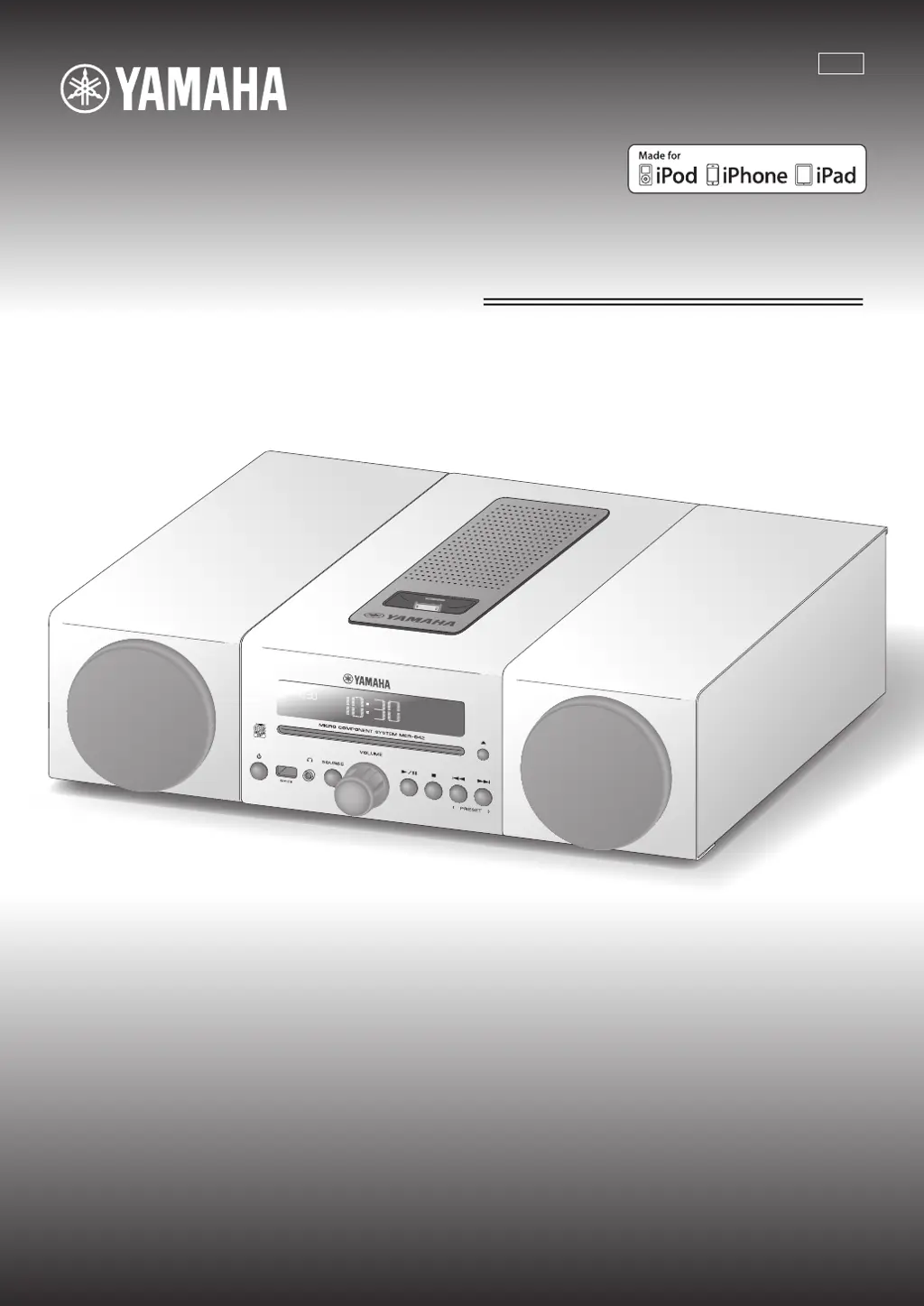
Yamaha Micro-Chaine MCR-042 - User Manual

Yamaha Micro-Chaine MCR-042
80 pages
Print Icon
To Next Page IconTo Next Page
Loading...
OWNER’S MANUAL
MODE D’EMPLOI
MANUAL DE INSTRUCCIONES
27
May
Micro Component System
Micro-Chaîne
MCR-042
ULHV

Table of Contents

Questions and Answers

  • S
    Shannon OconnorSep 8, 2025
    Why won't my Yamaha Stereo System play MP3 files from USB?
    • M
      Matthew MartinSep 8, 2025
      If your Yamaha Stereo System is not playing MP3/WMA files from a USB device, the USB device may not be recognized or may not contain playable files. Turn the system off and reconnect the USB device to the unit.
  • J
    Joseph CurryAug 23, 2025
    How to fix too much noise during stereo broadcast on Yamaha Micro-Chaine MCR-042 Stereo System?
    • G
      Gloria AllisonAug 23, 2025
      If your Yamaha Stereo System is picking up too much noise during stereo broadcast, the radio station might be too far away, or the radio wave reception might be weak in your area. Try manual tuning to improve the signal quality or use a commercially available outdoor antenna.
  • B
    Bobby SmithAug 25, 2025
    How to stop digital equipment from producing noises on my Yamaha Stereo System?
    • A
      afletcherAug 25, 2025
      If a digital or high-frequency equipment is producing noises on your Yamaha Stereo System, the unit may be placed too close to the digital or high-frequency equipment. Place the unit farther away from the equipment.
  • A
    April OrrAug 27, 2025
    Why do my Yamaha Stereo System speakers make no sound?
    • D
      David JonesAug 27, 2025
      If the speakers on your Yamaha Stereo System aren't producing sound, there might be several reasons: * The volume could be set too low or muted; adjust the volume. * The selected source might be incorrect; choose the correct source. * Headphones might be plugged in; remove them. * The volume of an external device might be too low; increase its volume.
  • E
    elizabethfitzpatrickAug 27, 2025
    Why does my Yamaha Micro-Chaine MCR-042 Stereo System turn off by itself?
    • J
      Johnny RichmondAug 27, 2025
      If your Yamaha Stereo System unexpectedly turns off, it might be due to the automatic system-off function. This feature activates either after the time specified for AUTO POWER OFF in the option menu has elapsed or after 60 minutes of inactivity following the stoppage of USB device or CD playback.
  • B
    bauerphilipSep 22, 2025
    Why does playback not start immediately on my Yamaha Stereo System?
    • K
      Kayla MorganSep 22, 2025
      If playback does not start immediately after pressing the play button on your Yamaha Stereo System, the disc may be dirty. Wipe the disc clean. The disc loaded into the unit may not be compatible. If the unit was moved from a cold to warm place, condensation may have formed on the disc reading lens; wait for an hour or two until the unit adjusts to the room temperature, and try again.
  • K
    Katie JimenezSep 16, 2025
    Why can't I insert a disc into my Yamaha Stereo System?
    • D
      debrariveraSep 16, 2025
      If your Yamaha Stereo System won't allow you to insert a disc, it may be because another disc is already inserted. Unload the disc. You might be attempting to insert a disc that cannot be used by this unit.
  • C
    cummingssarahSep 18, 2025
    Why do some buttons not work on my Yamaha Micro-Chaine MCR-042 Stereo System?
    • K
      kschaeferSep 18, 2025
      If some button operations do not work on your Yamaha Stereo System, the disc loaded into the unit may not be compatible.
  • K
    Kathleen CarpenterSep 7, 2025
    Why does the clock keep resetting on my Yamaha Micro-Chaine MCR-042 Stereo System?
    • W
      William GalvanSep 7, 2025
      If your Yamaha Stereo System's clock setting has been cleared, it may be because the unit was left for about one hour with the power cable disconnected from the wall outlet. Plug the power cable into the wall outlet firmly and set the clock again.
  • J
    Juan McbrideSep 4, 2025
    Why is radio reception weak on my Yamaha Stereo System even with an outdoor antenna?
    • W
      Wesley GrantSep 4, 2025
      If your Yamaha Stereo System exhibits weak radio wave reception even with an outdoor antenna, multipath reflection or other radio interferences may be occurring. Try changing the height, direction, or placement of the antenna.

Summary

IMPORTANT SAFETY INSTRUCTIONS

FCC AND SAFETY INFORMATION

FCC Compliance and Warnings

Details FCC rules, modification cautions, and Canadian compliance.

Laser Safety Precautions

Warns about laser hazards, eye injury, and servicing requirements.

OPERATING PRECAUTIONS

Installation and Environment

Guidelines for unit placement, ventilation, and avoiding environmental damage.

Usage, Care, and Safety

Covers cleaning, electrical safety, handling, and potential damage from misuse.

Battery Handling and Safety

Instructions for battery use, replacement, and disposal to prevent hazards.

PRODUCT FEATURES AND MANUAL GUIDE

Key Features Overview

Highlights playback options, alarm functions, and tuner presets.

REMOTE CONTROL USAGE

Remote Control Layout and Functions

Identifies each button on the remote control and its primary function.

SYSTEM CONNECTIONS

Speaker and Antenna Setup

Guides on connecting speakers, antenna, and important precautions.

Power Cable Connection

Step-by-step guide to connect the unit's power cable to an AC outlet.

Connecting External Devices

Details connecting iPod, iPad, USB devices, and external audio sources.

UNIT AND DISPLAY OVERVIEW

Top and Front Panel Components

Identifies and describes the controls and ports on the unit's top and front panels.

REMOTE CONTROL FUNCTIONS

CLOCK AND TIME SETTINGS

PLAYING MUSIC FROM YOUR IPOD

Connecting and Playing iPod

Guides on connecting an iPod to the dock and initiating playback.

FM;AM RADIO OPERATION

PRESETTING FM;AM STATIONS

ALARM FUNCTION DETAILS

Alarm Types and Audio Sources

Explains alarm options and compatible audio sources for alarms.

SETTING THE ALARM

Alarm Configuration via Option Menu

Step-by-step guide to set alarm time, type, source, and volume.

MANAGING THE ALARM

GENERAL TROUBLESHOOTING

Unit Operation Problems

Fixes for sound, power, clock, and general system malfunctions.

IPOD AND DISC TROUBLESHOOTING

iPod Connectivity Issues

Solutions for iPod not detected, not charging, or showing 'Unknown'.

Disc Playback Errors

Troubleshooting for disc insertion, compatibility, dirt, and playback errors.

USB, RADIO, AND REMOTE TROUBLESHOOTING

USB Device Playback Problems

Solutions for USB recognition, overcurrent, and unplayable files.

TECHNICAL SPECIFICATIONS

Yamaha Micro-Chaine MCR-042 Specifications

General IconGeneral
BrandYamaha
ModelMicro-Chaine MCR-042
CategoryStereo System
LanguageEnglish

Related product manuals