EasyManua.ls Logo

Yamaha MCR-B043 - User Manual

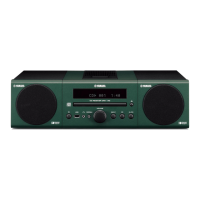
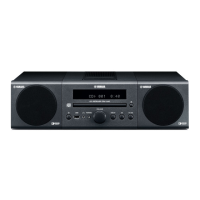
Yamaha MCR-B043
228 pages
Print Icon
To Next Page IconTo Next Page
Loading...
G
© 2016 Yamaha Corporation Printed in Malaysia ZZ54640
English Français Deutsch
OWNER'S MANUAL
MODE D'EMPLOI
BEDIENUNGSANLEITUNG
BRUKSANVISNING
MANUALE DI ISTRUZIONI
MANUAL DE INSTRUCCIONES
GEBRUIKSAANWIJZING
ИНСТРУКЦИЯ ПО ЭКСПЛУАТАЦИИ
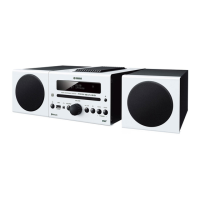
Micro Component System
Micro-Chaîne
Svenska Italiano Español
Nederlands
Русский
MCR-B043
MCR-B043D

Table of Contents

Other manuals for Yamaha MCR-B043

Questions and Answers

  • M
    martinezkristinSep 16, 2025
    Why does playback not start immediately on my Yamaha Stereo System?
    • M
      Megan HarmonSep 16, 2025
      If playback doesn't start immediately, the disc may be dirty, so wipe it clean. Ensure that the disc is compatible with the unit. If the unit was moved from a cold to a warm place, condensation may have formed on the disc reading lens. Wait for an hour or two until the unit adjusts to the room temperature, and try again.
  • Z
    Zachary DixonAug 25, 2025
    Why does my Yamaha MCR-B043 sound suddenly turn off?
    • O
      Olivia WebsterAug 25, 2025
      The sound may turn off suddenly because the sleep timer is set. Also, the auto power standby function may have been activated. The unit will automatically turn off after a specified time set for AUTO PWR STDBY in the option menu or after 20 minutes of inactivity after stopping USB device or CD playback.
  • C
    Christina ClarkAug 25, 2025
    What to do if my Yamaha MCR-B043 sound is cracked or distorted?
    • M
      Michelle WhiteAug 26, 2025
      If the sound from your Yamaha Stereo System is distorted, it might be due to an excessive input source volume or the unit's volume being too high, especially the bass. Try adjusting the volume using the VOLUME control, or use the option menu to adjust the bass range. If using an external device, lower its volume.
  • A
    Angela EdwardsAug 26, 2025
    Why is there too much noise on my Yamaha MCR-B043 Stereo System?
    • S
      Scott OconnorAug 26, 2025
      Excessive noise on your Yamaha Stereo System could be due to a improperly connected antenna. Ensure the antenna is connected properly or use a commercially available outdoor antenna. Also, the antenna might be too close to the unit or an electronic device. Position the antenna as far away as possible from the unit or other electronic devices.
  • V
    vhowardSep 18, 2025
    Why does my Yamaha MCR-B043 display “CD No Disc” or “CD Unknown”?
    • M
      Manuel DavisSep 18, 2025
      If the display indicates “CD No Disc” or “CD Unknown,” the disc may not be compatible with the unit. Use a supported disc. The disc may be dirty or have a foreign object on it; wipe it clean or remove any foreign objects. The disc might not contain playable files, so use a disc that does. Also, ensure the disc is inserted correctly, with the label facing upward.
  • K
    kristin36Sep 23, 2025
    Why is radio wave reception weak even with an outdoor antenna on my Yamaha Stereo System?
    • P
      Patricia CalderonSep 23, 2025
      Weak radio wave reception, even with an outdoor antenna, might be due to multipath reflection or other radio interferences. Try changing the height, direction, or placement of the antenna.
  • S
    Spencer RussellSep 8, 2025
    Why won't my MP3/WMA file play on Yamaha MCR-B043 Stereo System from USB?
    • D
      David FoxSep 8, 2025
      If MP3/WMA files are not playing from your USB device on the Yamaha Stereo System, the USB device may not be recognized. Turn the unit off and reconnect the USB device. If the issue persists, the USB device may not be playable on the unit. Also, ensure the USB device contains playable files.
  • C
    Christopher JuarezSep 9, 2025
    Why does my Yamaha Stereo System say “USB OverCurrent”?
    • J
      Jacob HarrisSep 9, 2025
      If your Yamaha Stereo System displays “USB OverCurrent,” it indicates an incompatible USB device was connected, or the USB device is not firmly connected. Turn the unit off and reconnect the USB device. If the problem persists, the USB device is not playable on the unit.
  • J
    John RothSep 2, 2025
    Why can't I tune into any DAB stations on my Yamaha MCR-B043 Stereo System?
    • S
      smithashleySep 3, 2025
      To resolve this, first perform the initial scan operations. If the issue persists, there may be no DAB coverage in your area. Finally, the DAB signals might be too weak, in that case change the height, direction, or placement of the antenna.
  • A
    Amanda WarrenSep 1, 2025
    Why can't I insert a disc into my Yamaha MCR-B043 Stereo System?
    • R
      Ryan FoxSep 1, 2025
      You might not be able to insert a disc into your Yamaha Stereo System if another disc is already inserted. Unload the existing disc. Also, ensure you're using a disc type supported by the unit.

Summary

Important Safety Precautions

Connecting the Unit

Speaker and Antenna Connections

Instructions for connecting speakers and the supplied antenna to the unit.

Power Cable Connection

Steps to connect the unit's power cable to an AC outlet.

Playing Audio from CDs and USB Devices

Listening to a CD

Guide on how to play music from a CD.

Listening to a USB Device

Instructions for playing music from a USB device.

Wireless Audio Streaming via Bluetooth

Bluetooth Pairing and Playback

Guide on pairing and playing music wirelessly via Bluetooth.

Listening to DAB Radio (MCR-B043 D Only)

DAB Reception Preparation

How to prepare the unit for DAB reception, including antenna and initial scan.

Selecting and Tuning DAB Stations

How to tune into and select DAB stations.

Listening to FM Radio Stations

Selecting and Tuning FM Stations

How to tune into and select FM radio stations.

Listening to External Audio Sources

Connecting External Devices via AUX

How to connect and play audio from external devices via the AUX input.

Troubleshooting Common Issues

General Operation Problems

Common problems and solutions related to general unit operation.

Bluetooth Connectivity Problems

Solutions for problems with Bluetooth pairing, connection, and sound.

DAB Reception Troubleshooting

Troubleshooting specific issues with DAB radio reception.

Safety and Compliance Notices

Laser Safety Warning

Warning about laser radiation and safe handling procedures.

General Cautionary Notes

General caution regarding laser exposure and procedures.

Laser Radiation Warnings

Yamaha MCR-B043 Specifications

General IconGeneral
TypeHome audio micro system
Cassette deckNo
Product colorBlack
Optical disc playerYes
Number of optical discs1 discs
Bluetooth version3.0+HS
Headphone connectivity3.5 mm
Bluetooth profilesA2DP, AVRCP
Apple docking compatibilityNot supported
Disc types supportedCD-RW, CD, CD-R
Audio formats supportedWMA, MP3
Supported radio bandsFM
Preset stations quantity30
Speaker type-
Frequency range50 - 20000 Hz
RMS rated power30 W
Woofer diameter110 mm
Number of speakers2
Total Harmonic Distortion (THD)0.07 %
Volume controlRotary
Weight and Dimensions IconWeight and Dimensions
Main unit weight2600 g
Main unit dimensions (WxDxH)276 x 130 x 180 mm

Related product manuals