EasyManua.ls Logo

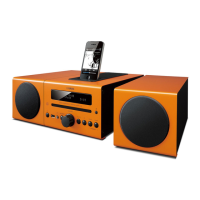
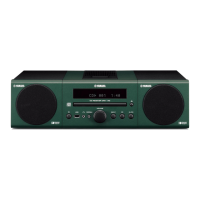
Yamaha mcr-b020 - User Manual

Yamaha mcr-b020
81 pages
Print Icon
To Next Page IconTo Next Page
Loading...
OWNER’S MANUAL
MODE D’EMPLOI
MANUAL DE INSTRUCCIONES
ULV
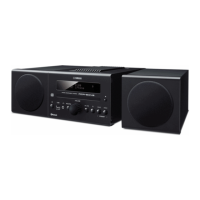
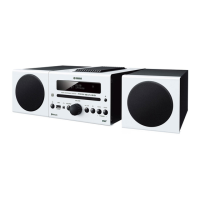
Micro Component System
Micro-Chaîne
English Français Español

Table of Contents

Questions and Answers

  • T
    troymitchellSep 18, 2025
    What does it mean when my Yamaha mcr-b020 clock setting has been cleared?
    • T
      Travis ClarkSep 18, 2025
      If the clock setting on your Yamaha Stereo System has been cleared, it's likely because the unit remained unpowered for about one hour. To fix this, plug the power cable into the wall outlet firmly and set the clock again.
  • J
    John BarkerAug 25, 2025
    Why do my Yamaha mcr-b020 Stereo System speakers make no sound?
    • C
      Courtney CaseyAug 25, 2025
      There are several reasons why your Yamaha Stereo System speakers might not be producing sound. First, the volume could be set too low or muted, so try adjusting the volume. Second, the source selected might be incorrect, so ensure you've selected the right one. Also, check that the speakers are securely connected and that headphones are not plugged in. Finally, if you're using an external device, its volume might be too low, so increase its volume.
  • L
    Lisa YorkAug 25, 2025
    What to do if my Yamaha Stereo System sound suddenly turns off?
    • S
      Samuel FrederickAug 26, 2025
      If the sound on your Yamaha Stereo System suddenly turns off, it could be due to the sleep timer being set. In this case, turn the unit on and play the source again. Alternatively, the auto power standby function may have activated. This function turns off the unit automatically after a period of inactivity (either when the time specified for AUTO PWR STDBY in the option menu has elapsed or when 20 minutes have elapsed without any operation being performed after stopping USB device or CD playback).
  • A
    Anita NicholsAug 26, 2025
    What to do if the Yamaha Stereo System unit does not operate properly?
    • J
      jacobgreerAug 27, 2025
      If your Yamaha Stereo System unit isn't operating correctly, it may have experienced a strong electrical shock, such as lightning, excessive static electricity, or a drop in power supply. To resolve this, press the reset button on the rear panel of the unit using a fine-tipped stick and restart the unit.
  • A
    Ashley WilliamsSep 23, 2025
    What does it mean when my Yamaha Stereo System front panel display indicates “CD No Disc” or “CD Unknown?”
    • V
      vfergusonSep 23, 2025
      If your Yamaha Stereo System displays “CD No Disc” or “CD Unknown” when you insert a disc, it could be due to several reasons. The disc may not be compatible with the unit, so use a supported disc. The disc might be dirty, or a foreign object may have adhered to it, so wipe the disc clean and remove any foreign objects. Also, ensure that the disc contains playable files. Finally, make sure the disc is set with the label facing upward.
  • G
    gweaverSep 23, 2025
    What to do if radio wave reception is weak on Yamaha mcr-b020 Stereo System even with an outdoor antenna?
    • C
      Christina Cummings PhDSep 23, 2025
      If you're experiencing weak radio wave reception and distorted sound even with an outdoor antenna, multipath reflection or other radio interferences may have occurred. Try changing the height, direction, or placement of the antenna.
  • D
    Diana HicksSep 10, 2025
    What to do if MP3/WMA file in the USB device does not play on Yamaha Stereo System?
    • G
      Gerald WillisSep 10, 2025
      If an MP3/WMA file in your USB device isn't playing on your Yamaha Stereo System, the USB device might not be recognized. Turn the unit off and reconnect the USB device. If that doesn't work, the USB device may not be playable on the unit. Also, ensure that the USB device contains playable files.
  • R
    richardcarterSep 12, 2025
    Why has the clock setting been cleared on my Yamaha mcr-b020?
    • C
      Christina MunozSep 12, 2025
      If the clock setting on your Yamaha Stereo System has been cleared, it's likely because the unit remained unpowered for about one hour. Plug the power cable into the wall outlet firmly and set the clock again.
  • A
    arodriguezSep 3, 2025
    Why does my Yamaha mcr-b020 Stereo System display “CD No Disc” or “CD Unknown”?
    • R
      Rebecca WebbSep 4, 2025
      If the front panel display of your Yamaha Stereo System shows “CD No Disc” or “CD Unknown,” ensure that the disc is compatible with the unit. Also, check the disc for dirt or foreign objects and clean it if necessary. Make sure the disc contains playable files and is inserted with the label facing upward.
  • M
    Margaret SerranoSep 1, 2025
    Why can’t I establish a Bluetooth connection on my Yamaha mcr-b020?
    • D
      Danielle GibsonSep 1, 2025
      If you can't establish a Bluetooth connection with your Yamaha Stereo System, it may be because the unit isn't registered on the Bluetooth device's connection list. Try performing the pairing operations again. Also, make sure that BLUETOOTH is set to ON in the unit's option menu.

Summary

Important Safety Instructions

Operating Precautions and Safety

Installation and Environmental Guidelines

Proper unit placement, ventilation, and environmental conditions for optimal performance.

Safety Warnings and Precautions

Critical safety advice on voltage, lightning, batteries, hearing, and product warnings.

Connections

Speaker and Antenna Connections

Instructions for connecting speakers and FM/AM antennas to the unit.

Connections (Continued)

Listening to CD and USB Devices

Playing CDs

Step-by-step guide for playing music from a CD.

Listening to CD and USB Devices (Continued)

Playing USB Devices

Instructions for playing music from a connected USB device.

Listening to Music via Bluetooth

Bluetooth Pairing and Playback

Detailed steps for pairing and playing music wirelessly via Bluetooth.

Listening to Music via Bluetooth (Continued)

Listening to FM;AM Stations

Listening to FM;AM Stations (Continued)

Listening to External Sources

Troubleshooting

General Unit Problems

Common operational issues with the unit and their corresponding solutions.

Remote Control Problems

Troubleshooting steps for problems encountered with the remote control.

Troubleshooting (Continued)

CD Playback Issues

Solutions for common problems encountered during CD playback.

Bluetooth Connectivity Problems

Solutions for problems related to Bluetooth pairing, connection, and audio interruption.

USB Device Playback Issues

Solutions for issues related to USB device playback, including recognition and file compatibility.

FM;AM Reception Problems

Troubleshooting steps for issues with FM/AM radio reception, such as noise.

Laser Safety Information

Critical Warnings

Yamaha mcr-b020 Specifications

General IconGeneral
TypeHome audio micro system
Cassette deckNo
Product colorBlack
Optical disc playerYes
Number of optical discs1 discs
Impedance6 Ω
Speaker type-
Frequency range50 - 20000 Hz
RMS rated power30 W
Woofer diameter10 mm
Number of speakers2
Total Harmonic Distortion (THD)10 %
Tuner typeDigital
FM band range87.5 - 108 MHz
Supported radio bandsFM
Preset stations quantity60
Volume controlRotary
Power sourceAC
Input voltage100-240 V
Input frequency50 - 60 Hz
Power consumption (standby)3 W
Power consumption (typical)21 W
Bluetooth version4.0
Headphone connectivity3.5 mm
USB 2.0 ports quantity1
Bluetooth profilesA2DP, AVRCP
Apple docking compatibilityNot supported
Audio formats supportedMP3, WMA
Weight and Dimensions IconWeight and Dimensions
Main unit weight1800 g
Main unit dimensions (WxDxH)180 x 279 x 143 mm

Related product manuals