EasyManua.ls Logo

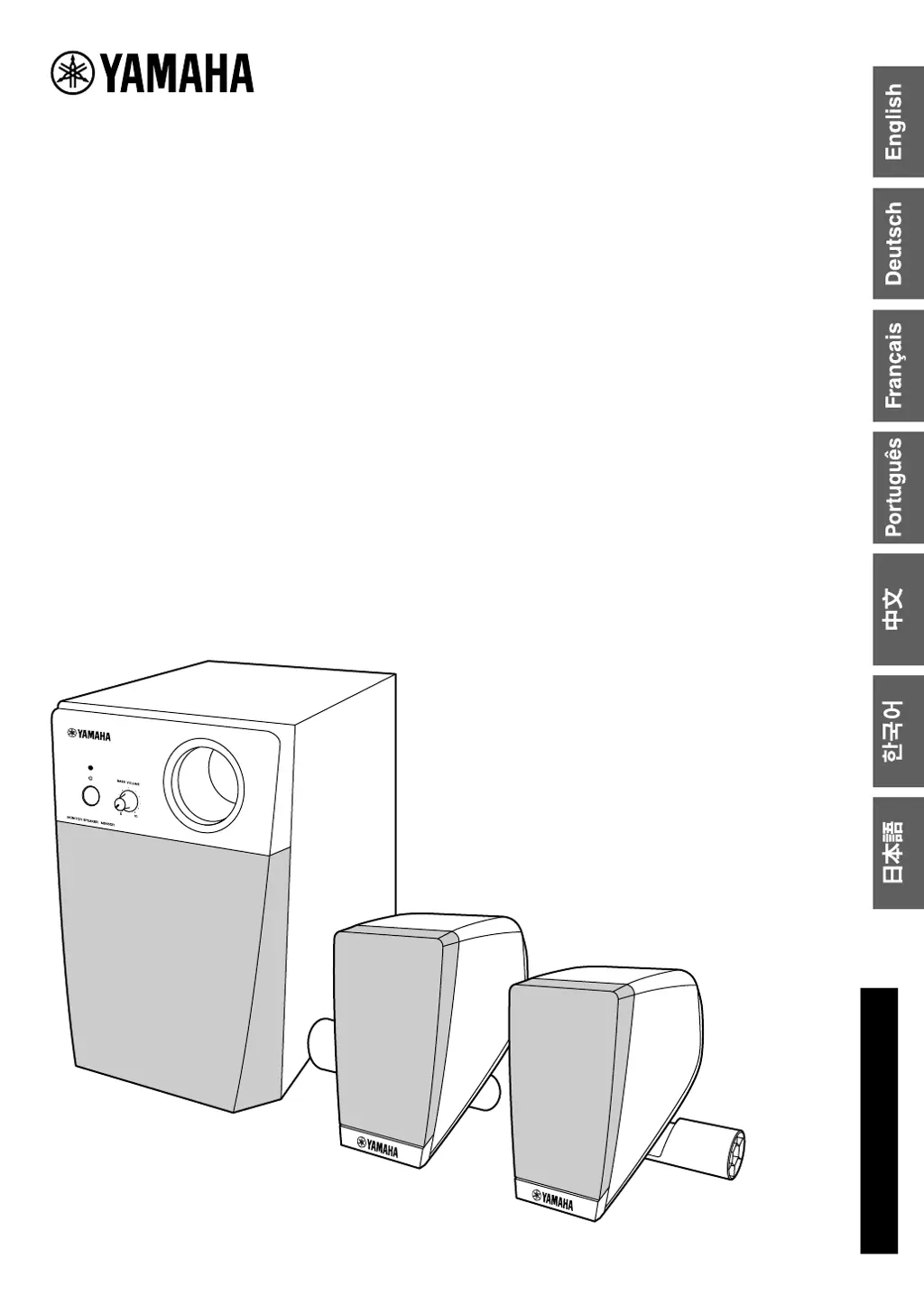
Yamaha MS45DR - User Manual

Yamaha MS45DR
15 pages
Print Icon
To Next Page IconTo Next Page
Loading...
MONITOR SPEAKER
MONITOR SPEAKER
SYSTÈME D’ÉCOUTE
SISTEMA DE MONIÇÃO
监听音箱
모니터 스피커
モニタースピーカー
MS45DR
Owners Manual
Bedienungsanleitung
Mode d’emploi
Manual do Proprietário
使用说明书
사용설명서
取扱説明書
EN
DE
FR
PT
ZH
KO
JA

Questions and Answers

  • R
    Richard Petersen Jr.Jul 28, 2025
    How to fix Yamaha MS45DR when no sound comes from the satellite speakers or subwoofer?
    • T
      Tracey WernerJul 28, 2025
      If no sound is coming from your Yamaha speakers' satellite speakers or subwoofer, first, ensure the power cord is firmly plugged into the wall outlet. Next, check that the Standby/On Switch on the subwoofer is set to ON. Also, verify that all connections are secure and that you are using the included power cord. Finally, make sure the volume isn't too low by turning the MASTER VOLUME and subwoofer BASS VOLUME controls clockwise, and raising the volume on your drum module.
  • P
    Phillip NunezAug 4, 2025
    Why is the sound distorted on my Yamaha MS45DR?
    • M
      Matthew BradleyAug 4, 2025
      If the sound from your Yamaha speakers is distorted, try turning the MASTER VOLUME and subwoofer BASS VOLUME controls counterclockwise to decrease the volume. If that doesn't work, lower the Master EQ settings of your drum module.
  • E
    elizabethharmonAug 12, 2025
    How to eliminate noise in Yamaha MS45DR Speakers?
    • G
      Gabriella FarrellAug 12, 2025
      If you are experiencing noise in the sound from your Yamaha speakers, ensure that all connections are secure and that you are using the included power cord.
  • M
    Matthew RothAug 20, 2025
    Why do my Yamaha MS45DR pop when turned on or off?
    • A
      Alexandra AndersonAug 20, 2025
      If your Yamaha speakers produce a “pop” sound when turned ON or OFF, first turn on the drum module, and then turn on the subwoofer.

Summary

Special Message Section

Product Safety Markings and Symbols

Explains safety labels, warnings, and graphical symbols for electrical shock and product operation.

Environmental and Disposal Information

Covers environmental friendliness, battery handling, and proper product disposal procedures.

Important Notices and Policies

Important notices about product modification, warranty, and specification changes.

Name Plate Location

Identifies the location of the name plate for model and serial number recording.

FCC Compliance Information

Important FCC Regulations

Critical FCC regulations regarding unit modification, cable usage, and interference prevention.

FCC Declaration of Conformity

Supplier's declaration of conformity with FCC rules, subject to operating conditions.

Important Safety Instructions

General Safety Precautions

Comprehensive safety guidelines for proper product usage, installation, and maintenance.

Graphical Symbol Explanations

Explains the meaning of graphical symbols for dangerous voltage and important instructions.

Collection and Disposal of Old Equipment

User Disposal Guidance

Guidance for users on how to properly collect, treat, recover, and recycle old electrical and electronic equipment.

Precautions and Warnings

Power Supply and Water Safety

Precautions related to power cord handling, voltage, and avoiding water exposure.

Unit Integrity and Fire Safety

Warnings against opening the unit and placing flammable items on it.

Handling Product Abnormalities

Actions to take if the product exhibits unusual smells, smoke, or sudden sound loss.

General Cautionary Advice

General caution advice for physical injury and property damage, covering power, assembly, and placement.

Handling and Maintenance

Connections and Handling Cautions

Guidelines for connecting components and safe handling to prevent injury or damage.

Product Care and Cleaning

Advice on handling the product in various environments and proper cleaning methods.

Manual and Product Information

Notes about the manual's illustrations, company names, and recording product information.

Product Overview

Packing List and Included Accessories

Details the items included in the product package for setup and use.

Subwoofer Controls and Connectors

Explains the function of the power switch, volume controls, and input/output jacks on the subwoofer.

Installing the Monitor Speakers

Satellite Speaker Mounting

Instructions for mounting satellite speakers onto vertical pipes using provided clamps.

System Setup and Connection

Steps for positioning the subwoofer and connecting all system components.

System Connection Diagram

Wiring Example for Setup

Illustrates the complete connection setup for the drum module, speakers, and subwoofer using cables.

Installation and Operation

Alternative Speaker Mounting Options

Demonstrates alternative ways to attach satellite speakers to drum rack pipes.

Powering the System On and Off

Guides on safely turning the subwoofer and drum module on and off.

Troubleshooting and Specifications

Resolving Common Audio Problems

Solutions for common audio problems like no sound, distortion, interruption, or noise.

Power-Related Sound Issues

Addresses the issue of a "pop" sound when the power is turned on or off.

Technical Specifications and Accessories

Detailed technical data and a list of included accessories.

Yamaha MS45DR Specifications

General IconGeneral
Impedance4 Ohms
Tweeter Size1"
Input ConnectorsRCA
Subwoofer Power20 Watts
Power Handling20W RMS

Related product manuals