Instrument and control functions
5-26
1
2
3
4
5
6
7
8
9
10
11
12
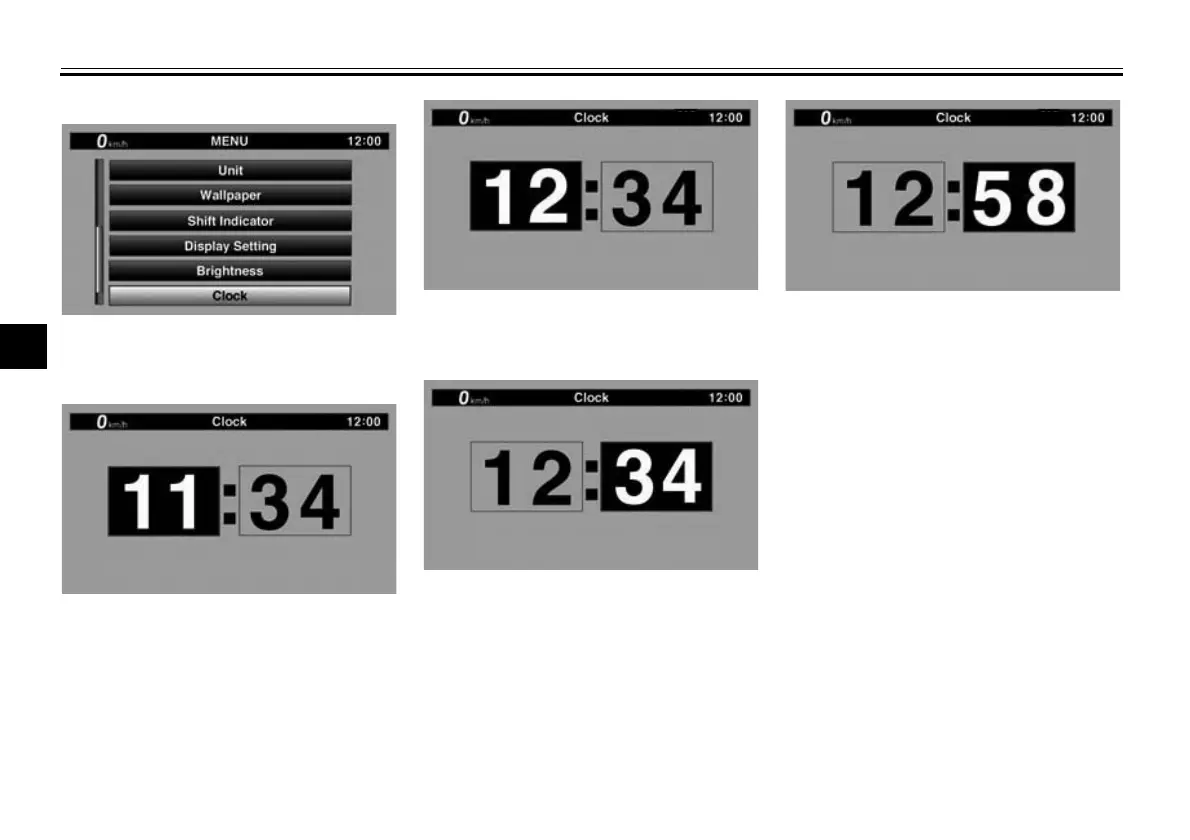
“Clock”.
2. When “Clock” is selected, the
hours figure will be highlighted.
3. Set the hour by rotating and then
short push the wheel switch.
4. The minutes figure will become
highlighted.
5. Set the minutes figure by rotating
and then short push the wheel
switch.
6. Short push the wheel switch again
to exit and go back to MENU
screen.
“All Reset”
This module contains the all reset func-
tion which resets everything, except the
odometer and clock, to its factory pre-
set or default setting.
Select YES to reset all items. After se-
lecting YES, all items will be reset and
the display will automatically return to
the MENU screen.
BW8-9-20_1.book 26 ページ 2016年12月13日 火曜日 午前11時18分













 To Next Page