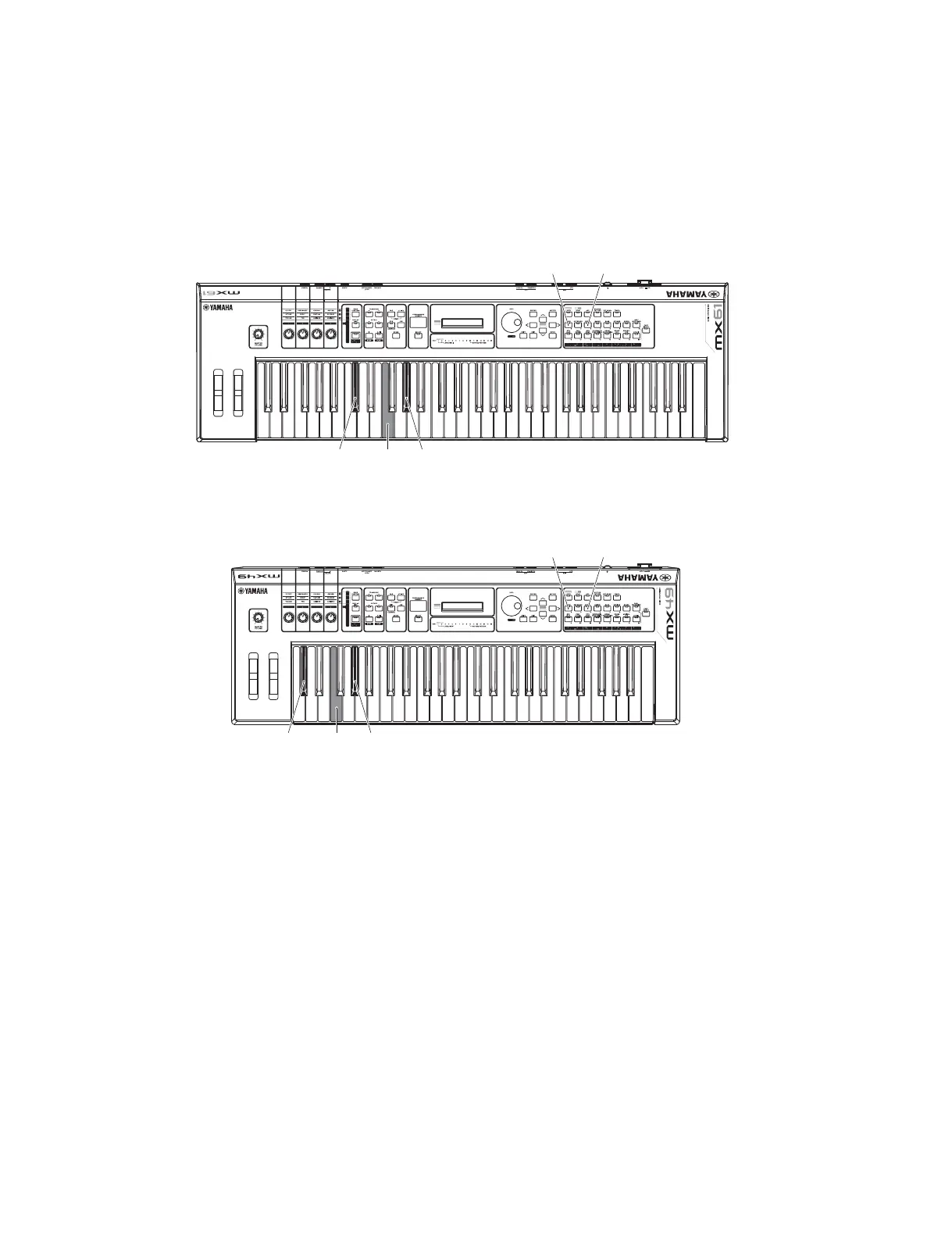
2. How to enter the Test Program
While holding the [C2#], [F2] and [G2#] keys (C2# chord), turn the power on.
or
While holding the number [1] and number [3] buttons on the panel, turn the power on.
<MX61>
<MX49>
2-1 How to proceed the test
1) When the test program is activated, the sign “Test” is displayed on the LCD.
In such a condition, press the [ENTER] button to enter the test item selection mode.
2) Press the [INC] or [DEC] button, or turn the DATA dial to select a test item.
3) Press the [ENTER] button to execute a test.
• If the result is successful.
In the acceptable selection screen, an asterisk (*) will be displayed at the head, so that you can see later if it has already been
checked.
If the result is successful, press the [EXIT] button to return to the test item selection screen.
• If the result is unacceptable, or under inspecting.
If the result is unacceptable or under inspecting, press the [EXIT] button to return to the test item selection screen.
[1]
[C2#]
[3]
[G2#][F2]
[1]
[C2#]
[3]
[G2#][F2]
30
MX61/MX49



 To Next Page