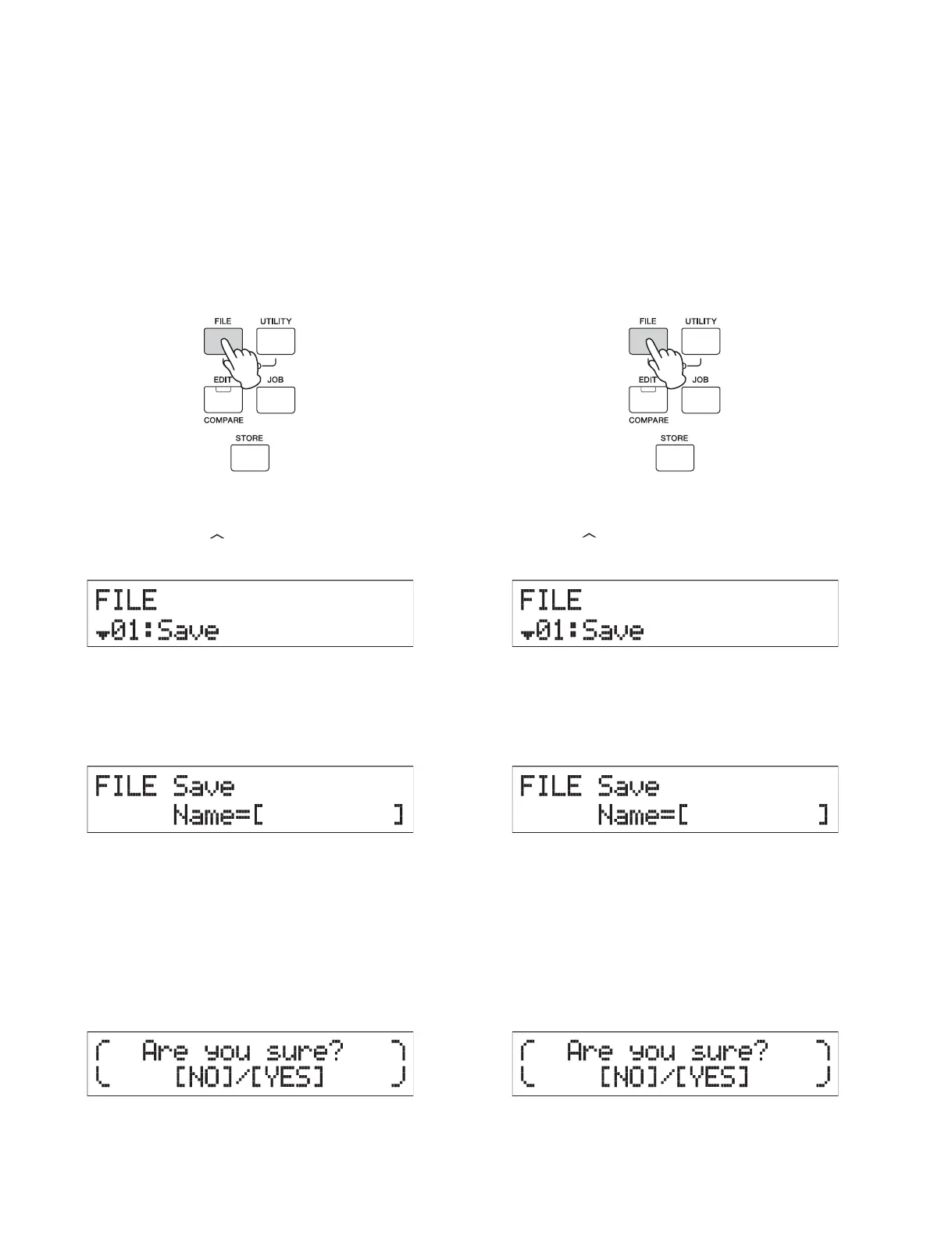
You can save all data of the User memory—containing Performances,
created User Voices, and Utility settings—to USB ash memory as
an “All” le (extension: .X5A).
1 Connect a USB flash memory to the USB [TO
DEVICE] terminal.
2 Press [FILE].
3 Press the Cursor [ ] buttons several times to
select “01:Save” then press [ENTER].
4 Assign a name to the file.
Enter a le name, by using the [DATA] dial or the [INC/YES]/
[DEC/NO] buttons.
5 Press [ENTER].
6 Press [INC/YES].
The le is saved to the USB ash memory. To cancel the Save
operation, press [EXIT] while the “Now saving...” message is
still displayed.
7 Press [EXIT] several times to exit from the File
display.
■
USER DATA BACKUP
(ユーザーデータのバックアップ)
パフォーマンスやユーザーボイス、ユーティリティー設定な
どのユーザーメモリー上のすべてのデータを「All(オール)」
ファイル(拡張子:.X5A)として USB フラッシュメモリー
上に保存します。
1 USB フラッシュメモリーを USB[TO DEVICE]
端子に接続します。
2 [FILE]ボタンを押します。
3 カーソル[
]ボタンで「01:Save」を選択し
て[ENTER]ボタンを押します。
4 ファイル名を設定します。
[DATA]ダイアルまたは[INC/YES]/[DEC/NO]ボ
タンを使って、ファイル名を入力します。
5 [ENTER]ボタンを押します。
6 [INC/YES]ボタンを押します。
USB フラッシュメモリーへのセーブが実行されます。
セーブをキャンセルしたい場合は、「Nowsaving…」と
いうメッセージが表示されている間に[EXIT]ボタン
を押します。
7 [EXIT]ボタンを何度か押すと、ファイル画面か
ら抜けます。
46
MX61/MX49



 To Next Page