EasyManua.ls Logo

Yamaha NS-P220 - User Manual

Yamaha NS-P220
19 pages
Print Icon
To Next Page IconTo Next Page
Loading...
I
NS-P220
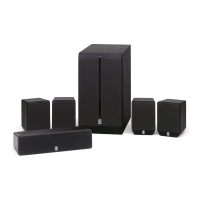
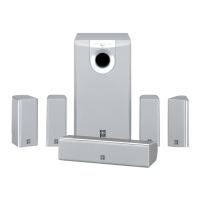
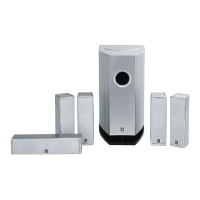
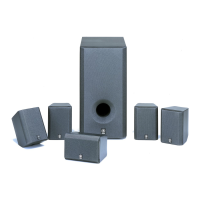
HOME CINEMA 5.1CH SPEAKER PACKAGE
OWNER’S MANUAL
U B

Other manuals for Yamaha NS-P220

Questions and Answers

  • S
    saragarciaJul 30, 2025
    Why is there no sound from my Yamaha NS-P220?
    • L
      Lisa WhiteJul 31, 2025
      If there is no sound, check that the speaker cords are securely connected. Also, ensure that the VOLUME control is not set to 0; if it is, turn the VOLUME control to the right to increase the sound.
  • K
    Kimberly JacksonAug 6, 2025
    What to do if my Yamaha NS-P220 have very low sound?
    • R
      Robert MartinAug 6, 2025
      If the sound level is too low, verify that the speaker cords are connected correctly, ensuring L (left) is connected to L, R (right) to R, “+” to “+” and “–” to “–”. Also, consider whether you are playing a source sound with enough bass frequencies; if not, try a source with more bass. Finally, the sound level might be influenced by standing waves; try repositioning the subwoofer or disrupting parallel surfaces by placing bookshelves along the walls.
  • M
    Michael McintyreAug 11, 2025
    What to do if my Yamaha subwoofer will not turn on automatically?
    • E
      Eric RoseAug 11, 2025
      If the subwoofer doesn't turn on automatically, first ensure that the POWER switch is set to the ON position. Next, check that the AUTO STANDBY switch is set to either the “HIGH” or “LOW” position. If the input signal level is too low, try setting the AUTO STANDBY switch to the “HIGH” position.
  • M
    Michael SmithAug 17, 2025
    Why does my Yamaha subwoofer turn into standby mode unexpectedly?
    • M
      michael94Aug 17, 2025
      If the subwoofer unexpectedly enters standby mode, it may be due to a low input signal level. Try setting the AUTO STANDBY switch to the “HIGH” position.
  • S
    Stephanie GentryAug 25, 2025
    Why does my Yamaha subwoofer turn on unexpectedly?
    • G
      Gregory WrightAug 25, 2025
      If the subwoofer turns on unexpectedly, it could be due to noise from external appliances. Try moving the subwoofer farther from these appliances or repositioning the connected speaker cables. Alternatively, set the AUTO STANDBY switch to the “OFF” position.

Summary

Safety Instructions

General Operating Safety

Covers reading instructions, environment, placement, heat, power sources, and water/moisture avoidance.

Specific Hazard Precautions

Addresses cord protection, cleaning, lightning, object entry, service, and external factors like power lines.

Important Operating Precautions

Placement, Environment, and Stability

Guidelines for ideal speaker placement, avoiding hazards, and ensuring stable positioning.

Amplifier Usage and System Interaction

Advice on amplifier volume, magnetic fields, TV interference, and turntable howling.

Operational Settings and Warnings

Covers ventilation, voltage selection, standby mode, cleaning, and unplugging during storms.

Special Instructions for U.K. Model

Mains Lead Wiring and Connection

Explains the color coding of wires in the mains lead for proper connection.

Setting Up the Speakers

Speaker Configuration and Placement

Describes the 6-speaker setup and optimal placement for main, rear, and center speakers.

Subwoofer Placement Guidance

Provides specific recommendations for positioning the subwoofer for best bass effect.

Mounting the Main and Center Speakers

Mounting with Type A Brackets

Step-by-step instructions for attaching speakers to provided mounting brackets.

Mounting the Rear Speakers

Wall Mounting with Type B Brackets

Instructions for mounting rear speakers on walls using provided brackets.

Connections

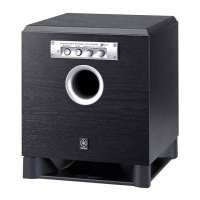
Using the Subwoofer (SW-P201)

Troubleshooting

Specifications

Yamaha NS-P220 Specifications

General IconGeneral
BrandYamaha
ModelNS-P220
CategoryHome Cinema speakers
LanguageEnglish

Related product manuals