EasyManua.ls Logo

Yamaha NS-P430 - User Manual

Yamaha NS-P430
20 pages
Print Icon
To Next Page IconTo Next Page
Loading...
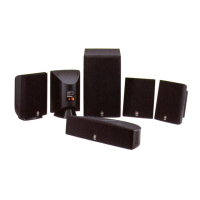
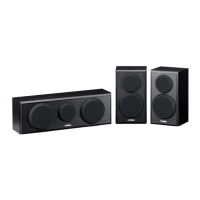
NS-P430/
NS-P436
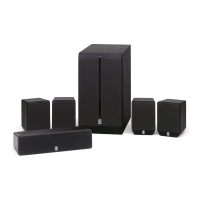
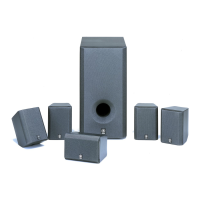
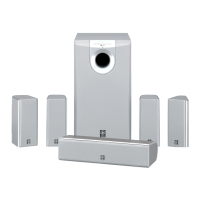
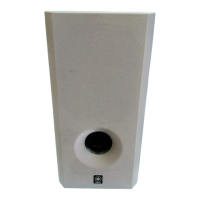
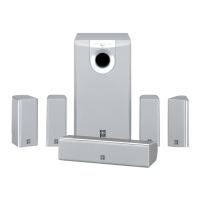
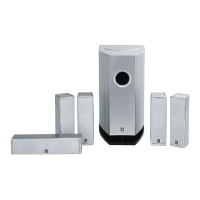
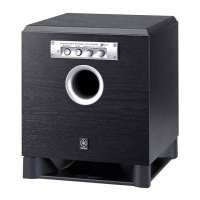
(NS-P430/NS-P436: NX-430P + NX-C430 + YST-SW015)
HOME CINEMA 5.1CH SPEAKER PACKAGE/
HOME CINEMA 6.1CH SPEAKER PACKAGE
OWNER’S MANUAL
U B
NS-P430-436(UB)-PREc 03.2.28, 7:02 PM1

Other manuals for Yamaha NS-P430

Questions and Answers

  • K
    Kenneth RodriguezAug 13, 2025
    Why is there no sound coming from my Yamaha Home Cinema speakers?
    • S
      Susan BrownAug 13, 2025
      If there's no sound, ensure the speaker cables are securely connected. Also, check that the VOLUME control isn't set to 0; if it is, turn the VOLUME control to the right to increase the sound.
  • B
    Brooke HickmanAug 16, 2025
    What to do if my Yamaha NS-P430 Home Cinema speakers have no power?
    • C
      Christina BakerAug 17, 2025
      If your Yamaha Home Cinema speakers aren't powering on, even with the STANDBY/ON button in the ON position, check that the power plug is securely connected. Also, verify that the POWER switch is set to the ON position.
  • R
    Richard DiazAug 20, 2025
    Why do my Yamaha NS-P430 have no sound?
    • J
      Juan CastilloAug 20, 2025
      If your Yamaha Home Cinema speakers aren't producing sound, make sure the speaker cables are securely connected. Also, check that the VOLUME control isn't set to 0; if it is, turn it to the right.
  • W
    wmcmahonAug 25, 2025
    Why is the sound level too low on my Yamaha NS-P430?
    • W
      Whitney MayAug 25, 2025
      If the sound level from your Yamaha Home Cinema speakers is too low, it might be that the speaker cables are not connected correctly. Connect them correctly, ensuring L (left) goes to L, R (right) goes to R, “+” goes to “+” and “–” goes to “–.”
  • J
    Juan MooneyAug 28, 2025
    Why won't my Yamaha Home Cinema subwoofer turn on automatically?
    • E
      emily91Aug 28, 2025
      If your Yamaha Home Cinema subwoofer isn't turning on automatically, check the following: 1. Ensure the POWER switch is set to the ON position. 2. Make sure the STANDBY/ON button is set to the ON position. 3. Verify the AUTO STANDBY switch is set to the “HIGH” or “LOW” position. 4. If the level of input signal is too low, set the AUTO STANDBY switch to the “HIGH” position.
  • A
    Angela JacksonAug 31, 2025
    What to do if my Yamaha Home Cinema subwoofer turns on unexpectedly?
    • K
      Kevin StewartAug 31, 2025
      If your Yamaha Home Cinema subwoofer turns on unexpectedly, it could be due to noise from external appliances. Try moving the subwoofer farther away from such appliances and/or repositioning the connected speaker cables. Alternatively, set the AUTO STANDBY switch to the “OFF” position.
  • T
    tina72Sep 5, 2025
    Why does my Yamaha Home Cinema subwoofer turn into standby mode unexpectedly?
    • R
      Regina WebbSep 5, 2025
      If your Yamaha Home Cinema subwoofer is unexpectedly entering standby mode, it might be because the level of input signal is too low. Try setting the AUTO STANDBY switch to the “HIGH” position.
  • S
    Susan WagnerSep 8, 2025
    Why isn't power supplied to my Yamaha NS-P430?
    • J
      juan77Sep 8, 2025
      If your Yamaha Home Cinema speakers aren't receiving power, even when the STANDBY/ON button is in the ON position, ensure the power plug is securely connected. Also, check that the POWER switch is set to the ON position.

Summary

IMPORTANT SAFETY INSTRUCTIONS

CAUTION

COMPONENTS OF THE PACKAGE

SETTING UP THE SPEAKERS

Placing the subwoofer

Placing the center speaker

Mounting the main;rear;center speakers (and rear center speaker for NS-P436) on the wall

Mounting the main;rear speakers (and rear center speaker for NS-P436) by using commercially available speaker stands or brackets

CONNECTIONS

An example of basic connections

Illustrates a typical connection setup for the speaker system.

Connecting Speakers and Subwoofer

Detailed instructions for connecting all speakers and the subwoofer.

How to connect speaker cables to the input terminals of the speakers

USING THE SUBWOOFER (YST-SW015)

Controls and their functions

Explains the purpose and operation of each control on the subwoofer.

Adjusting the subwoofer before use

TROUBLESHOOTING

Yamaha NS-P430 Specifications

General IconGeneral
Impedance6 Ohms
Nominal Input Power30 W
Maximum Input Power100 W
Magnet ShieldingYes
TypeHome Cinema speakers
Configuration5.1
Center Speaker1
Subwoofer1
Power Handling (Satellite and Center)30W
Power Handling (Subwoofer)100W
Subwoofer Driver16cm cone

Related product manuals