Need help?
Do you have a question about the Yamaha Piano Craft RX-E600 and is the answer not in the manual?
Specific FCC compliance details for US users regarding digital device regulations.
Instructions for installing, replacing, and using the remote control.
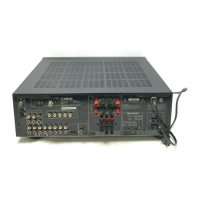
Guide on how to connect speakers and antennas to the unit.
Steps to connect the RX-E600 with other Yamaha components.
Procedure to set the unit's internal clock for timer functions.
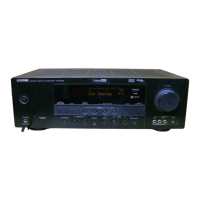
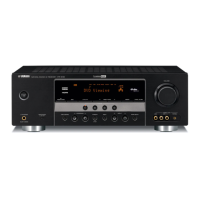
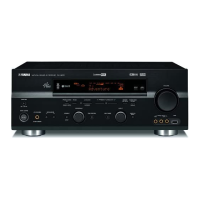
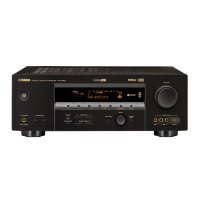
Overview of front panel buttons, knobs, and the unit's display indicators.
Detailed description of buttons and functions on the remote control.
How to select and play audio sources.
Instructions for connecting and using headphones.
How to turn the unit off and its auto standby function.
Guide to automatic and manual tuning for radio stations.
How to store and recall favorite radio stations.
How to set the unit for automatic timer play or recording.
How to operate connected components via the system control cable.
Specific remote control functions for the MDX-E300.
Specific remote control functions for the KX-E300.
Steps for setting up and performing dubbing between components.
Solutions for problems related to the remote control not working.
 Amplifier Specifications
| minimum RMS output power per channel | 55 W + 55 W (6Ω 1kHz 0.1% THD) |
|---|---|
| minimum RMS output power per channel at different frequency | 40 W + 40 W (6Ω 20 Hz to 20 kHz 0.1% THD) |
| DIN standard output power per channel (Europe model) | 60 W + 60 W (4Ω 1kHz 0.7% THD) |
| input sensitivity/impedance for DVD/TAPE/MD/AUX | 150 mV/47 kΩ |
| frequency response for DVD | 20 Hz to 20 kHz, ±0.5 dB |
| total harmonic distortion for DVD | 0.04% (20 W, 6 Ω) |
| signal-to-noise ratio for DVD (IHF-A Network) | 98 dB (250 mV, Input shorted) |
| output level/impedance for PHONES | 0.43 V/330 Ω |
Tuner Specifications| FM tuning range (U.S.A. and Canada models) | 87.5 – 107.9 MHz |
|---|---|
| FM tuning range (U.K., Europe, Australia and Korea models) | 87.50 – 108.00 MHz |
| FM tuning range (Asia and General models) | 87.5/87.50 – 108.0/108.00 MHz |
| AM tuning range (U.S.A. and Canada models) | 530 – 1710 kHz |
| AM tuning range (U.K., Europe, Australia and Korea models) | 531 – 1611 kHz |
| AM tuning range (Asia and General models) | 530/531 – 1710/1611 kHz |
| FM sensitivity (S/N 30dB) | 1.0 µV |
| AM sensitivity | 300 µV/m |
General Specifications| power supply (U.S.A. and Canada models) | AC 120 V, 60 Hz |
|---|---|
| power supply (Australia model) | AC 240 V, 50 Hz |
| power supply (U.K. and Europe models) | AC 230 V, 50 Hz |
| power supply (Asia and General models) | AC 110/120/220/230-240 V, 50/60 Hz |
| power supply (Korea model) | AC 220 V, 60 Hz |
| power consumption (U.S.A. and Canada models) | 110 W |
| power consumption (Other models) | 125 W |
| power consumption in standby mode (U.S.A. and Canada models) | 0.7 W |
| power consumption in standby mode (Other models) | 0.8 W |
| dimensions (W x H x D) | 217 x 108 x 372 mm |
| weight | 5.4 kg (11.9 lbs) |


 To Next Page