10
PSR-E443 Owner’s Manual
Setting Up
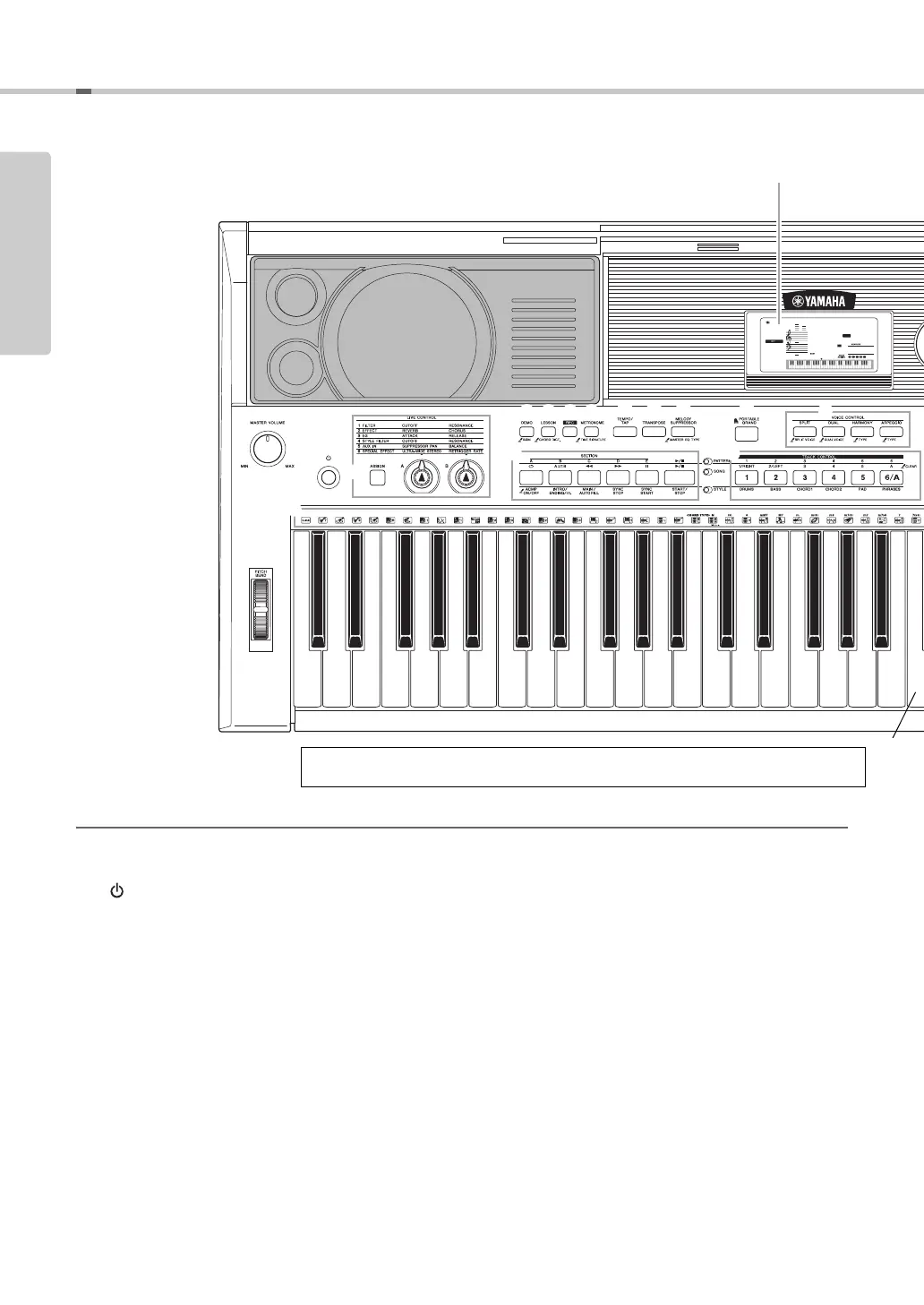
Panel Controls and Terminals
Front Panel
q [MASTER VOLUME] control ................Page 15
w PITCH BEND wheel..............................Page 36
e [ ] (Standby/On) switch ....................Page 15
r LIVE CONTROL section
[ASSIGN] button ...............................Page 22
[A] and [B] knobs .............................Page 22
t [DEMO] button......................................Page 25
y [LESSON] button..................................Page 27
u [REC] button.........................................Page 30
i [METRONOME] button.........................Page 19
o [TEMPO/TAP] button............................Page 46
!0 [TRANSPOSE] button ..........................Page 36
!1 [MELODY SUPPRESSOR] button........Page 29
!2 [PORTABLE GRAND] button...............Page 17
!3 VOICE CONTROL section
[SPLIT] button...................................Page 18
[DUAL] button ...................................Page 18
[HARMONY] button ..........................Page 20
[ARPEGGIO] button..........................Page 21
!4 Playback Control buttons
• When the [PATTERN] lamp is turned on:
................................Pages 24 and 46
• When the [SONG] lamp is turned on:
..............................................Page 26
• When the [STYLE] lamp is turned on:
.........................Pages 23, 44, and 45
GrandPno
001
001
e
r
t y u i
o
!0 !1
!3
w
!2
!4 !5
@5
q
Front Panel
Display (page 16)
036
(C1)
048
(C2)
060
(C3)
072
(C4)
As illustrated above, each note of the keyboard has a specific note number and name (e.g.,
036/C1), which is used in making various settings, such as Split Point.
Setting Up



 To Next Page