EasyManua.ls Logo

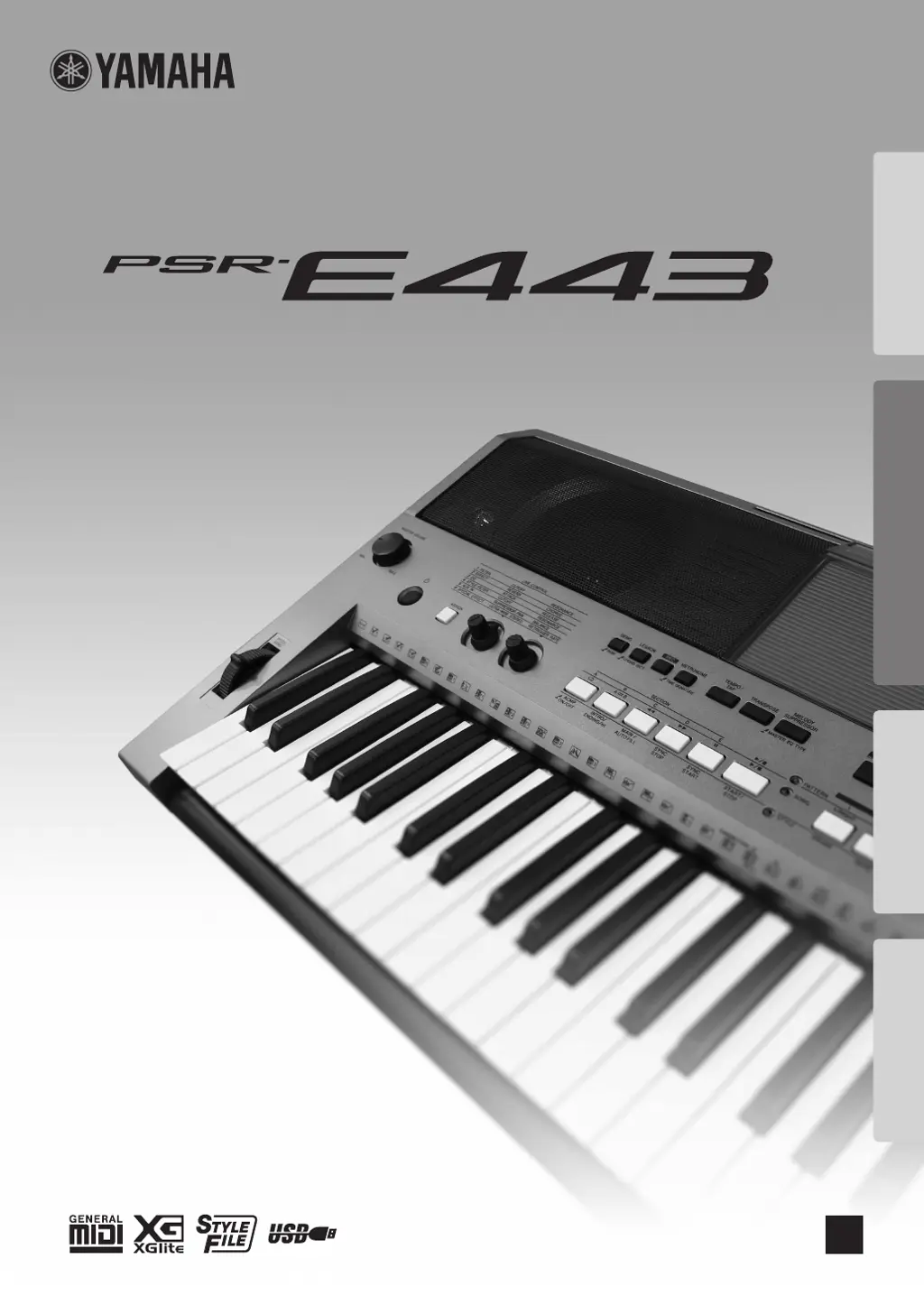
Yamaha PSR-E443 - User Manual

Yamaha PSR-E443
72 pages
Print Icon
To Next Page IconTo Next Page
Loading...
DIGITAL KEYBOARD
Setting UpReferenceAppendix Quick Guide
Owners Manual
EN

Table of Contents

Other manuals for Yamaha PSR-E443

Questions and Answers

  • E
    Edgar PerezAug 20, 2025
    What to do if my Yamaha PSR-E443 Electronic Keyboard volume is too soft or the sound quality is poor?
    • J
      Jennifer RichardsonAug 20, 2025
      If the volume is too soft, the sound quality is poor, the Style/Pattern/Song/Arpeggio stops unexpectedly or will not play, the recorded data of the song does not play correctly, or the LCD display suddenly goes dark and all panel settings are reset, the batteries may be low or dead. Replace all six batteries with completely new or completely recharged ones, or use the AC power adapter.
  • K
    Kelly TaylorAug 22, 2025
    Why does my Yamaha PSR-E443 Electronic Keyboard produce no sound?
    • R
      Raymond Mckay DDSAug 22, 2025
      If no sound is produced even when the keyboard is played, or a Song, Style, or Pattern is being played back, check whether headphones or an audio cable is connected to the [PHONES/OUTPUT] jack. When such a connection is made, no sound is output from the instrument's speaker. Also, check the on/off status of the Local Control. Normally, this should be set to ON.
  • R
    Rachael HowardAug 25, 2025
    Why is the sustain footswitch on my Yamaha PSR-E443 working in reverse?
    • M
      Melinda OsborneAug 25, 2025
      If the footswitch (for sustain) seems to produce the opposite effect (for example, pressing the footswitch cuts off the sound and releasing it sustains the sounds), the polarity of the footswitch may be reversed. Ensure that the footswitch plug is properly connected to the SUSTAIN jack before turning on the power.
  • K
    Kevin MayAug 26, 2025
    Why does my Yamaha Electronic Keyboard turn off automatically?
    • M
      morganmurphyAug 27, 2025
      This is normal. The Yamaha Electronic Keyboard is automatically turned off due to the Auto Power Off function.
  • C
    Caleb RossAug 28, 2025
    Why is there no sound from the right-hand area on my Yamaha PSR-E443 Electronic Keyboard?
    • J
      Jose AdamsAug 28, 2025
      If no sound is produced even when playing keys in the right hand area of the keyboard, although chords played in the left hand area are recognized, check whether the Dictionary function is being used. If it is, this is normal.
  • B
    Brad PettyAug 29, 2025
    What to do if my Yamaha PSR-E443 produces an unexpected sound?
    • C
      Craig MackAug 29, 2025
      If the keyboard performance and playback of Style/Pattern/Song produces an unexpected or inappropriate sound, and cannot be restored to the normal status, using the Knobs can produce dramatic changes in the sound, but may also produce unexpected or undesired sounds. To restore the original, normal sound, change the Voice, Style, Pattern or Song, or press the [PORTABLE GRAND] button to reset the panel settings.
  • C
    Carrie HudsonAug 31, 2025
    Why does my Yamaha Electronic Keyboard make noise when I use my mobile phone?
    • P
      Paul SnyderSep 1, 2025
      When using a mobile phone in close proximity to the Yamaha Electronic Keyboard, interference may occur. To prevent this, turn off the mobile phone or use it further away from the instrument.
  • S
    Sarah StephensSep 2, 2025
    What to do if Style, Pattern, Song or Arpeggio doesn't start on my Yamaha Electronic Keyboard?
    • C
      collinsrobertSep 2, 2025
      If the Style, Pattern or Song does not start even when the [START/STOP] button is pressed, or the Arpeggio does not start even when the note is pressed with the Arpeggio turned on, check the on/off status of the External Clock. Normally, this should be set to OFF.
  • E
    eparkerSep 4, 2025
    Why chords are not recognized on my Yamaha PSR-E443 Electronic Keyboard?
    • H
      Heidi PrestonSep 4, 2025
      If the chords played in the left hand area cannot be recognized even when the ACMP is turned on, check the Split Point setting and set it to the appropriate value.
  • M
    Mark JohnstonSep 6, 2025
    Why ACMP indicator doesn't appear on my Yamaha PSR-E443?
    • J
      judymoranSep 6, 2025
      If the ACMP indicator does not appear on the display when the [ACMP ON/OFF] button is pressed, check the on/off status of the [STYLE] lamp. When using a Style, press the [STYLE] button to turn on the [STYLE] lamp.

Summary

Special Message Section

Precautions

Warning

Essential safety warnings regarding electrical shock, fire, and battery hazards.

Caution

Basic precautions to avoid physical injury or instrument damage.

Panel Controls and Terminals

Power Requirements

Details on using AC adaptor or batteries for instrument power.

Basic Operations

Turning the Power On;Off

How to turn the instrument on and off, and manage auto power off.

Using the Metronome

Creating Original Sounds via the Knobs

Playing Styles

Playing with Patterns Like a DJ!

Playing Songs

Song Fast Forward, Fast Reverse, and Pause

Using the Song Lesson Feature

Playing an External Audio Device with the Built-in Speakers

Recording Your Performance

Quick Recording

Step-by-step guide for recording a new song from scratch.

Memorizing Your Favorite Panel Settings

Handy Performance Features

Pitch Controls-Transpose

Changing the Touch Response of the Keyboard

Scale Tuning

Voice Settings

Parameters Assigned to the Knobs

Styles (Auto Accompaniment) and Patterns

Setting the Split Point

Song Settings

The Functions

USB Flash Memory Operations

Formatting a USB Flash Memory

Saving User Data to a USB Flash Memory

Saving a User Song as SMF to a USB Flash Memory

Troubleshooting

Specifications

Yamaha PSR-E443 Specifications

General IconGeneral
MIDI-keyboard number of keys61 keys
Product colorWhite
Sound effectsChorus, Phaser
Maximum polyphony (notes)32
InterfaceUSB
Power source typeDC
Power consumption (typical)15 W
Weight and Dimensions IconWeight and Dimensions
Depth405 mm
Width946 mm
Height140 mm
Weight6800 g

Related product manuals