EasyManua.ls Logo

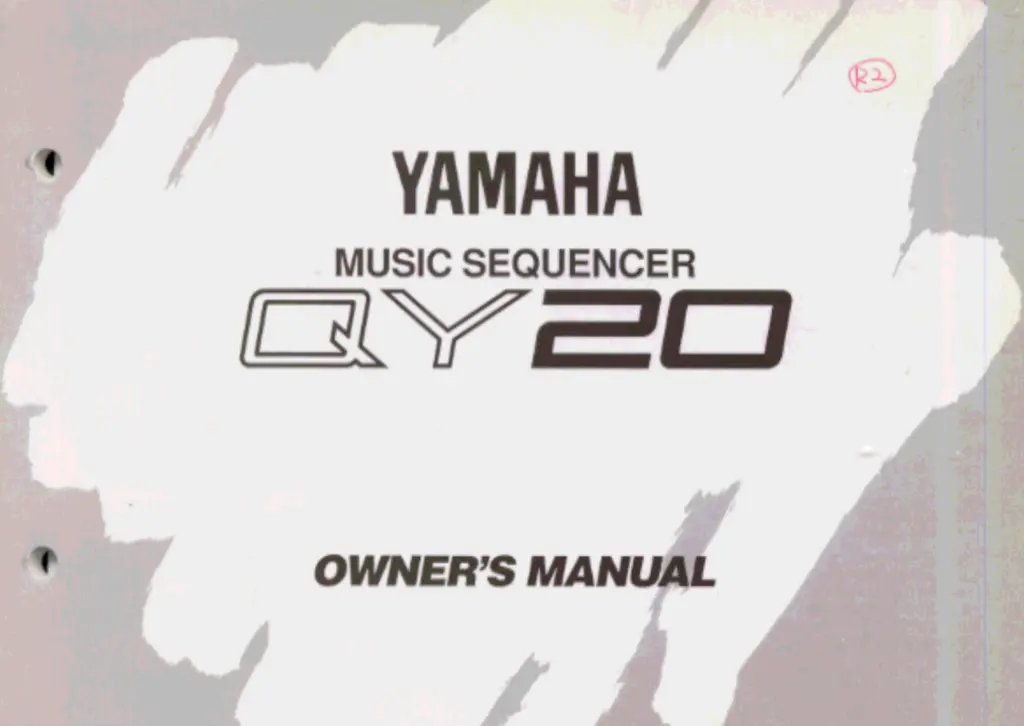
Yamaha QY20 - User Manual

Yamaha QY20
197 pages
Print Icon
To Next Page IconTo Next Page
Loading...

Table of Contents

Other manuals for Yamaha QY20

Questions and Answers

  • P
    Patricia WaltersAug 16, 2025
    What to do if Yamaha QY20 displays 'Battery Low'?
    • D
      david41Aug 17, 2025
      If your Yamaha Recording Equipment displays 'Battery Low', replace the old batteries with a new set as soon as possible. Internal data will be retained during the battery replacement.
  • M
    Michael ReedAug 19, 2025
    What to do if my Yamaha QY20 Recording Equipment has no sound?
    • M
      Mark MartinAug 19, 2025
      If your Yamaha Recording Equipment isn't producing any sound, ensure the volume control is set to an audible level. Also, verify that the volume parameters for each track are appropriately adjusted.
  • D
    David MannAug 22, 2025
    How to turn on Yamaha QY20 if it won’t power on?
    • K
      Kristina BensonAug 22, 2025
      If your Yamaha Recording Equipment doesn't turn on, check the AC adapter connection to both the outlet and the device. If using batteries, ensure a fresh set is correctly installed in the battery compartment.
  • J
    Joseph MillerAug 25, 2025
    What to do if notes are cut off on Yamaha QY20 Recording Equipment?
    • B
      Brianna SnowAug 26, 2025
      If notes are being cut off or omitted, it may be because the maximum polyphony of your Yamaha Recording Equipment is being exceeded. Note that the device can play no more than 28 notes simultaneously.
  • D
    Dylan GrahamAug 27, 2025
    What to do if Yamaha QY20 bulk data is not received?
    • R
      ruizmatthewAug 28, 2025
      If your Yamaha Recording Equipment isn't receiving bulk data, check that the device number matches the transmitting device's setting. Ensure that the song play or pattern play display is not active. Also, if you're receiving a 1-song or 1-pattern bulk dump, the selected song or pattern must be empty to receive the data. Bulk data reception is not possible during song or pattern playback.
  • A
    Angela SnyderAug 30, 2025
    What to do if playback doesn't start on Yamaha QY20 Recording Equipment?
    • K
      Katherine HerreraAug 30, 2025
      If playback doesn't begin when pressing the [/] key on your Yamaha Recording Equipment, it could be due to selecting a song or pattern that contains no data. Also, playback cannot be controlled from the device panel when the MIDI Sync parameter is set to “Ext”.
  • T
    Thomas MckeeSep 1, 2025
    Why does my Yamaha QY20 Recording Equipment have the wrong pitch?
    • M
      Michael ClarkSep 2, 2025
      If your Yamaha Recording Equipment is producing the wrong pitch, check that the transpose parameter is set to the normal value, which is “0”.
  • R
    Rebecca ReyesSep 5, 2025
    What to do if Yamaha Recording Equipment playback stops mid-song?
    • M
      Margaret GardnerSep 5, 2025
      If playback stops in the middle of a song on your Yamaha Recording Equipment, check if an end marker has been inserted in the song. Also, verify whether an ending section of a preset pattern has been inserted in the middle of the song.
  • A
    Amy MorrisSep 7, 2025
    Why does Yamaha QY20 change time signature when song starts?
    • E
      ethanstewartSep 7, 2025
      The time signature and pattern changes when the song is started because the time signature and pattern changes have most likely been recorded onto the accompaniment tracks.
  • J
    Jason MichaelSep 10, 2025
    What to do if ABC doesn't work on Yamaha QY20?
    • M
      Maria RodriguezSep 12, 2025
      If the ABC function isn't working on your Yamaha Recording Equipment, first make sure the ABC Zone function is turned ON. Check that the ABC Zone high and low limits are set to appropriate notes. Finally, ensure the cursor is placed at the chord display location.

Summary

SPECIAL MESSAGE SECTION

Specifications Subject to Change

Manual information may change without notice, affecting future specifications.

Hearing Protection Notice

High sound levels risk hearing loss; operate at safe levels and seek audiologist advice.

Warranty and Service Responsibility

Users are responsible for service charges due to lack of operational knowledge.

Environmental Considerations

Yamaha ensures user safety and environmental friendliness in products and methods.

Battery Handling and Disposal

Guidelines for battery types, installation, safety, and proper disposal according to regulations.

Product Disposal Information

Follow local, state, federal regulations for disposal of end-of-life products.

Name Plate Location

Identifies the location of the product's name plate for model and serial number details.

Precautions

Location Guidelines

Protect the instrument from direct sunlight, high temperatures, humidity, dust, and vibration.

Power Supply Best Practices

Turn off when not in use, unplug AC adaptor during storms or extended periods, avoid shared outlets.

Connection Safety

Ensure all connected devices are powered off before making or breaking audio and MIDI cable connections.

Handling and Transport

Avoid excessive force, grip plugs when unplugging cables, and disconnect all cables before moving the instrument.

Cleaning and Maintenance

Clean with a dry cloth; use a damp cloth for grime; avoid solvents; do not place vinyl objects on the surface.

Electrical Interference

If interference occurs with other electronics, relocate the instrument away from the affected devices.

Data Backup and Integrity

Use MIDI bulk dump for data backup; internal memory data can be corrupted by improper operation or battery failure.

Service and Modification Restrictions

Do not attempt user servicing; tampering may cause damage or electric shock; refer all servicing to qualified personnel.

About This Manual

Icon Guide

Explains the meaning of icons used throughout the manual for caution, importance, details, musical notes, and hints.

The QY20: What It Is & What It Can Do

QY20 System Overview

Introduces the QY20 as a music production system with tone generator, sequencer, and auto-accompaniment.

QY20 Functional Modes

Describes the three main modes: VOICE (tone generator), SONG (8-track recorder), and PATTERN (accompaniment).

SONG Mode Track Structure

Details the 8 tracks in SONG mode: 4 sequencer (TR1-TR4) and 4 accompaniment (C1, C2, Ba, Dr).

Pattern Mode Capabilities

Covers preset patterns, variations, original pattern creation, and ABC auto-accompaniment features.

QY20 Application Examples

Highlights uses such as a practice tool, drum machine, composition aid, tone generator, and ABC expander.

Setting Up: Power & Connections

Power Supply Options

Explains powering the unit via six AA batteries or an optional AC adaptor for flexibility.

Battery Management

Instructions for inserting batteries and recognizing the "Battery Low" warning for timely replacement.

AC Adaptor Connection

Guidance on using the correct AC adaptor and safety precautions to prevent damage or electrical hazards.

System Connection Ports

Details rear and side panel connectors for audio output, MIDI, DC power, and headphones.

Audio Output Setup

Connect headphones or a stereo system to the QY20 for sound monitoring and output.

MIDI Connectivity Setup

Connect external MIDI devices for expanded control and lists MIDI channel assignments for QY20 tracks.

Getting to Know the QY20: How the Controls Work

Control Panel Layout Overview

Identifies and illustrates controls on the Rear, Left Side, Right Side, and Front panels.

Essential Controls Explained

Describes functions of the POWER Switch, LCD Display, CONTRAST, and MODE key for basic operation.

Navigation and Editing Keys

Explains the use of Cursor keys for screen navigation and [−1/NO]/[+1/YES] keys for parameter adjustment.

Menu and Function Key Navigation

Details how to access and utilize menus and function keys for various QY20 operations.

Keyboard and Sequencer Controls

Covers the micro keyboard for note input and sequencer keys for recording and playback functions.

Octave Range and Volume Adjustment

Explains how to shift the micro-keyboard's octave and adjust the master volume level.

Playing the Built-in Demonstration

Provides steps to play the QY20's demonstration mode to hear its features.

The VOICE Mode: Selecting, Playing, & Assigning Voices

Auditioning Voices and Drum Kits

Instructions for selecting and listening to the 100 voices and 8 drum kits via the micro-keyboard.

Assigning Voices to SONG Tracks

How to select and assign specific voices or drum kits to each track within the SONG mode.

Using Track Mute Buttons

Explains how to mute or unmute individual tracks in the VOICE mode mixer for selective playback.

Adjusting Stereo Pan Pots

Details using pan pots to position each track's sound within the stereo sound field for better imaging.

Mixing with Track Faders

Explains how to adjust the volume balance between tracks using the graphic faders in the VOICE mode mixer.

Easy Accompaniment for Other Instruments

Selecting and Playing Preset Patterns

Guide to choosing and playing the 100 preset accompaniment patterns available in SONG mode.

Changing Chords in Accompaniments

Learn to input chord changes using the micro-keyboard for the ABC auto-accompaniment system.

Muting Accompaniment Tracks

Instructions on how to mute specific accompaniment tracks (C1, C2, Ba) to focus on others.

Recording Complete Accompaniments

Methods for recording full accompaniments using Realtime (on-the-fly) or Step (detailed) recording.

Using the QY20 as a Drum Machine

Utilize the QY20 as a drum machine by muting other tracks and focusing on the drum track.

Creating Original Patterns

Recording Original ABC Patterns

Create and save custom accompaniment patterns using Realtime or Step recording into user memory locations.

Pattern Playback Mode

Learn how to play patterns in PATTERN mode, noting differences from SONG mode playback.

Accompaniment Without ABC Limitations

Achieve full harmonic control by recording chord changes directly into patterns, bypassing ABC system rules.

Pattern Jobs Overview

Introduces 8 utility functions for pattern management: Copy, Quantize, Transpose, Modify, Name, Clear.

Creating a Complete Song

Recording Sequencer Tracks

Add melodic, harmonic, and counter-melody parts to songs using sequencer tracks.

Realtime Sequencer Track Recording

Record parts in real-time onto selected tracks, controlling tempo and transpose parameters.

Step Sequencer Track Recording

Enter and edit notes and events precisely for each track, offering detailed control over timing and parameters.

Song Jobs Overview

Introduces 14 utility functions for song management: Mix, Copy, Create, Quantize, Delete, Erase, Transpose, Move Clock, Remove Event, Modify, Name, Clear.

Editing Songs & Patterns

Engaging the Edit Mode

How to enter edit mode for songs or patterns from the play mode using the MENU key.

Change Mode Editing

Modify individual note parameters (timing, pitch, gate time, velocity) in songs and patterns.

Deleting Events in Edit Mode

Remove notes and other events from songs or patterns by selecting the line and pressing the "Del" key.

Insert Mode Editing

Add new notes and events at specified locations within songs and patterns.

Utility Functions

Accessing the Utility Mode

Step-by-step instructions to enter the QY20's utility functions from any mode via the MENU key.

System Parameter Configuration

Adjust system settings like MIDI Sync, MIDI Control, Device Number, Master Tune, Metronome, and Pgc Mode.

MIDI Data Transfer (Bulk Dump)

Save and load song/pattern data to/from external devices like the Yamaha MDF2 for backup and storage.

ABC Zone Setup

Configure the note range for chord recognition by the QY20's ABC system and enable/disable ABC mode.

Memory Initialization

Reset all internal song and pattern memory, and all parameters, to their factory default settings.

The QY20 As A Tone Generator;ABC Expander

Using as a Tone Generator Module

Control QY20 voices via MIDI channels from external sequencers or keyboards.

Using as an ABC Expander

Utilize the QY20's ABC system with an external keyboard to recognize and change chords during playback.

Appendix

Voice List

A comprehensive list of all available QY20 voices and their corresponding Normal and GM program numbers.

Drum Kit List

Details the notes assigned to each drum kit, showing their mapping for various drum sets.

Preset Pattern List

A categorized list of the 100 preset accompaniment patterns available on the QY20.

ABC Fingering Chart

Provides chord fingerings recognized by the QY20's ABC system, including interval names and inversion notes.

Troubleshooting Common Issues

Solutions for common operational problems, symptoms, and potential causes with page references.

Understanding Error Messages

Explains various error messages displayed by the QY20 and provides guidance on how to resolve them.

Technical Specifications

Lists the QY20's technical details including sequencer capabilities, tone generator specs, power, and dimensions.

FCC Information (U.S.A.)

Compliance and Interference Notices

Important notices regarding unit modification, cable use, FCC Part 15 compliance, and measures to mitigate interference.

CANADA

Canadian Radio Interference Regulations

Statement confirming compliance with Canadian Class B digital apparatus radio noise emission standards.

Battery Handling Warnings (Multilingual)

Safety Precautions for Battery Replacement

Warnings in Danish, Swedish, and Finnish regarding battery handling, replacement type, and disposal.

Yamaha Global Distributor Information

Worldwide Yamaha Contact Directory

Contact details for Yamaha offices and distributors across North America, Europe, Asia, Africa, and Oceania.

Yamaha QY20 Specifications

General IconGeneral
Sequencer Resolution96 ppq
Patterns100 patterns
DisplayLCD
Weight1.2 kg
TypeMusic sequencer
Sound EngineFM synthesis
Songs10 songs
EffectsReverb
MIDIIn/Out
Power6 x AA batteries or AC adapter
Input/OutputMIDI In/Out
Power Supply6 AA batteries or AC adapter

Related product manuals