EasyManua.ls Logo

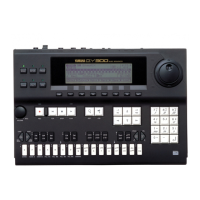
Yamaha QY 300 - User Manual

Yamaha QY 300
144 pages
Print Icon
To Next Page IconTo Next Page
Loading...

Table of Contents

Questions and Answers

  • T
    Tony ChapmanAug 17, 2025
    How to troubleshoot power issues with Yamaha QY 300?
    • A
      Anna SheaAug 17, 2025
      If your Yamaha Recording Equipment isn't powering on, ensure the AC adapter is fully inserted. Also, verify that the PA-1207 is properly connected.
  • C
    Casey BlanchardAug 20, 2025
    What to do if my Yamaha QY 300 Recording Equipment has no sound?
    • S
      Steven RodriguezAug 20, 2025
      If you're not getting any sound from your Yamaha Recording Equipment, first, increase the master volume. Then, check the volume levels of each individual track and make sure they are appropriately adjusted. Also, ensure that the “Fingered Chord” is set to Off. Verify that muting is disabled on all tracks, and confirm that the “TG Channel” is turned On.
  • R
    Robert LarsonAug 22, 2025
    Why won't the [PLAY] button start playback on my Yamaha Recording Equipment?
    • B
      Beth BrownAug 23, 2025
      If the [PLAY] button on your Yamaha Recording Equipment isn't starting playback, it might be because the selected song, pattern, or phrase doesn't contain any data. Try selecting a different song, pattern, or phrase that has data. Alternatively, check if “MIDI Sync” is set to “external” and, if so, change it to internal.
  • C
    Christine SmithAug 26, 2025
    Why does song playback stop midway on my Yamaha Recording Equipment?
    • D
      David BrownAug 26, 2025
      If the song playback stops midway on your Yamaha Recording Equipment, it could be due to an end mark set within the pattern track; remove it. Also, check if the section settings contain the “Ending” option.
  • A
    Amy NguyenAug 28, 2025
    Why are the keys on my Yamaha QY 300 not producing the correct pitch?
    • L
      laurabartonAug 28, 2025
      If the keys on your Yamaha Recording Equipment aren't producing the correct pitch, ensure that both “Course Tuning” and “Fine Tuning” are set to 0. Also, reset the [OCT DOWN] or [OCT UP] settings.
  • J
    jordan12Aug 31, 2025
    Why can't I use the Fingered Chord function on my Yamaha QY 300?
    • S
      Sherri SwansonAug 31, 2025
      If you can't use the Fingered Chord function on your Yamaha Recording Equipment, first, make sure that the “Fingered Chord” setting is turned On. Next, verify that the “Fingered Chord Zone” is set correctly. Finally, ensure the cursor is positioned at a style number, section, chord root, or chord type.
  • X
    xwyattSep 2, 2025
    Why is the sound choppy and interrupted on my Yamaha QY 300?
    • C
      Christine VaughnSep 2, 2025
      If the sound from your Yamaha Recording Equipment is choppy and interrupted, ensure that you are not exceeding the maximum polyphony.
  • M
    Molly BurnsSep 5, 2025
    Why can’t I set the time signature on my Yamaha QY 300 Recording Equipment?
    • M
      Margaret HallSep 5, 2025
      If you can't set the time signature on your Yamaha Recording Equipment, it's likely because the song or phrase already contains data. Clear the data in the song or phrase to resolve this.
  • R
    roblesmelissaSep 8, 2025
    Why can’t I change phrase length on my Yamaha QY 300 Recording Equipment?
    • D
      Daniel ThomasSep 8, 2025
      If you can’t change the phrase length on your Yamaha Recording Equipment, it is probably because the phrase already contains data. To fix this, clear the data in the phrase.
  • S
    Sarah FinleySep 12, 2025
    Why don't chord changes produce new sounds on my Yamaha Recording Equipment?
    • J
      James Mitchell PhDSep 12, 2025
      If chord changes within a measure aren't producing new sounds on your Yamaha Recording Equipment, ensure that the phrase’s retrigger is set to On.

Summary

Precautions

Power Supply Guidelines

Safe usage and connection instructions for the AC power adapter.

The QY300: An Overview

Accompaniment Sequencing

Explanation of how to create accompaniments using patterns and the ABC system.

Power & Connections

Power Supply

Instructions for connecting and using the AC adapter.

The Controls

Song Mode - Part 1: Playback & Control

Tempo, Transposition, and Track Control

Adjusting tempo, pitch, muting tracks, and bypassing effects.

Voices, Assignment & Effects

Managing instrument sounds, assignments, and effects.

Song Mode - Part 2: Basic Recording

Realtime Recording

Fastest method for recording notes as played.

Step Recording

Note-by-note entry for precise control over timing and dynamics.

The Song Jobs

Editing and Undo;Redo

Undoing actions, quantizing, and modifying note velocity/gate time.

Timing, Pitch, and Event Manipulation

Adjusting note timing, pitch, and copying/erasing events.

Track, Measure, and Song Operations

Creating/deleting measures, copying/mixing tracks, expanding backing.

Effect and Song Management Jobs

Initializing effects, copying/clearing songs, naming songs.

Patterns - Part 1: Accompaniment Basics

Patterns - Part 2: Recording Accompaniments

Realtime Accompaniment Recording

Recording style, section, and chord changes live.

Step Accompaniment Recording

Detailed note-by-note recording of patterns and chords.

Phrases: Creating Patterns

Recording Original Phrases

Creating custom phrases using realtime or step recording.

The Pattern Jobs

Undo;Redo and Copy Pattern

Reversing actions and copying pattern data.

The Phrase Jobs

Undo;Redo, Quantize, and Velocity

Reversing actions, aligning notes, and adjusting note loudness.

Gate Time, Crescendo, and Transpose

Modifying note length, velocity changes, and pitch transposition.

Note and Clock Shifting

Shifting note pitch and timing within phrases.

Editing Songs & Phrases

Change Mode Editing

Modifying note parameters like pitch, gate time, and velocity.

Insert Mode Editing

Inserting new notes and MIDI events into sequences.

Appendix

Troubleshooting Guide

Common problems and their potential solutions.

Yamaha QY 300 Specifications

General IconGeneral
TypeMusic sequencer
Number of Tracks16
Polyphony32 voices
Sound EngineAWM2
Sequencer Resolution96 ppq
DisplayLCD
Weight2.2 kg
Songs20
MIDIIn/Out
Power SupplyAC adapter

Related product manuals