E-9
English
TUNER OPERATIONS
Automatic tuning
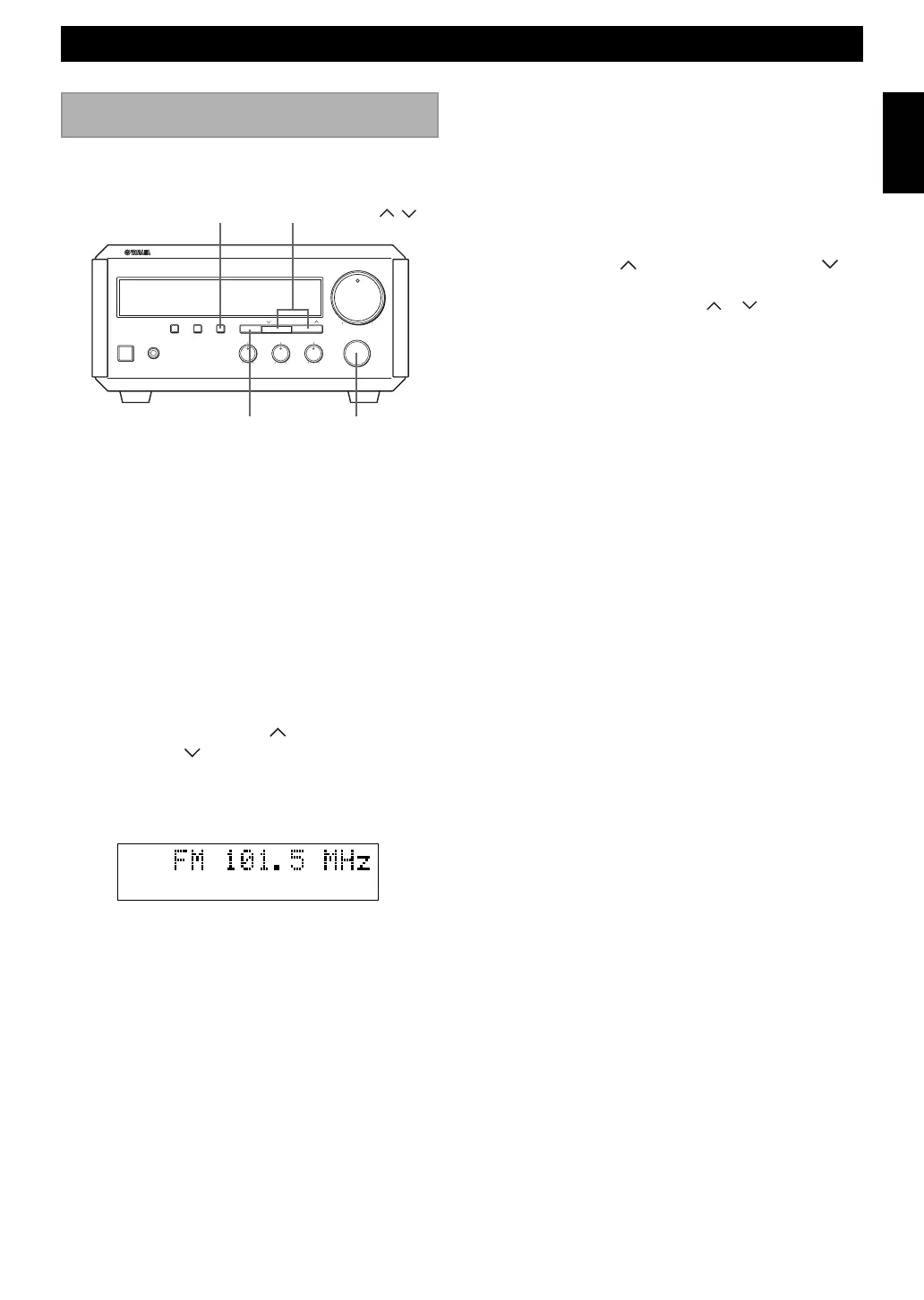
1 Select TUNER by turning INPUT so that the
frequency of a radio station appears in the display.
2 Press PRESET/BAND to select the reception band.
Do not select the preset tuning mode (in which
“PRESET” appears on the display).
3 Press AUTO/MAN’L so that “AUTO” appears in the
display.
4 Press PRESET/ TUNING (For a higher
frequency) or
(For a lower frequency).
5 The unit starts searching for a station.
When the unit finds a station, the unit stops searching
and “TUNED” appears on the display.
6 If the located station is not the one you want, repeat
steps 4 and 5 until a station you want is tuned.
Notes
• If automatic tuning search does not find the desired station, try
manual tuning as described next.
• When an FM stereo broadcast with sufficient signal strength is
received, “STEREO” appears on the display and you can listen
to stereo sound.
Listening to the radio
Manual tuning
1 Follow steps 1 and 2 described in “Automatic
tuning.”
2 Press AUTO/MAN’L so that “AUTO” disappears
from the display.
3 Press TUNING (For a higher frequency) or
(For a lower frequency) to select your desired station.
• Each time you press TUNING or , the frequency
changes step by step.
You can find radio stations automatically and manually.
STEREO AUTO
TUNED
STANDBY/ON PHONES
DISPLAY
+-+-
RL
MEMORY AUTO/MAN'L
TIME ADJ TIMER
HOUR MIN
BASS TREBLE BALANCE
MAXMIN
VOLUME
INPUT
PRESET/TUNINGPRESET/BAND
NATURAL SOUND STEREO RECEIVER RX-E100
PRESET/TUNING /
INPUT
AUTO/MAN’L
PRESET/BAND


 To Next Page