RM-CR Reference Manual
9
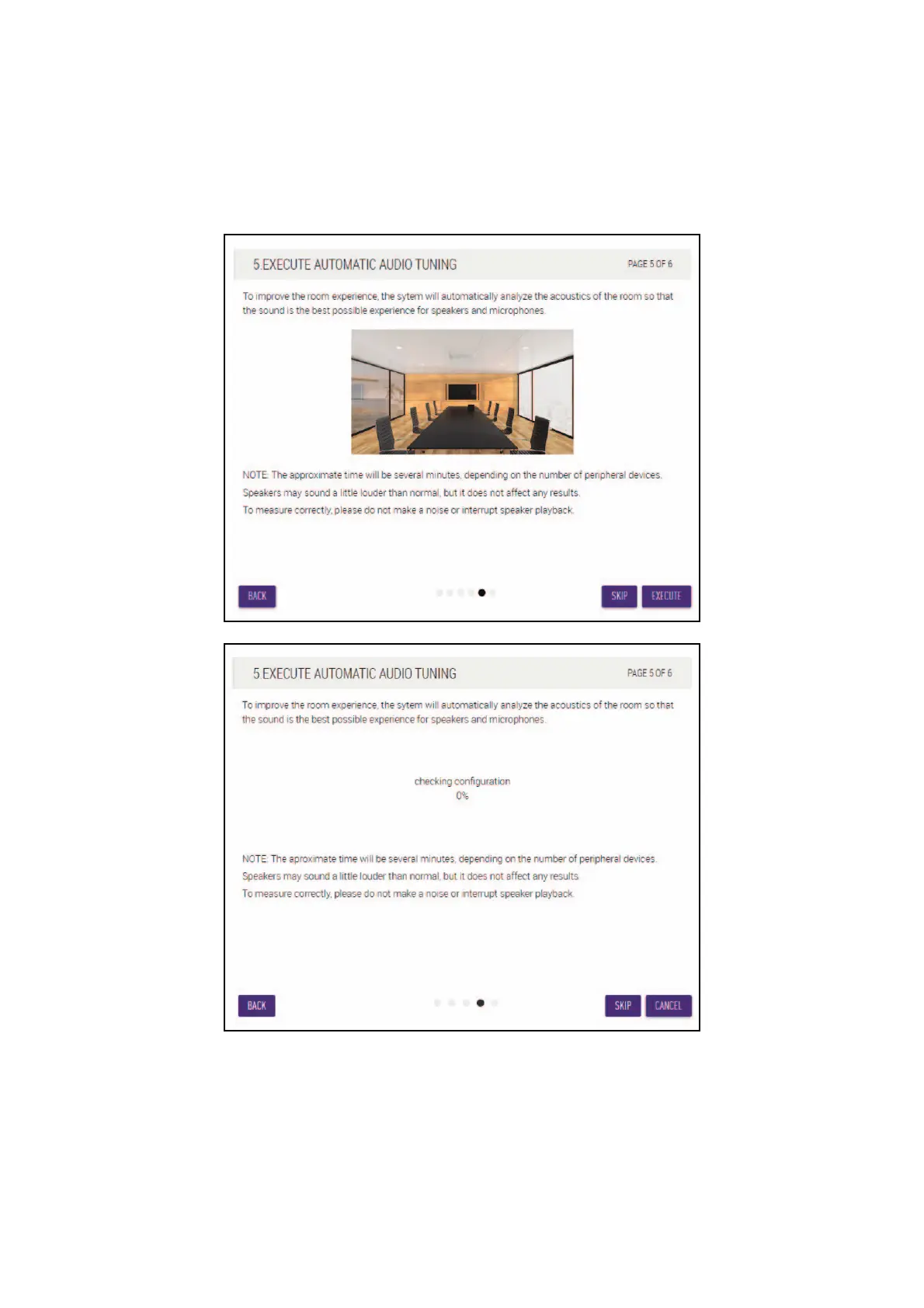
[5. EXECUTE AUTOMATIC AUDIO TUNING]
1 Click the [EXECUTE] button.
The window changes, and automatic audio tuning begins.
IMPORTANT: For better accuracy, as much as possible, avoid making noise during tuning.
NOTE: Sound is output from the speakers during tuning.


 To Next Page