RM-CR Reference Manual
13
The following are examples of a connection with a communication device.
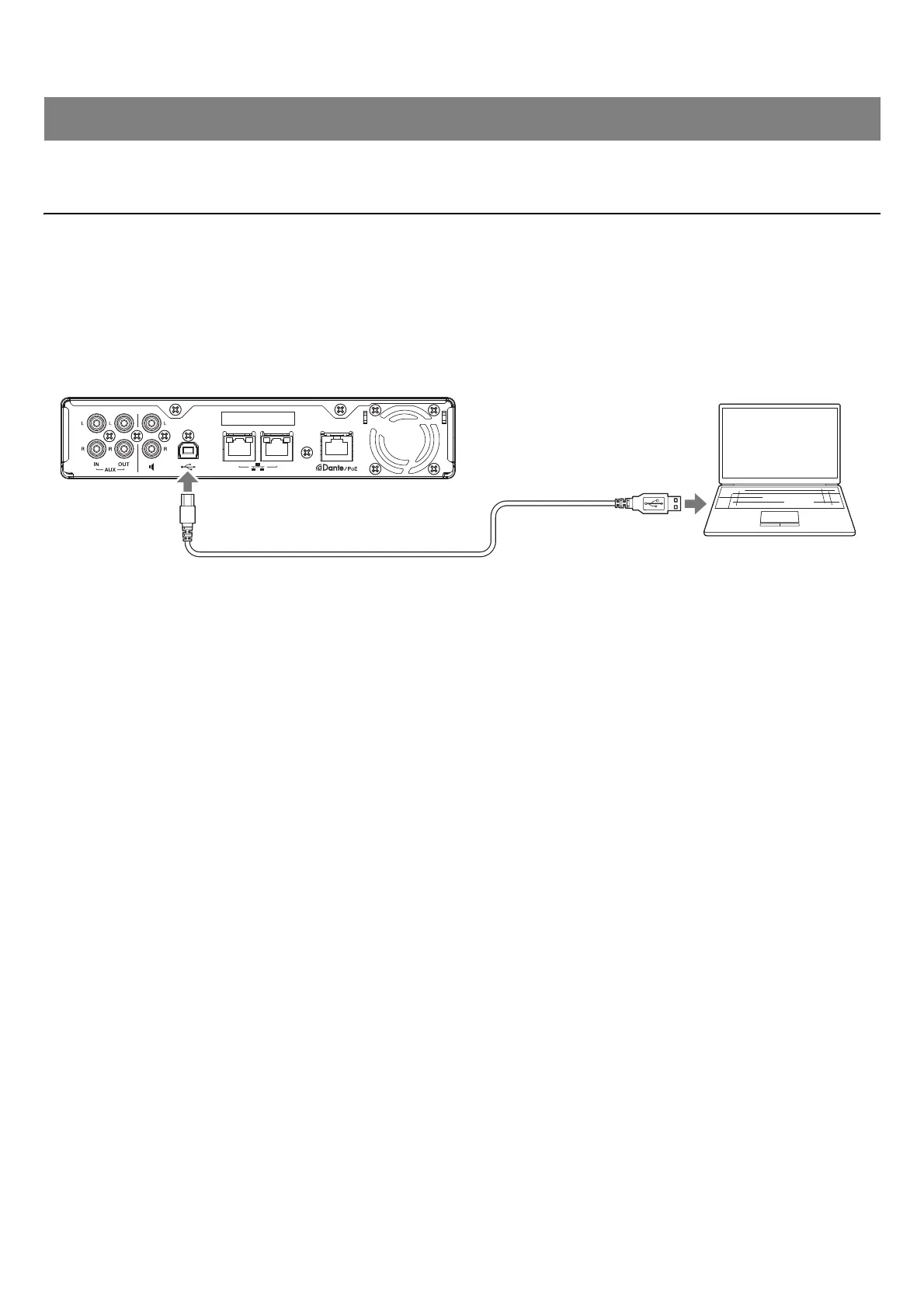
Connecting a computer
Prepare the following.
• Computer
• A-B type USB cable (included with the unit)
NOTE: No installation of a USB driver is necessary.
1. Connect this unit and the computer with a USB cable.
This completes the connection. Referring to the following pages, confirm that a proper connection can be made.
NOTE: The windows may differ depending on the computer.
CONNECTING COMMUNICATION DEVICES


 To Next Page