RM-CR Reference Manual
32
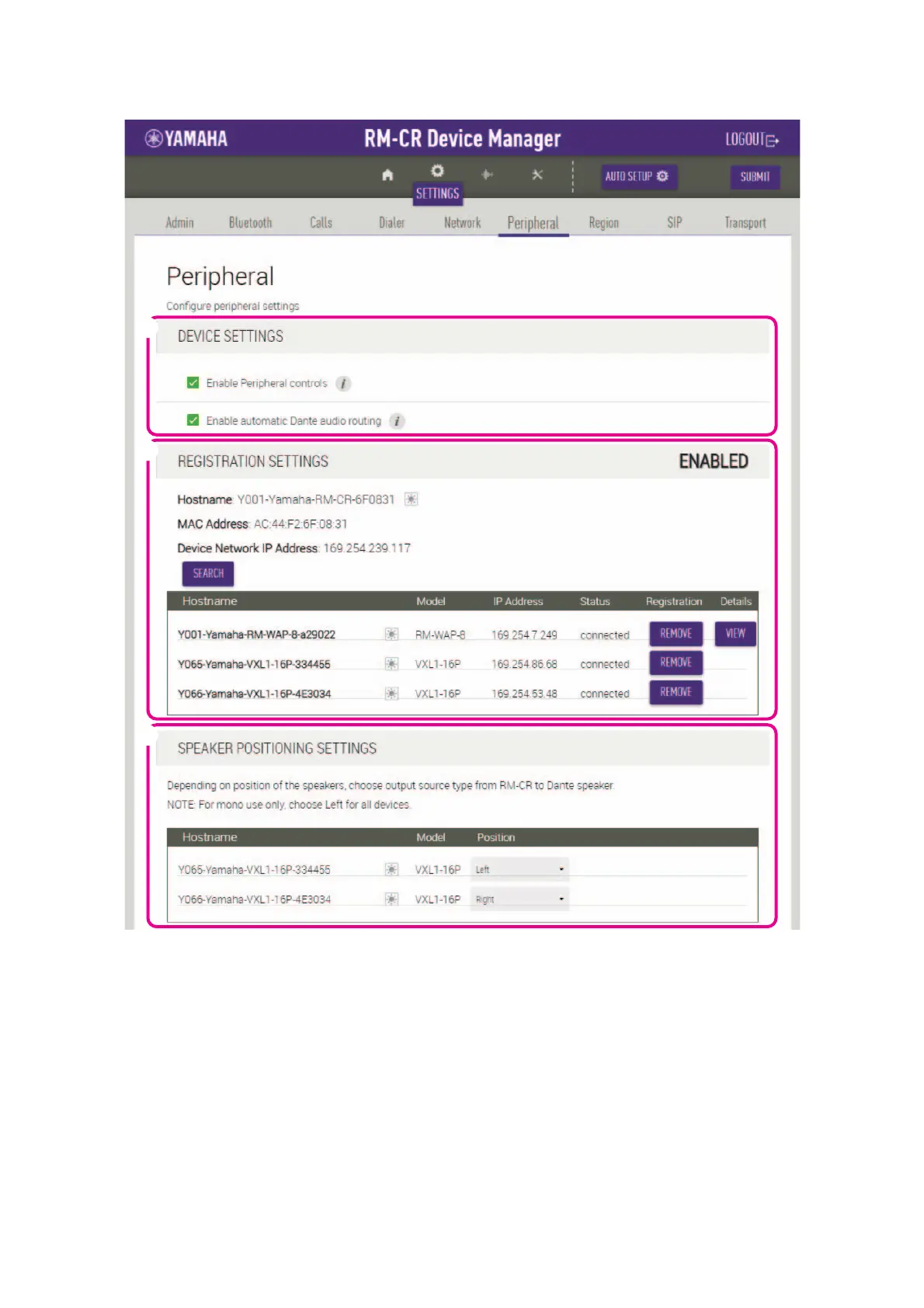
[Peripheral]
1 [DEVICE SETTINGS]
• Allows you to select whether to link the system for this unit with the system for peripherals.
• Allows you to select whether to automatically route Dante audio.
2 [REGISTRATION SETTINGS]
• Allows you to detect peripheral devices and register them as components of ADECIA, by clicking the [SEARCH] button. Allows you
to cancel the registration by clicking the [REMOVE] button.
• Allows you to open the Web GUI “Peripheral Detail” for the corresponding peripheral device by clicking the [VIEW] button.
3 [SPEAKER POSITIONING SETTINGS]
Allows you to set [Position] for each speaker to [Left] or [Right] according to its actual mounting position.


 To Next Page