
 Need help?
Do you have a question about the Yamaha RX-A720 and is the answer not in the manual?
Step-by-step guide for initial setup, including connecting speakers and devices.
Guidance on speaker layout and connection for optimal sound.
Instructions for connecting various speaker systems to the unit.
Automatic room acoustic optimization using the YPAO microphone.
Adjusting system-level settings like speaker impedance, remote ID, and firmware.
Guidance for resolving common problems with power, audio, video, and connectivity.
 General
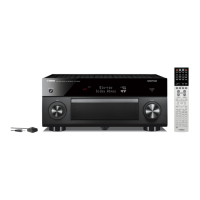
| Model | RX-A720 |
|---|---|
| Amplifier Type | AV Receiver |
| Channels | 7.2 |
| HDMI Inputs | 6 |
| HDMI Outputs | 1 |
| Subwoofer Outputs | 2 |
| Optical Outputs | 0 |
| Component Video Outputs | 1 |
| Composite Video Outputs | 1 |
| USB Input | 1 |
| Phono Input | Yes |
| Optical Inputs | 2 |
| Coaxial Inputs | 2 |
| Component Video Inputs | 2 |
| Network Capability | Yes |
| AirPlay | Yes |
| Bluetooth | No |
| 4K pass-through | Yes |
| 3D pass-through | Yes |
| Weight | 23.6 lbs |
| Frequency Response | 10 Hz-100 kHz |
| Analog Audio Inputs | 5 |
| Supported Audio Formats | Dolby TrueHD, DTS-HD Master Audio, Dolby Digital Plus |
| Power Output | 90 W (8 ohms, 20 Hz - 20 kHz, 0.09 % THD, 2 ch driven) |
| Dimensions | 435 x 171 x 369 mm |











 To Next Page

