En 7
3
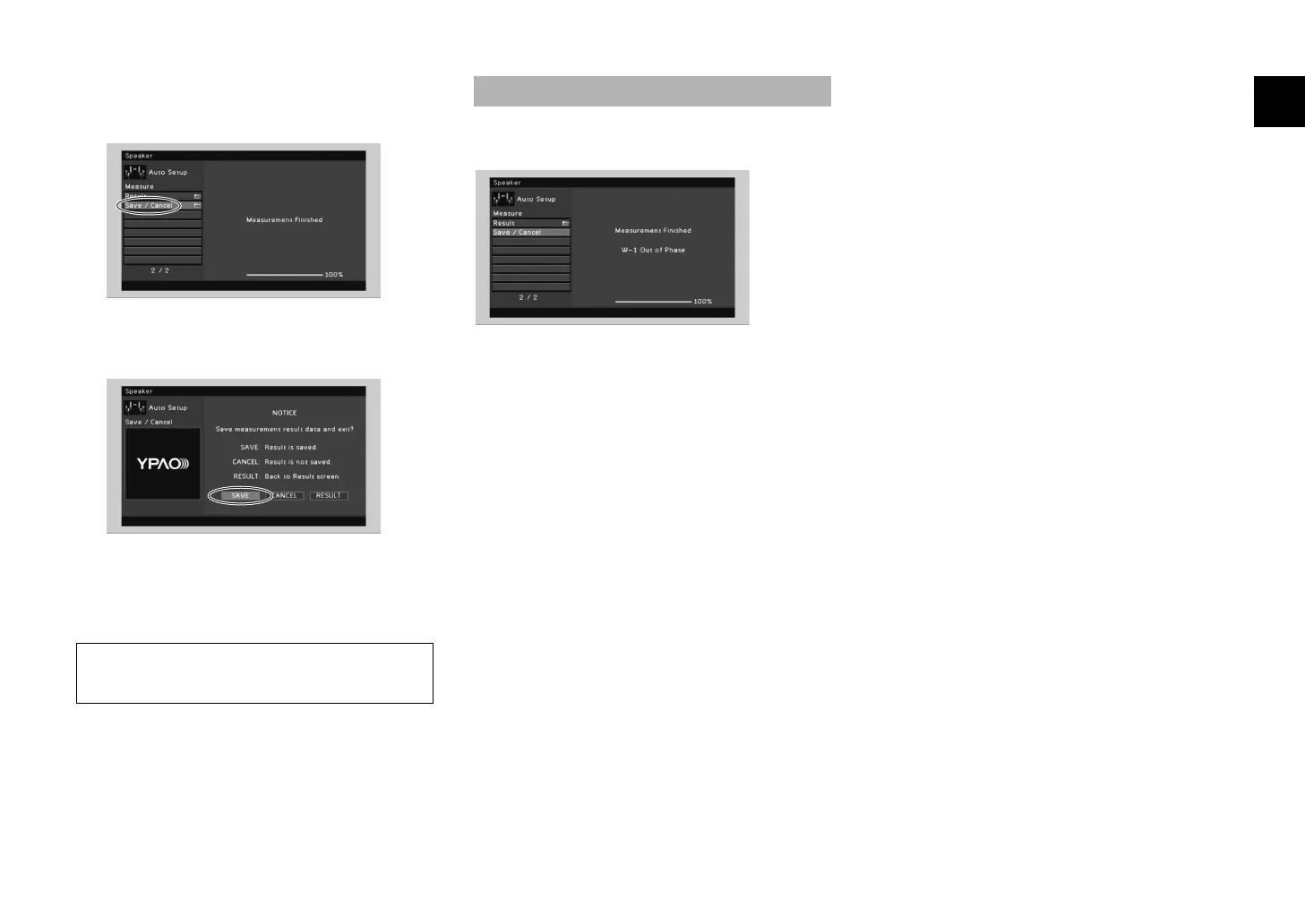
Use the cursor keys to select
“Save/Cancel” and press ENTER.
4
Use the cursor keys to select “SAVE” and
press ENTER.
5
Disconnect the YPAO microphone from the
unit.
This completes optimization of the speaker settings.
Follow the procedure below to check the speaker
connections.
a Use the cursor keys to select “Result” and press ENTER.
b Use the cursor keys to select “Wiring”.
c Check the cable connections (+/–) of the speaker that
was identified as being “Reverse” in the warning
message.
If the speaker is connected correctly:
Depending on the type of speakers or room
environment, this message may appear even if the
speakers are connected correctly.
In this case, you can ignore the message.
Press RETURN and proceed to step 3.
If the speaker is connected incorrectly:
Turn off the unit, reconnect the speaker cable, and then
try YPAO measurement again.
• The YPAO microphone is sensitive to heat, so should not be
placed anywhere where it could be exposed to direct sunlight or
high temperatures (such as on top of AV equipment).
If “W-1:Out of Phase” appears


 To Next Page