EasyManua.ls Logo

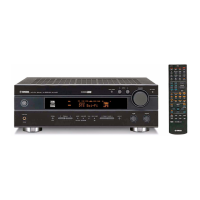
Yamaha RX-SL100RDS - User Manual

Yamaha RX-SL100RDS
416 pages
Print Icon
To Next Page IconTo Next Page
Loading...
YAMAHA ELECTRONICS CORPORATION, USA
6660 ORANGETHORPE AVE., BUENA PARK, CALIF. 90620, U.S.A.
YAMAHA CANADA MUSIC LTD.
135 MILNER AVE., SCARBOROUGH, ONTARIO M1S 3R1, CANADA
YAMAHA ELECTRONIK EUROPA G.m.b.H.
SIEMENSSTR. 22-34, 25462 RELLINGEN BEI HAMBURG, F.R. OF GERMANY
YAMAHA ELECTRONIQUE FRANCE S.A.
RUE AMBROISE CROIZAT BP70 CROISSY-BEAUBOURG 77312 MARNE-LA-VALLEE CEDEX02, FRANCE
YAMAHA ELECTRONICS (UK) LTD.
YAMAHA HOUSE, 200 RICKMANSWORTH ROAD WATFORD, HERTS WD18 7GQ, ENGLAND
YAMAHA SCANDINAVIA A.B.
J A WETTERGRENS GATA 1, BOX 30053, 400 43 VÄSTRA FRÖLUNDA, SWEDEN
YAMAHA MUSIC AUSTRALIA PTY, LTD.
17-33 MARKET ST., SOUTH MELBOURNE, 3205 VIC., AUSTRALIA
©
2003 All rights reserved.
RX-SL100RDS
AV Receiver
Ampli-tuner audio-vidéo
RX-SL100RDS
OWNER'S MANUAL
MODE D'EMPLOI
BEDIENUNGSANLEITUNG
BRUKSANVISNING
MANUALE DI ISTRUZIONI
MANUAL DE INSTRUCCIONES
GEBRUIKSAANWIJZING
GB
INPUT
VOLUME/SELECT
DSPTUNER
AUTO/MAN'L
PUSH-ENTER
STANDBY
/ON
PHONES VIDEO AUDIO
VIDEO 2
SILENT
OPTICALL R
Printed in Malaysia WC19140-1
00_RXSL100_RDS_cv.fm Page 1 Wednesday, November 26, 2003 1:29 PM


Table of Contents

Questions and Answers

  • J
    Joshua RichardAug 20, 2025
    Why is there no sound from the subwoofer on my Yamaha RX-SL100RDS Receiver?
    • D
      davidlopezAug 20, 2025
      If you're not getting any sound from the subwoofer, here's what to check: * Ensure that “LFE/Bass Out” in the SOUND menu is set to SWFR or Both when playing a Dolby Digital or DTS signal. * When playing a 2-channel source, make sure “LFE/Bass Out” in the SOUND menu is set to Both. * The source may not contain low bass signals.
  • D
    David PattersonAug 23, 2025
    Why is there no sound from the center speaker of my Yamaha RX-SL100RDS?
    • J
      Jesus JonesAug 23, 2025
      If you're not hearing any sound from the center speaker, check these settings: * Make sure the output level of the center speaker is not set to minimum. Increase the level if needed. * Verify that “Center” in the SOUND menu is not set to None. Select the appropriate mode for your center speaker. * If you've selected one of the sound field programs (except for 6ch Stereo), try selecting another sound field program.
  • K
    kathryndeckerAug 26, 2025
    Why is there no sound from the surround speakers on my Yamaha RX-SL100RDS Receiver?
    • J
      Joshua StewartAug 26, 2025
      If you're not getting sound from the surround speakers, consider the following: * Ensure the output level of the surround speakers is not set to minimum. Raise the output level if necessary. * Check that “Surround L/R” in the SOUND menu is not set to None. Select the appropriate speaker mode for the surround left and right speakers. * If you are playing a monaural source with STEREO/EFFECT set to STEREO, press STEREO/EFFECT to turn on the sound fields and select another sound field program.
  • K
    Kimberly DunnAug 27, 2025
    What to do if my Yamaha RX-SL100RDS Receiver fails to turn on?
    • B
      Beth CohenAug 28, 2025
      If your Yamaha Receiver fails to turn on, consider the following: * Ensure the power cord is securely connected. * Verify the impedance setting matches your speakers. Adjust if necessary. * Check speaker wire connections for any shorts or loose connections. * If the unit experienced a strong electric shock, set it to standby, disconnect the power cord for 30 seconds, then reconnect and try again.
  • M
    Marcia HartAug 30, 2025
    What to do if the sound suddenly goes off on my Yamaha Receiver?
    • C
      Chelsea Stevens DVMAug 30, 2025
      If the sound suddenly goes off, it could be due to several reasons: * The protection circuit may have been activated due to a short circuit. Check that the impedance selector setting is correct. * The sleep timer might have turned the unit off. Turn the power back on and play the source again. * The receiver could be muted. Press MUTE to cancel the mute function.
  • D
    David CookSep 1, 2025
    What to do if Dolby Digital or DTS sources cannot be played on Yamaha Receiver?
    • E
      erichubbardSep 2, 2025
      If Dolby Digital or DTS sources aren't playing (the indicator light doesn't illuminate), try these solutions: * Ensure the connected component is set to output Dolby Digital or DTS digital signals by checking its operation instructions. * Verify that the Input Mode is set to AUTO or dts, not Analog.
  • Y
    Yvonne GomezSep 4, 2025
    Why can only the speaker on one side be heard on my Yamaha Receiver?
    • B
      Brian StephensonSep 4, 2025
      If you only hear sound from one speaker, it might be due to: * Incorrect cable connections. Ensure all cables are properly connected. If the issue continues, the cables may be defective. * Incorrect balance settings. Adjust the Speaker Level settings in the BASIC menu.
  • J
    James MortonSep 7, 2025
    Why can't I record a source with my Yamaha RX-SL100RDS using a digital recording component?
    • B
      Briana ButlerSep 7, 2025
      To record a source using a digital recording component, ensure that the source component is connected to the DIGITAL INPUT jacks on your unit.
  • S
    Suzanne RodriguezSep 9, 2025
    Why can't I record a source using an analog component connected to the TV IN/OUT jacks on my Yamaha RX-SL100RDS Receiver?
    • S
      Stephanie AndrewsSep 9, 2025
      To record a source using an analog component, ensure that the source component is connected to the analog TV IN/ OUT jack on your unit.
  • J
    Jordan StevensonSep 12, 2025
    Why can't I change the sound field parameters on my Yamaha RX-SL100RDS?
    • K
      Kevin JamesSep 12, 2025
      If you cannot change the sound field parameters, check if “Memory Guard” in the OPTION menu is set to ON. If it is, select OFF.

Summary

Safety Precautions

Product Features

Controls and Functions

Front Panel Operation

Explains the purpose and operation of buttons and displays on the unit's front panel.

Remote Control Operation

Details the functions and buttons of the remote control for operating the unit.

Speaker Setup

Connecting Components and Antennas

Basic Setup Procedures

Initial System Configuration

Covers initial setup steps like switching on monitors and pressing AMP.

Speaker Configuration Wizard

Guides through room size, subwoofer, and speaker number configuration.

Speaker Level Calibration

Explains how to adjust individual speaker output levels using test tones.

Playback Operations

Sound Field Program Selection

Details how to select and use various sound field programs.

Tuner and RDS Functions

Sound Field Program Types

Advanced Operations and Settings

Input Mode and Speaker Calibration

Configuring input modes and adjusting speaker levels.

Test Tone for Speaker Calibration

Using the test tone to manually balance speaker levels for identical volume.

System Configuration Menu

Parameter Adjustment Guide

Step-by-step guide to modify settings using the remote control.

Speaker and Audio Settings

Explains speaker equalization, tone controls, distance, LFE, and dynamic range.

Remote Control Setup and Operation

Setting Manufacturer Codes

Instructions for programming the remote to control other A/V components.

Customizing Sound Fields

Adjustable Sound Field Parameters

Details parameters like DSP Level, Delay, Panorama, and Center Width for customizing sound.

Troubleshooting Common Issues

Unit Power and Sound Output Problems

Solutions for power-on failures, no sound, and muted audio.

Tuner and Signal Performance

Resolving problems with FM/AM reception, tuning, and sound distortion.

Yamaha RX-SL100RDS Specifications

General IconGeneral
FM TunerYes
Tuner SectionFM/AM
Input Sensitivity/Impedance200mV/47k ohms
Signal-to-Noise Ratio100 dB
Preset Stations40
Power Output per Channel100W (8 ohms, 20Hz-20kHz, 0.09% THD)

Related product manuals