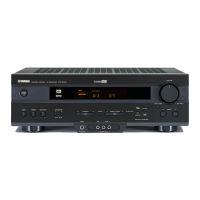
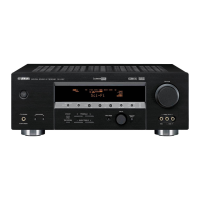
EasyManua.ls Logo

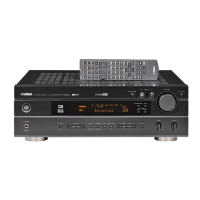
Yamaha RX-V430 - Service Manual

Yamaha RX-V430
102 pages
Print Icon
To Next Page IconTo Next Page
Loading...
SERVICE MANUAL
100783
IMPORTANT NOTICE
This manual has been provided for the use of authorized YAMAHA Retailers and their service personnel.
It has been assumed that basic service procedures inherent to the industry, and more specifically YAMAHA Products, are already
known and understood by the users, and have therefore not been restated.
WARNING: Failure to follow appropriate service and safety procedures when servicing this product may result in personal
injury, destruction of expensive components, and failure of the product to perform as specified. For these reasons,
we advise all YAMAHA product owners that any service required should be performed by an authorized
YAMAHA Retailer or the appointed service representative.
IMPORTANT: The presentation or sale of this manual to any individual or firm does not constitute authorization, certification or
recognition of any applicable technical capabilities, or establish a principle-agent relationship of any form.
The data provided is believed to be accurate and applicable to the unit(s) indicated on the cover. The research, engineering, and
service departments of YAMAHA are continually striving to improve YAMAHA products. Modifications are, therefore, inevitable
and specifications are subject to change without notice or obligation to retrofit. Should any discrepancy appear to exist, please
contact the distributor's Service Division.
WARNING: Static discharges can destroy expensive components. Discharge any static electricity your body may have
accumulated by grounding yourself to the ground buss in the unit (heavy gauge black wires connect to this buss).
IMPORTANT: Turn the unit OFF during disassembly and part replacement. Recheck all work before you apply power to the unit.
P.O.Box 1, Hamamatsu, Japan
CONTENTS
TO SERVICE PERSONNEL .......................................... 2
IMPEDANCE SELECTOR ............................................. 2
FRONT PANELS ........................................................ 3~5
REAR PANELS ........................................................ 5~12
REMOTE CONTROL.................................................... 13
SPECIFICATIONS.................................................. 14~15
INTERNAL VIEW ................................................... 16~17
DISASSEMBLY PROCEDURES/分解手順 ......... 18~21
SELF DIAGNOSIS FUNCTION (DIAG)/
自己診断機能(ダイアグ)..................................... 22~41
AMP ADJUSTMENT/アンプ部調整 ........................... 42
DISPLAY DATA ..................................................... 43~44
IC DATA ................................................................. 45~50
BLOCK DIAGRAM ................................................. 51~52
PRINTED CIRCUIT BOARD .................................. 53~64
PIN CONNECTION DIAGRAM .............................. 65~66
SCHEMATIC DIAGRAM ........................................ 67~74
PARTS LIST ......................................................... 75~100
REMOTE CONTROL.......................................... 100~102
AV RECEIVER/AV AMPLIFIER
RX-V530/RX-V530RDS/HTR-5550/HTR-5550RDS/DSP-AX530
RX-V430/RX-V430RDS/HTR-5540/HTR-5540RDS/DSP-AX430

RX-V530/RX-V530RDS/HTR-5550/HTR-5550RDS/DSP-AX530
RX-V430/RX-V430RDS/HTR-5540/HTR-5540RDS/DSP-AX430

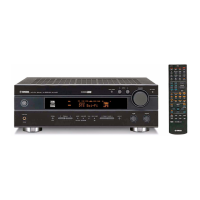
Other manuals for Yamaha RX-V430

Questions and Answers

  • A
    Alicia HowardSep 14, 2025
    How to resolve interference from digital equipment on Yamaha RX-V430 Receiver?
    • S
      Sandra MillerSep 14, 2025
      If there is noise interference from digital or high-frequency equipment, move the Yamaha unit further away from such equipment.
  • H
    Heather WilliamsAug 25, 2025
    What to do if there is no sound from my Yamaha RX-V430 Receiver?
    • S
      Sydney GuzmanAug 25, 2025
      If there's no sound from your Yamaha Receiver, check the following: ensure correct input/output cable connections, select an appropriate input source, secure the speaker connections, turn up the volume, cancel any mute settings, and ensure the input source can be reproduced by the unit.
  • E
    Emily JonesAug 25, 2025
    How to fix Yamaha RX-V430 Receiver remote control that is not working?
    • J
      Jose DurhamAug 26, 2025
      If the remote control for your Yamaha Receiver isn't working, make sure you are within a range of 6 m (20 feet) and no more than 30 degrees off-axis from the front panel. Also, try replacing the batteries with new ones.
  • R
    randolphsheilaAug 26, 2025
    Why is there no sound from my Yamaha RX-V430 Receiver?
    • S
      stricklandthomasAug 26, 2025
      If you're not getting any sound from your Yamaha Receiver, here's what to check: 1. Make sure all input and output cables are correctly connected. If the problem continues, the cables might be faulty. 2. Select the right input source using the INPUT l / h, 6CH INPUT, or the input selector buttons. 3. Check that the speaker connections are secure. 4. Increase the volume. 5. If the sound is muted, press MUTE or any operation button to unmute and then adjust the volume. 6. Ensure the source you are playing is compatible with the receiver.
  • A
    Ana JonesSep 14, 2025
    Why can I only hear sound from one speaker on my Yamaha RX-V430 Receiver?
    • R
      Richard LeeSep 15, 2025
      If you only hear sound from one speaker on your Yamaha Receiver, check the following: * Ensure that all cable connections are correct. If the issue persists, the cables may be defective. * Verify the '5 L/R BALANCE' setting in the SET MENU and adjust it as needed.
  • B
    Benjamin CisnerosSep 23, 2025
    How to stop noise interference on my Yamaha RX-V430?
    • E
      Emily AndersonSep 23, 2025
      If there is noise interference from digital or high-frequency equipment affecting your Yamaha Receiver, move the unit further away from such equipment.
  • B
    brenda32Sep 7, 2025
    How to fix a humming sound from my Yamaha Receiver?
    • J
      John HerringSep 7, 2025
      If you hear a humming sound, firmly connect the audio plugs. If the problem persists, the cables may be defective.
  • M
    Michael NelsonSep 8, 2025
    How to fix Yamaha RX-V430 Receiver when it does not operate properly?
    • D
      David MartinezSep 8, 2025
      If your Yamaha unit is not operating properly, disconnect the AC power cord from the outlet and then plug it in again after about 30 seconds. This can resolve issues caused by external electric shocks or low voltage.
  • R
    Renee BellSep 23, 2025
    Why can't I tune in to the desired station with the automatic tuning method on my Yamaha Receiver?
    • R
      Ronnie FigueroaSep 23, 2025
      If the desired station cannot be tuned in with the automatic tuning method on your Yamaha Receiver, use a high-quality directional FM antenna, as the station may be too weak.
  • L
    Lisa GarciaAug 31, 2025
    How to fix no sound from the subwoofer on Yamaha Receiver?
    • K
      Kristen MartinAug 31, 2025
      If there is no sound from the subwoofer, and “1D BASS” on the SET MENU is set to MAIN when a Dolby Digital or DTS signal is being played, select SWFR or BOTH. If “1D BASS” is set to SWFR or MAIN when a 2-channel source is being played, select BOTH.

Summary

Service Manual Introduction

Important Notices

Key safety and procedural warnings provided at the beginning of the manual.

Table of Contents

To Service Personnel

Essential information and prerequisites for authorized service personnel.

Front Panels

Rear Panels

Remote Control

Specifications

Disassembly Procedures

Self Diagnosis Function (DIAG)

Amplifier Adjustment

Block Diagram

Printed Circuit Board Layouts

Pin Connection Diagrams

ICs

Pin configurations for integrated circuits.

Schematic Diagrams - Function

Schematic Diagram - DSP

Schematic Diagrams - Main

Parts List

Electrical Parts

List of electrical components including capacitors, connectors, and coils.

PCB Main Parts List

Exploded View and Mechanical Parts

Mechanical Parts

List of mechanical parts like screws, panels, and knobs.

Carbon Resistors and Remote Schematic

Parts List for Carbon Resistors

List of carbon resistors with values and corresponding part numbers.

Remote Control Schematic

Yamaha RX-V430 Specifications

General IconGeneral
BrandYamaha
ModelRX-V430
CategoryReceiver
LanguageEnglish

Related product manuals