EasyManua.ls Logo

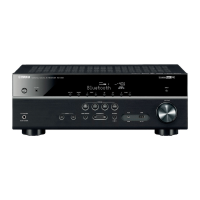
Yamaha RX-V457 - User Manual

Yamaha RX-V457
88 pages
Print Icon
To Next Page IconTo Next Page
Loading...
YAMAHA ELECTRONICS CORPORATION, USA
6660 ORANGETHORPE AVE., BUENA PARK, CALIF. 90620, U.S.A.
YAMAHA CANADA MUSIC LTD.
135 MILNER AVE., SCARBOROUGH, ONTARIO M1S 3R1, CANADA
YAMAHA ELECTRONIK EUROPA G.m.b.H.
SIEMENSSTR. 22-34, 25462 RELLINGEN BEI HAMBURG, GERMANY
YAMAHA ELECTRONIQUE FRANCE S.A.
RUE AMBROISE CROIZAT BP70 CROISSY-BEAUBOURG 77312 MARNE-LA-VALLEE CEDEX02, FRANCE
YAMAHA ELECTRONICS (UK) LTD.
YAMAHA HOUSE, 200 RICKMANSWORTH ROAD WATFORD, HERTS WD18 7GQ, ENGLAND
YAMAHA SCANDINAVIA A.B.
J A WETTERGRENS GATA 1, BOX 30053, 400 43 VÄSTRA FRÖLUNDA, SWEDEN
YAMAHA MUSIC AUSTRALIA PTY, LTD.
17-33 MARKET ST., SOUTH MELBOURNE, 3205 VIC., AUSTRALIA
©
2005 All rights reserved.
Printed in Malaysia WE59830-1
RX-V457
AV Receiver
OWNER’S MANUAL
U
01EN_RX-V457_U-cv.fm Page 1 Thursday, May 19, 2005 10:24 AM

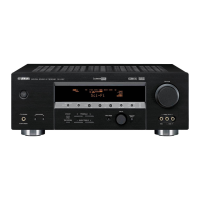
Table of Contents

Other manuals for Yamaha RX-V457

Questions and Answers

  • G
    gcookSep 13, 2025
    Why is my Yamaha Receiver FM stereo reception noisy?
    • R
      Renee RubioSep 13, 2025
      Noisy FM stereo reception on your Yamaha Receiver can be caused by the characteristics of FM stereo broadcasts, especially when the transmitter is far away or the antenna input is poor. Check the antenna connections and consider using a high-quality directional FM antenna to improve reception.
  • R
    Robert SantiagoAug 25, 2025
    Why is there no sound from my Yamaha Receiver?
    • N
      Nicholas FritzAug 25, 2025
      If you are experiencing no sound from your Yamaha Receiver, consider the following: * Check and properly connect all input and output cables, replacing them if defective. * Ensure the input mode is set to AUTO, not DTS or ANALOG. * Select the appropriate input source using the INPUT, MULTI CH INPUT, or input selector buttons. * Secure all speaker connections. * Select the correct front speakers using SPEAKERS A and/or B. * Increase the volume and ensure the sound is not muted by pressing MUTE. * If playing a DTS signal, set the input mode to AUTO or DTS. * Ensure the source signals can be reproduced by the unit.
  • C
    Christopher CraigAug 25, 2025
    What to do if Yamaha Receiver remote control does not work?
    • T
      Todd SanchezAug 26, 2025
      If the remote control for your Yamaha Receiver isn't working: * Ensure you are within 6 meters and 30 degrees of the front panel. * Reposition the unit if direct sunlight or certain lighting is interfering. * Replace weak batteries. * Verify and correctly set the remote control code.
  • J
    Jeffrey RichardSep 23, 2025
    What to do if a TV set is being used nearby a Yamaha RX-V457 Receiver?
    • T
      taylorchadSep 23, 2025
      Move this unit away from the TV.
  • J
    Jesse RiveraSep 13, 2025
    How to fix Yamaha Receiver when only one speaker side can be heard?
    • W
      warddanielSep 13, 2025
      If you only hear sound from one speaker on your Yamaha Receiver, check the cable connections to ensure they are correct and not defective. Also, verify the balance settings in the SET MENU and adjust the SP LEVEL settings accordingly.
  • B
    bberrySep 22, 2025
    What to do if the sound field parameters cannot be changed on Yamaha Receiver?
    • A
      alex96Sep 22, 2025
      If you cannot change the sound field parameters and some other settings on your Yamaha Receiver, check if “MEMORY GUARD” in SET MENU is set to ON. If so, select OFF.
  • D
    David CarterSep 6, 2025
    What to do if there is no sound from the surround back speaker on Yamaha RX-V457 Receiver?
    • E
      Eric BaileySep 6, 2025
      If you're not getting sound from the surround back speaker on your Yamaha Receiver, first check if “SUR. LR” in SET MENU is set to NONE. If the surround left and right speakers are set to NONE, the surround back speaker setting is automatically set to NONE. Select the appropriate setting for the surround speakers. Also, verify that “SUR. B” in SET MENU is set to LRG or SML.
  • R
    rwashingtonSep 7, 2025
    Why is FM stereo reception noisy on my Yamaha RX-V457?
    • A
      Anthony WallSep 7, 2025
      Noisy FM stereo reception on your Yamaha Receiver can be due to: * Distance from the transmitter or poor antenna input. Check antenna connections and consider a high-quality directional FM antenna. * Multipath interference. Adjust the antenna position. * Difficulty tuning with the automatic method. Use a high-quality directional FM antenna. * Loss of previously set stations. Preset the stations again.
  • H
    harroyoSep 23, 2025
    What to do if a Yamaha Receiver source cannot be recorded by an analog component?
    • N
      Natasha NolanSep 23, 2025
      If a source cannot be recorded by an analog component connected to the AUDIO OUT jacks on your Yamaha Receiver, make sure that the source component is connected to the analog AUDIO IN jacks on the unit.
  • C
    Charles BaldwinAug 30, 2025
    Why is there no sound from the surround speakers on my Yamaha RX-V457?
    • E
      Elizabeth MyersAug 31, 2025
      If you are not getting any sound from the surround speakers on your Yamaha Receiver: * Increase the output level of the surround speakers. * Select the appropriate setting for the surround left and right speakers, as “SUR. LR” in SET MENU may be set to NONE. * If playing a monaural source with STRAIGHT, press STRAIGHT (EFFECT) to turn on the sound fields.

Summary

IMPORTANT SAFETY INSTRUCTIONS

Explanation of Graphical Symbols

Alerts to presence of dangerous voltage or important operating instructions.

FCC Information (for US customers)

Important Notice: Do Not Modify This Unit!

Modifications not approved by FCC may void authority to use the product.

Caution: Read This Before Operating Your Unit

Voltage Selector (Asia and General Models Only)

Set unit's voltage selector to local main voltage before plugging in.

Introduction

Features

Details on the unit's capabilities, including power, sound fields, tuner, and other functions.

Getting Started

Initial setup steps including supplied accessories and remote control battery installation.

Front Panel Controls

Explains the buttons and indicators on the unit's front panel.

Remote Control

Describes the buttons and functions of the remote control unit.

Using the Remote Control

Instructions on how to aim and operate the remote control effectively.

Preparation

Speaker Setup

Guidance on optimal placement of speakers for immersive audio experience.

Speaker Connections

Detailed steps for connecting speaker wires, including wire preparation and terminal connection.

Connecting Video Components

Illustrates how to connect DVD players and video monitors to the unit.

Connecting Audio Components

Illustrates connecting CD players and MD recorders using analog and digital audio cables.

Connecting the Power Supply Cord

Details on connecting the AC power cord and using switched AC outlets for other components.

Speaker Impedance Setting

Guide to setting speaker impedance (4 or 8 ohm) for optimal performance and protection.

Basic Operation

Using the BASIC SETUP Menu

Step-by-step guide to quickly configure system settings like room size and subwoofer presence.

PLAYBACK - Basic Operations

Core playback functions including turning on/off, selecting sources, and adjusting volume.

FM;AM Tuning

Methods for tuning into FM/AM stations, including automatic and manual search.

XM Satellite Radio Tuning

Overview of the XM satellite radio service, its features, and activation.

Sound Field Programs

Sound Field Program Descriptions

Explains the purpose and features of various sound field programs for movie/video and music sources.

Advanced Operation

Using the Sleep Timer

How to set the unit to automatically enter standby mode after a specified time.

Manually Adjusting Speaker Levels

Fine-tuning individual speaker output levels for optimal sound balance.

SET MENU

Accesses system settings including basic setup, sound, input, and option menus.

Advanced Setup Menu

Speaker Impedance (SP IMP.)

Configures the unit for 4 or 8 ohm speakers to ensure proper operation and protection.

Remote Control Features

Control Area

Explains how to control the main unit and other components using the remote.

Setting Remote Control Codes

Steps to program the remote to control other A/V components by entering specific codes.

Clearing Set Up Remote Control Codes

Procedures to clear remote control codes for specific components or all components.

Additional Information

Editing Sound Field Parameters

How to adjust specific sound field program parameters for personalized audio.

Troubleshooting

Solutions for common problems like no sound, distorted audio, or unit not turning on.

Resetting the Factory Presets

Guide to restore all unit parameters to their original factory default settings.

Glossary - Audio Formats

Explains various audio formats like Dolby Digital, DTS, and their capabilities.

Specifications

Audio Section

Technical specifications for audio output power, frequency response, and input sensitivity.

Video Section

Technical specifications related to video signal types and frequency response.

FM Section

Tuning ranges, sensitivity, and distortion specifications for the FM tuner.

AM Section

Tuning ranges, sensitivity, and distortion specifications for the AM tuner.

General

Power supply, consumption, dimensions, and weight specifications for the unit.

Yamaha RX-V457 Specifications

General IconGeneral
Signal-to-Noise Ratio100 dB
Digital Sound Processor (DSP)Yes
Tuner BandsAM/FM
Preset Station Qty40
Input Sensitivity200 mV
Input Impedance47k ohms
Audio D/A Converter24bit / 192kHz
Built-in DecodersDolby Digital, DTS
AmplifierYes
Input Sensitivity/Impedance200mV/47k ohms
Surround SoundDolby Digital, DTS

Related product manuals