EasyManua.ls Logo

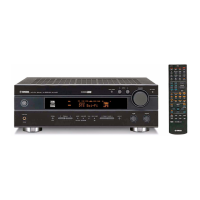
Yamaha RX-V450 - User Manual

Yamaha RX-V450
73 pages
Print Icon
To Next Page IconTo Next Page
Loading...
YAMAHA ELECTRONICS CORPORATION, USA
6660 ORANGETHORPE AVE., BUENA PARK, CALIF. 90620, U.S.A.
YAMAHA CANADA MUSIC LTD.
135 MILNER AVE., SCARBOROUGH, ONTARIO M1S 3R1, CANADA
YAMAHA ELECTRONIK EUROPA G.m.b.H.
SIEMENSSTR. 22-34, 25462 RELLINGEN BEI HAMBURG, F.R. OF GERMANY
YAMAHA ELECTRONIQUE FRANCE S.A.
RUE AMBROISE CROIZAT BP70 CROISSY-BEAUBOURG 77312 MARNE-LA-VALLEE CEDEX02, FRANCE
YAMAHA ELECTRONICS (UK) LTD.
YAMAHA HOUSE, 200 RICKMANSWORTH ROAD WATFORD, HERTS WD18 7GQ, ENGLAND
YAMAHA SCANDINAVIA A.B.
J A WETTERGRENS GATA 1, BOX 30053, 400 43 VÄSTRA FRÖLUNDA, SWEDEN
YAMAHA MUSIC AUSTRALIA PTY, LTD.
17-33 MARKET ST., SOUTH MELBOURNE, 3205 VIC., AUSTRALIA
©
2004 All rights reserved.
Printed in Malaysia WD06120
RX-V450
AV Receiver
Ampli-tuner audio-vidéo
OWNER’S MANUAL
MODE D’EMPLOI
BEDIENUNGSANLEITUNG
BRUKSANVISNING
GEBRUIKSAANWIJZING
ИНСТРУКЦИЯ ПО ЭКСПЛУАТАЦИИ
G
RX-V450
RXV450_G_cv.fm Page 1 Wednesday, January 21, 2004 11:28 AM

Table of Contents

Other manuals for Yamaha RX-V450

Questions and Answers

  • M
    Marilyn PopeSep 9, 2025
    Why is my Yamaha RX-V450 making crackling noises?
    • D
      David BrownSep 10, 2025
      If you are experiencing continuous crackling and hissing noises from your Yamaha Receiver, they may be caused by electrical equipment. Use an outdoor antenna and a ground wire to help reduce the noise.
  • K
    Kristen GonzalezAug 25, 2025
    What to do if Yamaha Receiver fails to turn on?
    • M
      melinda86Aug 25, 2025
      If your Yamaha Receiver fails to turn on or enters standby mode shortly after being powered on, consider the following: * Ensure the power cord is firmly connected. * Verify the impedance setting matches your speakers. * Check speaker wire connections for shorts. * If exposed to a strong electric shock, put the unit in standby mode, disconnect the power cord, wait 30 seconds, and reconnect.
  • M
    Matthew LopezAug 25, 2025
    How to fix a Yamaha Receiver remote control that is not working?
    • R
      rebecca78Aug 26, 2025
      If the remote control for your Yamaha receiver isn't working properly: * Ensure you are within 6 meters (20 feet) and no more than 30 degrees off-axis from the front panel. * Reposition the unit if direct sunlight or lighting is interfering with the remote control sensor. * Replace the batteries. * Set the manufacturer code correctly.
  • W
    walkerpaulSep 23, 2025
    How to fix source that cannot be recorded by an analog component connected to AUDIO OUT jacks on Yamaha RX-V450?
    • N
      newmanmarySep 23, 2025
      If a source cannot be recorded by an analog component connected to the AUDIO OUT jacks on your Yamaha Receiver, connect the source component to the analog AUDIO IN jacks.
  • J
    Joel GarciaSep 10, 2025
    Why is there no sound from the effect speakers on my Yamaha RX-V450?
    • K
      Keith HodgesSep 12, 2025
      If you're not getting sound from the effect speakers on your Yamaha Receiver: * Make sure the sound field programs are turned on by pressing STRAIGHT (EFFECT). * You might be using a source or program combination that doesn't output sound from all channels. Try another sound field program.
  • M
    Melanie SmithSep 15, 2025
    Why is my Yamaha Receiver buzzing?
    • M
      Matthew ArellanoSep 15, 2025
      If you're hearing buzzing and whining noises from your Yamaha Receiver, move the unit away from the TV, as a TV set may be causing interference.
  • D
    Daniel MorganSep 4, 2025
    Why is there no sound from the center speaker on my Yamaha Receiver?
    • E
      ericajohnsonSep 4, 2025
      If you're not hearing sound from the center speaker on your Yamaha Receiver, first, make sure the output level of the center speaker is not set to minimum. Second, check that “CENTER” in SET MENU is not set to NONE and select the appropriate setting. Finally, if one of the Hi-Fi DSP programs (except for 6ch Stereo) is selected, try another sound field program.
  • J
    josephthomasSep 5, 2025
    Why no sound from effect speakers on Yamaha Receiver?
    • M
      Mark AlvarezSep 5, 2025
      If you're not getting sound from the effect speakers on your Yamaha Receiver, it might be because the sound field programs are turned off. Press STRAIGHT (EFFECT) to turn them on. Alternatively, you might be using a source or program combination that doesn't output sound from all channels, so try another sound field program.
  • B
    brent99Sep 23, 2025
    Why can't I tune into previously preset stations on my Yamaha RX-V450 Receiver?
    • U
      uvargasSep 23, 2025
      If previously preset stations can no longer be tuned in on your Yamaha Receiver, preset the stations again. The unit may have been disconnected for a long period.
  • R
    Roger ProctorAug 30, 2025
    What to do if the sound suddenly goes off on Yamaha Receiver?
    • R
      Rebekah WilliamsAug 30, 2025
      If the sound from your Yamaha Receiver suddenly cuts off: * Check that the impedance selector setting is correct. * If the sleep timer turned the unit off, turn the power back on. * Ensure the receiver is not muted by pressing the MUTE button.

Summary

CAUTION: READ THIS BEFORE OPERATING YOUR UNIT

Special Instructions for U.K. Model

Specific safety and wiring instructions for UK models.

FEATURES

GETTING STARTED

Supplied accessories

Lists all components included in the product package.

Installing batteries in the remote control

Step-by-step guide for powering the remote control unit.

CONTROLS AND FUNCTIONS

Front Panel Controls

Description of buttons, jacks, and indicators on the receiver's front.

Remote Control Operation

Explanation of how to operate the unit using the remote control.

Rear Panel Layout

Diagram and explanation of the rear panel connections and terminals.

PREPARATION

SPEAKER SETUP

Guidelines for optimal placement and connection of speakers.

CONNECTIONS

Connecting video components

Steps for linking video sources like DVD players and TVs.

Connecting audio components

Steps for linking audio sources like CD players and tape decks.

Connecting the AC power cord

Procedure for plugging the unit into a power outlet.

BASIC SETUP

Using the BASIC SETUP menu

Step-by-step instructions for the automatic setup wizard.

PLAYBACK

Basic operations

Core procedures for turning on, selecting sources, and adjusting volume.

Selecting sound field programs

How to choose and apply different audio sound field effects.

TUNING

Automatic and manual tuning

Methods for finding and selecting radio stations.

Presetting stations

How to store and recall favorite radio stations.

RECORDING

Special considerations when recording DTS software

Important notes for recording digital audio formats like DTS.

SOUND FIELD PROGRAM DESCRIPTIONS

For movie;video sources

Sound field options optimized for cinematic and video content.

For music sources

Sound field options optimized for music playback.

ADVANCED OPERATIONS

Using the sleep timer

How to set the unit to turn off automatically after a specified time.

Manually adjusting speaker levels

Fine-tuning individual speaker volume levels for optimal balance.

SET MENU

SOUND MENU Settings

Adjust speaker parameters, tone quality, and signal processing.

INPUT MENU Settings

Reassign input jacks and select input modes for components.

REMOTE CONTROL FEATURES

Setting manufacturer codes

How to program the remote to control other A/V devices.

Controlling other components

Using the remote's input selector buttons to control different devices.

EDITING SOUND FIELD PARAMETERS

Changing parameter settings

Guide to adjusting individual sound field program parameters.

SOUND FIELD PARAMETER DESCRIPTIONS

TROUBLESHOOTING

General Troubleshooting

Common issues and their remedies for the main unit.

Tuner Troubleshooting

Solutions for problems related to radio reception.

Remote control Troubleshooting

Solutions for issues with the remote control not functioning.

RESETTING THE FACTORY PRESETS

GLOSSARY

Audio formats

Explanations of digital audio technologies like Dolby Digital and DTS.

Sound field programs

Definitions and descriptions of various sound field program types.

SPECIFICATIONS

AUDIO SECTION

Detailed audio performance metrics and specifications.

VIDEO SECTION

Technical specifications related to video signal processing.

FM SECTION

Technical specifications for the FM tuner.

Yamaha RX-V450 Specifications

General IconGeneral
Channels6.1
Signal-to-Noise Ratio100 dB
Input Impedance47 kOhm
Input Sensitivity200 mV
Audio D/A Converter24-bit/192 kHz
Surround System Class6.1 channel
Digital Sound Processor (DSP)Yes
Tuner BandsAM/FM
Preset Station Qty40
Frequency Response10Hz-100kHz
Total Harmonic Distortion0.06 %
Inputs4 x Audio
Outputs1 x Audio (RCA), 1 x Video (Composite)
Built-in DecodersDolby Digital, DTS
Surround Sound EffectsDolby Pro Logic II
Tuning RangeFM: 87.5 - 108 MHz
Connector TypeRCA
Amplifier Output Details85 W (Front), 85 W (Center), 85 W (Surround), 85 W (Surround Back)
DSP Presets7ch stereo, Concert hall, Disco, Game, Jazz club, Movie, Stadium

Related product manuals