EasyManua.ls Logo

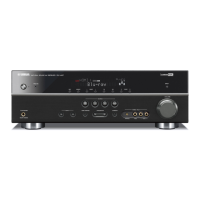
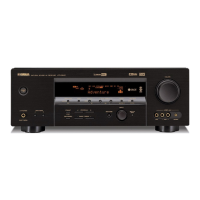
Yamaha RX-V461 - User Manual

Yamaha RX-V461
93 pages
Print Icon
To Next Page IconTo Next Page
Loading...
YAMAHA ELECTRONICS CORPORATION, USA
6660 ORANGETHORPE AVE., BUENA PARK, CALIF. 90620, U.S.A.
YAMAHA CANADA MUSIC LTD.
135 MILNER AVE., SCARBOROUGH, ONTARIO M1S 3R1, CANADA
YAMAHA ELECTRONIK EUROPA G.m.b.H.
SIEMENSSTR. 22-34, 25462 RELLINGEN BEI HAMBURG, GERMANY
YAMAHA ELECTRONIQUE FRANCE S.A.
RUE AMBROISE CROIZAT BP70 CROISSY-BEAUBOURG 77312 MARNE-LA-VALLEE CEDEX02, FRANCE
YAMAHA ELECTRONICS (UK) LTD.
YAMAHA HOUSE, 200 RICKMANSWORTH ROAD WATFORD, HERTS WD18 7GQ, ENGLAND
YAMAHA SCANDINAVIA A.B.
J A WETTERGRENS GATA 1, BOX 30053, 400 43 VÄSTRA FRÖLUNDA, SWEDEN
YAMAHA MUSIC AUSTRALIA PTY, LTD.
17-33 MARKET ST., SOUTH MELBOURNE, 3205 VIC., AUSTRALIA
©
2007 All rights reserved.
Printed in China WJ63930
RX-V461
AV Receiver
OWNER’S MANUAL
U
RX-V461_U-cv.fm Page 1 Thursday, December 14, 2006 1:24 PM

Table of Contents

Other manuals for Yamaha RX-V461

Questions and Answers

  • J
    Justin HollandAug 19, 2025
    What to do if my Yamaha RX-V461 fails to turn on?
    • J
      Jerry PetersonAug 19, 2025
      If your Yamaha Receiver fails to turn on or enters standby mode soon after powering on, it might be due to several reasons. First, ensure the power cable is firmly connected. An incorrect speaker impedance setting can also cause this; set it to match your speakers. The protection circuitry might have been activated, so verify all speaker wire connections are secure and not touching anything else. Finally, if the unit experienced a strong electric shock, set it to standby, disconnect the power cable, reconnect after 30 seconds, and try again.
  • R
    Robyn StoneAug 21, 2025
    Why is there no sound from my Yamaha Receiver?
    • S
      Stephen LoweryAug 21, 2025
      If you are getting no sound from your Yamaha Receiver, there are several potential causes. Ensure all input and output cables are correctly connected; if the problem continues, the cables may be defective. Verify that an appropriate audio input jack is selected and that you have chosen the correct input source using the DINPUT l / h button on the front panel or the remote. Also, make sure the front speakers are properly selected using the 9SPEAKERS button on the front panel. Check that the volume isn't turned down or muted; adjust the volume and press LMUTE or JVOLUME +/– on the remote. Finally, ensure the source you're playing can be reproduced by the unit.
  • D
    daviskarlaAug 25, 2025
    Why is my Yamaha RX-V461 Receiver making a humming sound?
    • W
      William WheelerAug 25, 2025
      If your Yamaha Receiver is producing a humming sound, the most likely cause is incorrect cable connections. Ensure that all audio cables are firmly connected. If the problem persists, the cables themselves may be defective.
  • D
    Devin McdonaldAug 26, 2025
    What to do if the sound suddenly goes off on my Yamaha Receiver?
    • A
      Albert OlsonAug 27, 2025
      If the sound from your Yamaha Receiver suddenly cuts off, it could be due to a couple of reasons. First, the protection circuitry might have been activated due to a short circuit. Check that the impedance setting is correct. Alternatively, the sleep timer may have turned off the unit. Turn the unit back on and play the source again.
  • S
    Shirley CrosbyAug 28, 2025
    Why is there no sound from the subwoofer on my Yamaha RX-V461 Receiver?
    • P
      Patrick TurnerAug 28, 2025
      If you're not hearing sound from the subwoofer connected to your Yamaha Receiver, check the 'BASS' setting in 'SPEAKER SET'. If it's set to 'FRNT' while playing a Dolby Digital or DTS signal, change it to 'SWFR'. When playing a 2-channel source you can set it to 'FRNT'. Also, be aware that the source may not contain low-frequency bass signals, which is not a malfunction.
  • D
    davidsonhayleyAug 30, 2025
    How to fix volume level issues on Yamaha RX-V461?
    • M
      Melissa OliverAug 30, 2025
      If you can't increase the volume or the sound from your Yamaha Receiver is distorted, it could be because the component connected to the AUDIO OUT (REC) jacks is turned off. Turn on the power of that component. It's also possible you're trying to exceed the maximum volume level; adjust the 'MAX VOL.' setting.
  • T
    Tami KentSep 1, 2025
    Why is sound only coming from one side of my Yamaha RX-V461?
    • D
      Dennis Carson MDSep 1, 2025
      If your Yamaha Receiver is only outputting sound from one speaker, and you're in 'STRAIGHT' mode playing a monaural source, press BSTRAIGHT on the front panel to disable 'STRAIGHT' mode. Also, incorrect cable connections can cause this issue, so ensure all cables are properly connected. If the problem persists, the cables may be defective. Check and adjust the 'SP LEVEL' settings as well. If playing a monaural source with a CINEMA DSP program, the sound might be directed to the center channel with effects on other speakers, which is normal. Ensure 'CENTER' in 'SET MENU' is set to 'SML' or 'LRG', not 'NONE'. Avoid HiFi DSP programs (except 5ch Stereo), and make sure 'SUR. L/R SP' in 'SPEAKER SET' is set to 'SML' or 'LRG', not 'NONE'.
  • L
    Larry PattersonSep 3, 2025
    Why does my Yamaha RX-V461 Receiver suddenly enter standby mode?
    • F
      Fred BrownSep 3, 2025
      If your Yamaha Receiver suddenly enters standby mode, it's likely that the internal temperature is too high, activating the overheat protection circuitry. Wait about 1 hour for the unit to cool down, and then turn it back on.
  • C
    Charlene PriceSep 5, 2025
    What to do if Yamaha RX-V461 Receiver does not operate properly?
    • E
      Elijah ThomasSep 6, 2025
      If your Yamaha Receiver does not operate properly, the internal microcomputer may have frozen due to an external electric shock or a power supply with low voltage. Disconnect the power cable from the AC wall outlet, wait about 30 seconds, and then plug it back in.
  • S
    sydney38Sep 7, 2025
    What does 'CHECK SP WIRES' mean on my Yamaha Receiver?
    • V
      vegasabrinaSep 8, 2025
      If the 'CHECK SP WIRES' message appears on the front panel display of your Yamaha Receiver, it indicates that the speaker cables are short-circuited. Make sure all speaker cables are connected correctly.

Summary

Important Safety Instructions

Graphical Symbols Explanation

Explains symbols used in the manual for safety warnings.

General Safety Precautions

Comprehensive safety guidelines covering operation, handling, and environment.

Additional Safety Precautions

Further safety advice on replacement parts, mounting, heat, and outdoor antennas.

FCC Information for US Customers

Details on FCC compliance and interference resolution for US users.

Product Features Overview

Audio Capabilities

Details on power amplifier, decoders, and sound processing technologies.

Connectivity and Radio Features

Information on XM Satellite Radio, iPod control, and FM/AM tuner.

Additional Features

Highlights YPAO, D/A converter, and OSD menu capabilities.

Getting Started

Initial Setup Steps

Includes checking accessories, installing batteries, and setting voltage.

Quick Start Guide

Prepare for Setup

Checking items and initial preparation before connecting.

Basic Connections and Setup

Guide for connecting speakers, DVD player, and initial power-up.

Quick Start Guide - Connections

Speaker and Subwoofer Wiring

Detailed steps for connecting speakers and subwoofer.

Quick Start Guide - Audio;Video

Digital Audio and Video Connections

Instructions for connecting digital audio and video sources.

Quick Start Guide - Antennas;Power

Antenna and Power Connections

Connecting FM/AM antennas and the power cable.

Powering On and Off

Procedures for turning the unit on and entering standby mode.

Quick Start Guide - Initial Checks

Speaker Impedance Check

Essential check for speaker impedance before operation.

SCENE Button Usage

How to use SCENE buttons for preset source and sound settings.

Quick Start Guide - Function Navigation

Unit Functionality Overview

Navigational guide to various unit functions and their corresponding pages.

Unit Connections

Rear Panel Terminal Overview

Diagram and description of all rear panel terminals and ports.

Speaker and Subwoofer Wiring

Guidance on speaker placement and connection for optimal sound.

Setting Speaker Impedance

Procedure to set speaker impedance for compatibility.

Audio and Video Jack Information

Explanation of various audio and video jacks and cable types.

Connecting External Components

How to connect video sources, iPod docks, and antennas.

Front Panel Display Indicators

Indicator Functions Overview

Explains the meaning of various lights and displays on the front panel.

Using the Remote Control

Remote Control Operation Basics

Covers signal transmission, indicators, and mode selection.

Optimizing Speaker Settings

Automatic Speaker Setup (AUTO SETUP)

Guide to automatic speaker setup using the optimizer microphone.

AUTO SETUP Procedure and Results

Step-by-step instructions for setup and interpreting results.

Handling AUTO SETUP Errors and Warnings

Troubleshooting steps for errors and warnings during auto setup.

SCENE Template Selection

Selecting and Assigning SCENE Templates

How to select and assign preset SCENE templates to buttons.

SCENE Template Descriptions

Detailed descriptions of each preset SCENE template.

Customizing and Renaming SCENE Templates

Guide to customizing and renaming SCENE templates.

Playback Operations

Basic Playback and Volume Control

Standard procedures for playing sources and adjusting volume.

Advanced Playback Features

Using headphones, muting, and sleep timer functions.

Sound Field Programs

Sound Field Program Descriptions

Explanations of various sound field programs and their features.

Advanced Sound Field Settings

Adjusting parameters for specific sound field programs.

FM;AM Tuning Operations

Automatic and Manual Tuning Methods

Methods for tuning into radio stations automatically or manually.

Preset Tuning Features

Storing and selecting radio stations using preset functions.

XM Satellite Radio Operations

XM Satellite Radio Setup and Activation

Connecting the XM tuner and activating the satellite radio service.

Searching and Displaying XM Channels

Methods for finding channels and viewing information.

Setting XM Satellite Radio Presets

Storing favorite XM channels for easy access.

iPod Operations

iPod Control Methods

Overview of controlling iPod via remote and OSD.

iPod Playback Information

How song playback details are shown on the unit's display.

Recording Operations

Recording Precautions and Procedure

Important notes and step-by-step guide for performing recordings.

SET MENU System Adjustments

Auto and Manual Setup

Procedures for automatic and manual speaker and system parameter adjustments.

Sound Menu Parameters

Adjustments for speaker size, level, distance, EQ, and audio settings.

Input Menu Parameters

Reassign input jacks, rename sources, trim volume, and set decoder mode.

Option Menu Parameters

Adjust display settings, memory guard, audio select, and parameter initialization.

Remote Control Features

Controlling Other Components

Using the remote to control the receiver, TV, or other devices.

Setting Remote Control Codes

Programming the remote to control specific components.

Resetting Remote Control Codes

Clearing all programmed remote codes to factory settings.

Troubleshooting Common Issues

General and Sound Problems

Solutions for unit not powering on, no sound, or distorted audio.

Specific Speaker and Audio Format Issues

Troubleshooting sound from specific speakers or digital audio playback.

Setup and Operation Error Resolution

Addressing AUTO SETUP errors, unit freezing, or overheating.

iPod and Remote Control Troubleshooting

Solutions for iPod connection issues and remote control malfunctions.

System Reset Procedure

Steps to reset all unit parameters to factory defaults.

Glossary of Terms

Audio Technology Definitions

Definitions of audio technologies like Dolby Digital, Pro Logic II, and Surround.

Video and DSP Definitions

Explanations of video signal types and DSP technologies.

Technical Specifications

Audio Section Specifications

Detailed technical specifications for the audio output and performance.

FM;AM and General Specifications

Technical details for radio reception and general unit parameters.

Video Section Specifications

Technical details for video signal handling.

Front Panel Layout

Front Panel Controls and Indicators Identification

Identification and description of all front panel elements.

Remote Control Layout

Remote Control Buttons and Functions Identification

Identification and description of all buttons on the remote control.

Yamaha RX-V461 Specifications

General IconGeneral
BrandYamaha
ModelRX-V461
CategoryReceiver
LanguageEnglish

Related product manuals