EasyManua.ls Logo

Yamaha RX-V4600 - User Manual

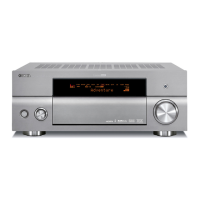
Yamaha RX-V4600
126 pages
Print Icon
To Next Page IconTo Next Page
Loading...
YAMAHA ELECTRONICS CORPORATION, USA
6660 ORANGETHORPE AVE., BUENA PARK, CALIF. 90620, U.S.A.
YAMAHA CANADA MUSIC LTD.
135 MILNER AVE., SCARBOROUGH, ONTARIO M1S 3R1, CANADA
YAMAHA ELECTRONIK EUROPA G.m.b.H.
SIEMENSSTR. 22-34, 25462 RELLINGEN BEI HAMBURG, GERMANY
YAMAHA ELECTRONIQUE FRANCE S.A.
RUE AMBROISE CROIZAT BP70 CROISSY-BEAUBOURG 77312 MARNE-LA-VALLEE CEDEX02, FRANCE
YAMAHA ELECTRONICS (UK) LTD.
YAMAHA HOUSE, 200 RICKMANSWORTH ROAD WATFORD, HERTS WD18 7GQ, ENGLAND
YAMAHA SCANDINAVIA A.B.
J A WETTERGRENS GATA 1, BOX 30053, 400 43 VÄSTRA FRÖLUNDA, SWEDEN
YAMAHA MUSIC AUSTRALIA PTY, LTD.
17-33 MARKET ST., SOUTH MELBOURNE, 3205 VIC., AUSTRALIA
©
2005 All rights reserved.
RX-V4600
Printed in Malaysia WF09590
RX-V4600
AV R e c e i ve r
OWNER’S MANUAL
U
RX-V4600_U-cv.fm Page 1 Wednesday, March 16, 2005 10:08 AM

Table of Contents

Questions and Answers

  • F
    Frances HughesSep 12, 2025
    What to do if my Yamaha Receiver fails to turn on?
    • R
      Ronald RosalesSep 12, 2025
      If your Yamaha Receiver fails to turn on or enters standby mode shortly after being powered on: * Ensure the power cable is firmly connected. * Verify the impedance setting matches your speakers. * Check speaker wire connections for security and ensure no wires are touching other than their respective connections, as the protection circuitry may be activated. * If the unit has been exposed to a strong electric shock, put it in standby mode, disconnect the power cable, wait 30 seconds, then reconnect and use normally.
  • T
    Travis TorresAug 25, 2025
    What to do if Yamaha Receiver fails to turn on?
    • A
      Alexander SmithAug 25, 2025
      If your Yamaha Receiver fails to turn on or enters standby mode shortly after being powered on: * Ensure the power cable is firmly connected. * Verify that the impedance setting matches your speakers. * Check all speaker wire connections to ensure they are secure and not touching anything else. * If the unit has been exposed to a strong electric shock, place it in standby mode, disconnect the power cable, wait 30 seconds, and then plug it back in.
  • J
    jacquelinerussoAug 25, 2025
    How to fix Yamaha Receiver remote control not working?
    • A
      Andrea GrimesAug 26, 2025
      If the Yamaha Receiver remote control is not working correctly: * Ensure you are within a 6-meter range and no more than 30 degrees off-axis from the front panel. * Reposition the unit if direct sunlight or lighting is affecting the remote control sensor. * Replace all the batteries. * Set AMP/SOURCE/TV correctly: to AMP for operating the unit, to SOURCE for the component selected by the input selector, and to TV for operating the TV in DTV or PHONO area. * Ensure the remote control code is correctly set using the “LIST OF REMOTE CONTROL CODES”. * Switch the library code if this unit’s library code and the remote control ID do not match.
  • G
    gabrielleschneiderSep 23, 2025
    How to reduce noise interference on my Yamaha RX-V4600 Receiver?
    • T
      Tanya SchneiderSep 23, 2025
      If you are experiencing noise interference from digital or radio-frequency equipment with your Yamaha Receiver, the unit may be too close to the equipment. Move the unit further away from such equipment.
  • A
    Angela ZamoraSep 13, 2025
    What to do if there is no picture on my Yamaha Receiver?
    • L
      Lauren MooreSep 13, 2025
      If there is no picture from your Yamaha Receiver, ensure that the output and input for the picture are not connected to different types of video jacks and turn on the video conversion function.
  • H
    Heather GomezSep 18, 2025
    How to change sound field parameters on Yamaha RX-V4600 Receiver?
    • C
      Cheryl RivasSep 18, 2025
      If you cannot change the sound field parameters and some other settings on your Yamaha Receiver, check if Memory Guard is set to 'On' and select 'Off'.
  • S
    Scott VaughnSep 6, 2025
    How to improve noisy FM stereo reception on Yamaha RX-V4600 Receiver?
    • E
      emilyschultzSep 6, 2025
      If FM stereo reception is noisy on your Yamaha Receiver: * Check the antenna connections and consider using a high-quality directional FM antenna, as the issue may be due to the transmitter being too far away or poor antenna input. * Try using the manual tuning method.
  • S
    Steven JonesSep 7, 2025
    Why can't my Yamaha Receiver play Dolby Digital or DTS sources?
    • B
      boydanthonySep 7, 2025
      If Dolby Digital or DTS sources cannot be played on your Yamaha Receiver (Dolby Digital or DTS indicator does not light up): * Ensure the connected component is set to output Dolby Digital or DTS digital signals by checking its operation instructions. * Set the input mode to “Auto” or “Coax/Opt” if it is set to “Analog”.
  • A
    Anthony ThompsonSep 23, 2025
    What does 'CHECK SP WIRES' mean on my Yamaha RX-V4600 Receiver?
    • S
      stoneamandaSep 23, 2025
      If 'CHECK SP WIRES' appears on the front panel display of your Yamaha Receiver, it indicates that the speaker cables are short-circuited. Ensure all speaker cables are connected correctly.
  • V
    Victor JordanAug 30, 2025
    What to do if Yamaha Receiver has no sound from effect speakers?
    • A
      ann54Aug 30, 2025
      If there is no sound from the effect speakers on your Yamaha Receiver: * Press STRAIGHT/EFFECT to turn on the sound field programs. * Try another sound field program, as the current source or program combination may not output sound from all channels.

Summary

IMPORTANT SAFETY INSTRUCTIONS

GETTING STARTED

CONTROLS AND FUNCTIONS

Front panel

Identifies and explains the controls and indicators on the receiver's front panel.

Remote control

SPEAKER SETUP

Speaker placement

Provides guidelines for optimal positioning of speakers for surround sound.

Speaker connections

CONNECTIONS

AUTO SETUP

Optimizer microphone setup

Instructions for connecting and positioning the optimizer microphone for auto setup.

Starting the setup

Confirming the results

Troubleshooting for the auto setup procedure

PLAYBACK

Basic operations

Step-by-step guide to basic playback functions like power, speakers, and source selection.

Selecting audio input modes

TUNING

Automatic and manual tuning

Explains methods for tuning into radio stations automatically or manually.

RECORDING

SOUND FIELD PROGRAM DESCRIPTIONS

ADVANCED OPERATIONS

SYSTEM OPTIONS

Manual Setup (Manual setup menu)

Menu for manual adjustment of speaker and system settings.

Option (Options menu)

Auto Setup (Auto setup menu)

Specifies auto setup parameters and activates the auto setup procedure.

Changing parameter settings

Input Select

Manual Setup (Sound)

Manual Setup (Basic)

Speaker Set (Speaker set)

Manually sets speaker modes, low-frequency output, and crossover frequencies.

Manual Setup (Option)

System Memory (System memory)

REMOTE CONTROL FEATURES

Setting remote control codes

Programming codes from other remote controls (Learn)

Using the Macro feature

ZONE 2;ZONE 3

Controlling Zone 2;Zone 3 from the front panel

FRONT PANEL DISPLAY MENUS

AUTO SETUP

MANUAL SETUP

1 BASIC MENU

Basic manual setup options including speaker settings, distance, level, and test tone.

USING i.LINK

USING HDMI

EDITING SOUND FIELD PARAMETERS

Changing parameter settings

Adjusts sound field parameters to optimize sound for listening environment.

TROUBLESHOOTING

General

Troubleshooting common issues related to power, sound, and picture.

Tuner

PARAMETRIC EQUALIZER INFORMATION

SPECIFICATIONS

LIST OF REMOTE CONTROL CODES

Yamaha RX-V4600 Specifications

General IconGeneral
Audio Channels7.1
Amplifier TypeDiscrete
Power Output (8 ohms, 20 Hz - 20 kHz, 0.04% THD)110 W
Frequency Response10 Hz - 100 kHz
Total Harmonic Distortion0.04%
HDMI Inputs2
HDMI Outputs1
Composite Inputs5
Composite Outputs2
Component Video Inputs3
Component Video Outputs1
Optical Inputs3
Optical Outputs1
Coaxial Inputs3
Coaxial Outputs0
Analog Audio Inputs6
Analog Audio Outputs2
Surround Sound FormatsDolby Pro Logic IIx, Dolby Digital, Dolby Digital EX, DTS, DTS-ES Discrete 6.1, DTS-ES Matrix 6.1, DTS Neo:6, DTS 96/24
THX CertifiedYes
Input Sensitivity200 mV
Signal-to-Noise Ratio100 dB

Related product manuals