EasyManua.ls Logo

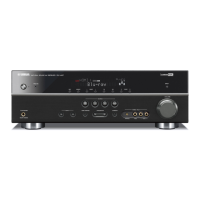
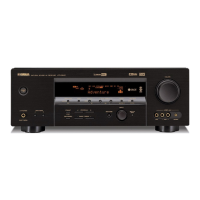
Yamaha RX-V467BL - User Manual

Yamaha RX-V467BL
8 pages
Print Icon
To Next Page IconTo Next Page
Loading...
PUSH
Ex. Ex.
- 1 -
English
Quick Reference Guide
Preparing the remote control
Accessories
Items necessary for connection
The following accessories are supplied with this product.
Speakers
External components
Remote control
Front speaker
Ex. Ex.
Batteries (2) (AAA, R03,
UM-4)
Center speaker
AM loop antenna
Surround speaker
Indoor FM antenna VIDEO AUX input cover
Active subwoofer
1
2
2
3
3
YPAO microphone
within 6 m
(20 ft)
1
Take off the battery compartment cover.
2
Insert the two supplied AAA batteries
into the battery case, following the
polarity markings.
3
Snap the battery compartment cover
back into place.
Be sure to aim the remote control directly at the
remote control sensor on this unit during operation.
TV
Cable
Cables for connecting external components
(may differ depending on the components you are connecting)
Speaker cables
(a quantity to match the number of speakers you are connecting)
Audio pin cable
(for subwoofer)
Playback device such as BD
(Blu-ray Disc)/DVD players
Use speakers with an impedance of at least 6 Ω.
If you are using a CRT monitor, we recommend that you use magnetically shielded speakers.
Prepare at least two speakers (for front). The priority of the other speakers is as follows:
1 Two surround speakers
2 One center speaker
Some features are not available in certain regions.
Question and Answer IconNeed help?

Do you have a question about the Yamaha RX-V467BL and is the answer not in the manual?

Summary

Accessories Included

Connection Requirements

Speaker Setup Guide

Lists speaker types and connection advice for home theater setup.

External Components List

Lists required external devices like TVs and players for connection.

Connecting Your TV

Speaker Connection Details

Connecting Front, Center, Surround Speakers

Step-by-step guide for connecting speaker wires to terminals.

Subwoofer Connection and Volume

How to connect the subwoofer using an audio pin cable and set its volume.

Banana Plug Speaker Connection

Instructions for connecting banana plugs to speaker terminals.

7.1;6.1 Channel Surround System Setup

Information on expanding to a 7.1 channel system with an external amplifier.

Connecting the TV to the Receiver

Playing TV Audio Through the Receiver

How to connect TV audio output to the unit for playback.

Connecting External Playback Devices

Voltage Selector and Power Cable Setup

Automatic Speaker Setup with YPAO

YPAO Microphone Connection

Key Unit Features Overview

Receiver Operation Guide

Power On;Standby Control

How to turn the unit on and off or put it in standby.

Selecting Audio Input Sources

Selecting the audio/video source for playback.

Sound Field and Decoder Selection

Choosing different audio processing modes for various content.

Volume Level Adjustment

How to control the overall loudness of the audio output.

Muting Audio Output

Temporarily silencing the audio output.

Input and Sound Field Presets

Combining input selection with sound field program settings.

Tone Control for Bass and Treble

Adjusting bass and treble frequencies for desired sound.

Summary

Accessories Included

Connection Requirements

Speaker Setup Guide

Lists speaker types and connection advice for home theater setup.

External Components List

Lists required external devices like TVs and players for connection.

Connecting Your TV

Speaker Connection Details

Connecting Front, Center, Surround Speakers

Step-by-step guide for connecting speaker wires to terminals.

Subwoofer Connection and Volume

How to connect the subwoofer using an audio pin cable and set its volume.

Banana Plug Speaker Connection

Instructions for connecting banana plugs to speaker terminals.

7.1;6.1 Channel Surround System Setup

Information on expanding to a 7.1 channel system with an external amplifier.

Connecting the TV to the Receiver

Playing TV Audio Through the Receiver

How to connect TV audio output to the unit for playback.

Connecting External Playback Devices

Voltage Selector and Power Cable Setup

Automatic Speaker Setup with YPAO

YPAO Microphone Connection

Key Unit Features Overview

Receiver Operation Guide

Power On;Standby Control

How to turn the unit on and off or put it in standby.

Selecting Audio Input Sources

Selecting the audio/video source for playback.

Sound Field and Decoder Selection

Choosing different audio processing modes for various content.

Volume Level Adjustment

How to control the overall loudness of the audio output.

Muting Audio Output

Temporarily silencing the audio output.

Input and Sound Field Presets

Combining input selection with sound field program settings.

Tone Control for Bass and Treble

Adjusting bass and treble frequencies for desired sound.

Yamaha RX-V467BL Specifications

General IconGeneral
Channels5.1
Amplifier TypeDiscrete
HDMI Inputs4
HDMI Outputs1
Network CapabilityNo
Component Video Inputs2
Component Video Outputs1
Digital Audio Inputs (Optical)2
Digital Audio Inputs (Coaxial)2
Dolby DigitalYes
DTSYes
HDMI Version1.4
3D SupportYes
Audio Return Channel (ARC)Yes
Frequency Response10 Hz - 100 kHz
USB PortNo
BluetoothNo
Wi-FiNo
Power Output90W per channel (8 ohms)
Audio Formats SupportedDolby Digital, DTS
Dolby Pro LogicYes
Total Harmonic Distortion0.09%
Input Sensitivity200 mV
Signal-to-Noise Ratio100 dB

Related product manuals