EasyManua.ls Logo

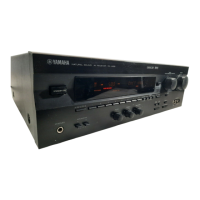
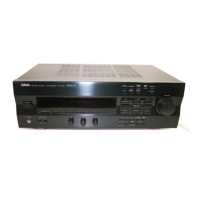
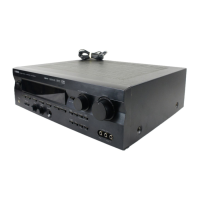
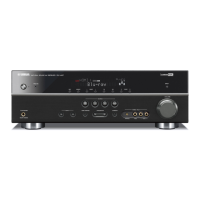
Yamaha RX-V495RDS - User Manual

Yamaha RX-V495RDS
68 pages
Print Icon
To Next Page IconTo Next Page
Loading...
RX-V4 95RDS
Natural Sound AV Receiver
Ampli-Tuner Audio-Video
OWNER’S MANUAL
MODE D’EMPLOI
BEDIENUNGSANLEITUNG
BRUKSANVISNING
MANUALE DI ISTRUZIONI
MANUAL DE INSTRUCCIONES
GEBRUIKSAANWIJZING
B G
Printed in France ID
V342980
YAMAHA ELECTRONICS CORPORATION, USA 6660 ORANGETHORPE AVE., BUENA PARK, CALIF. 90620, U.S.A.
YAMAHA CANADA MUSIC LTD. 135 MILNER AVE., SCARBOROUGH, ONTARIO M1S 3R1, CANADA
YAMAHA ELECTRONIK EUROPA G.m.b.H. SIEMENSSTR. 22-34, 25462 RELLINGEN BEI HAMBURG, F.R. OF GERMANY
YAMAHA ELECTRONIQUE FRANCE S.A. RUE AMBROISE CROIZAT BP70 CROISSY-BEAUBOURG 77312 MARNE-LA-VALLEE CEDEX02, FRANCE
YAMAHA ELECTRONICS (UK) LTD. YAMAHA HOUSE, 200 RICKMANSWORTH ROAD WATFORD, HERTS WD1 7JS, ENGLAND
YAMAHA SCANDINAVIA A.B. J A WETTERGRENS GATA 1, BOX 30053, 400 43 VÄSTRA FRÖLUNDA, SWEDEN
YAMAHA MUSIC AUSTRALIA PTY, LTD. 17-33 MARKET ST., SOUTH MELBOURNE, 3205 VIC., AUSTRALIA
RX-V4 95RDS
CD PLAYER
Accuphase 0315
Adc 0865
Adcom 0785, 1015
Akai 0115, 0125, 0725, 0735,
0745, 0935, 1155
Arcam 1875
Arcam-Rotel 0165
Audio-Technica 0835
Audiosonic 0155
Awia 1105, 1235, 1245,
1765, 1915, 1935
BSR 0875
California Audio Lab 1075
Carrera 0555, 0875
Carver 0825, 1415
Cyrus-Rotel 0205
Denon 0045, 0955, 1045,
1595, 1795, 1805
Dual 1005
Elin 0185
Emerson 1015, 1285, 1675
Fisher 0105, 0595, 0605,
0825, 1165, 1175
Genexxa 0525, 0825, 0855, 0875,
0995, 1265, 1285, 1345,
1355, 1485, 1575, 1675,
1715, 1825
GoldStar 0555, 1185, 1195, 1585
Grundig 0175
Harman Kardon 0495, 0565, 0325,
1135, 1145, 1155
Hitachi 0065, 0585, 0685, 0945,
1005, 1015, 1225, 1545
Innovation 1995, 2005, 2015
ITT-Nokia 0185
JVC 0385, 0395, 0455, 0575, 0585
Karcher 0485
Kenwood 0025, 0055, 0145, 0215,
0595, 0675, 0695, 0705,
0715, 0925, 1355, 1485,
1575, 1675, 1715, 1825
Korting 0175
Lifetec 2015
Light Control 1155, 1645, 1655, 1665
Linn 0165, 1875
Luxman 0265, 0275, 0795, 0805,
1295, 1305, 1555, 1925
Luxor 0185, 1895, 1905
Magnavox 1865, 1875
Marantz 0165, 0175, 0545, 0665,
1275, 1335, 1405, 1505,
1875, 1955
Matsushita 1095, 1605
MCS 0535
Medion 0075, 1995, 2005, 2015
Memorex 0525, 1015, 1265, 1275,
1285, 1675
MGA 1125
Micromaxx 2015
Mission 0165, 1875
Mitsubishi 1125, 1205
NAD 0255, 0285, 0295, 0305, 0345,
0135, 0755, 0765, 1315, 1325
Nakamichi 0635, 0645, 1565
NEC 0405, 0535, 0775, 0785
Neckerman 0155, 0225
Nikko 0835, 1165
Oceanic 0185
Okano 0155, 0225
Onkyo 0885, 1385, 1425, 1455, 1515
Panasonic 1055, 1075, 1615, 1625
Philips 0165, 0175, 0195, 1865, 1875
Pioneer 0095, 0335, 0425, 0435, 0445,
0525, 0855, 1035, 1945
Proton 0905, 1875
Quasar 1075
Radiola 1845, 1855
Radiotone 0485
Realistic 0825, 1015, 1265,
1275, 1285, 1575
Rotel 1875
Saba 1005
SAE 1875
Salora 0185
Sansui 0415, 0965, 0975, 0985,
1255, 1675, 1875
Sanyo 0625, 0825, 0845, 0915
Schneider 1845, 1855
Scott 1285, 1675
Sharp 0025, 0035, 1025, 1115, 1275,
1635, 1785, 1815, 1825, 1835
Sherwood 1275, 1445
Siemens 1085
Signature 1155
Sony 0345, 0355, 0365, 0375, 0865,
1685, 1695, 1705, 1715, 1725,
1735, 1745
Sytvania 1875
Tandberg 1885
Tashiko 1525
TCM 1985, 2015
Teac 0235, 0245, 1275, 1365, 1375,
1395, 1435, 1465, 1475
Technics 0465, 0475, 1065, 1075, 1625
Telefunken 1005
Theta Digital 1865
Thomson 1005
Toshiba 0755, 0765
Vector Research 0555, 0865
Victor 0575
Yamaha 0005, 0015, 0895, 1815
MD RECORDER
Yamaha 0024
TAPE DECK
Akai 0124
Denon 0204
Grundig 0134
Harman 0044
JVC 0194
Kenwood 0164
Korting 0134
Luxman 0054, 0064, 0074, 0084
Marantz 0134, 0144
NAD 0174
Onkyo 0184
Philips 0134, 0144, 0154
Pioneer 0034, 0114
Sony 0094, 0104
Yamaha 0004, 0014
00RX-V495RDS-cv1/4(AL) 6/22/99, 1:33 PM1

Questions and Answers

  • J
    James BlakeSep 4, 2025
    Why is there no sound from the rear speakers on my Yamaha RX-V495RDS?
    • C
      Christopher WilliamsSep 4, 2025
      If there's no sound coming from the rear speakers, check if the sound output level of the rear speakers is set to minimum and raise it. Also, if you're playing a monaural sound source in the DOLBY PRO LOGIC or DOLBY PRO LOGIC ENHANCED program, select another sound field program suitable for the monaural sound source.
  • M
    mendezmichaelSep 18, 2025
    How to avoid noise interference from digital equipment on Yamaha Receiver?
    • G
      gilbert69Sep 18, 2025
      If you're experiencing noise interference from digital or high-frequency equipment, the unit might be too close to that equipment. Move the unit further away.
  • C
    Casey NorrisSep 16, 2025
    How to stop buzzing and whining noises from Yamaha RX-V495RDS?
    • H
      Heather SchmidtSep 16, 2025
      Buzzing and whining noises, especially in the evening, can be caused by nearby television sets. Try relocating the Yamaha Receiver away from the TV.
  • M
    Melissa FrankSep 14, 2025
    How to get rid of crackling and hissing noises from Yamaha RX-V495RDS?
    • M
      Mary SmithSep 14, 2025
      Continuous crackling and hissing noises can be caused by interference from lightning, fluorescent lamps, motors, thermostats, and other electrical equipment. Using an outdoor antenna and a ground wire can help, but it's difficult to eliminate all noise.
  • T
    Toni GuerreroSep 12, 2025
    What to do if I cannot tune in the desired station with the automatic tuning method on my Yamaha RX-V495RDS?
    • M
      Megan BlevinsSep 12, 2025
      If you're having trouble tuning into a station automatically, the signal might be weak, or the antenna connections could be loose. Tighten the AM loop antenna connections and rotate it for the best reception. Use the manual tuning method.
  • D
    Debra SantanaSep 12, 2025
    Why can't I tune in previously preset stations on my Yamaha RX-V495RDS Receiver?
    • K
      Kathleen HarrisonSep 12, 2025
      If you can no longer tune into previously preset stations, it's likely because the unit has been unplugged for an extended period. Repeat the presetting procedure to restore the stations.
  • R
    rogersrobertSep 9, 2025
    How to improve noisy FM stereo reception on Yamaha Receiver?
    • D
      douglas39Sep 9, 2025
      Noisy FM stereo reception can occur due to the characteristics of FM stereo broadcasts, especially when the transmitter is far away or the antenna input is poor. First, check the antenna connections. Try using a high-quality directional FM antenna. Also, set the TUNING MODE to the manual tuning mode.
  • S
    Sydney RobinsonSep 7, 2025
    How to eliminate humming sound from Yamaha RX-V495RDS Receiver?
    • G
      Gloria SchultzSep 7, 2025
      A humming sound from your Yamaha Receiver can often be resolved by ensuring that the audio plugs are firmly connected. If the hum persists, the cords may be defective. Also, if you're using a turntable, make sure it is properly connected to the GND terminal on the receiver.
  • J
    john83Sep 5, 2025
    Why is there no sound from the center speaker on my Yamaha RX-V495RDS?
    • J
      Joseph LongSep 5, 2025
      If you're not hearing sound from the center speaker, it could be due to several reasons. First, the input signals of the source encoded with Dolby Digital might not have center channel signals. Also, verify that the sound output level of the center speaker is not set to minimum and raise it if necessary. Check that the function “CNTR” in the SET MENU is set to either the LARGE or SMALL position, not NONE. Finally, make sure you've selected the appropriate sound field program.
  • J
    John CabreraAug 21, 2025
    What to do if my Yamaha RX-V495RDS Receiver has no sound or picture?
    • D
      Diana GarzaAug 21, 2025
      First, ensure that all output cords are correctly connected; a loose or incorrect connection can cause this issue. If the problem continues, the cords themselves may be defective. Also, verify that you've selected the appropriate program source using the INPUT setting. Finally, check that the SPEAKERS setting is correctly configured for the speakers you are using and that all speaker connections are secure.

Summary

CAUTION: READ THIS BEFORE OPERATING YOUR UNIT

Special Instructions for U.K. Model

Specific electrical safety and wiring instructions for UK models.

FEATURES OF SOUND EFFECTS

Introduction

Welcome to digital home entertainment and advanced AV features.

Digital Sound Field Processing

Recreating the acoustic environment of live performances for an immersive sound experience.

Dolby Pro Logic Surround

Using discrete channels and speakers for realistic, dynamic surround sound effects.

Dolby Digital

New generation multi-channel digital audio technology for a new sound experience.

CINEMA DSP: Dolby Surround + DSP

Combines Dolby Surround with Yamaha DSP for theater-like sound.

Dolby Pro Logic + 2 Digital Sound Fields

Enhances Dolby Pro Logic with digital sound fields for room ambience.

Dolby Digital + 3 Digital Sound Fields

Integrates Dolby Digital with three digital sound fields for optimal home theater.

CONTROLS AND THEIR FUNCTIONS

FRONT PANEL

Description and function of controls located on the front panel of the unit.

DISPLAY PANEL

REMOTE CONTROL TRANSMITTER

SPEAKER SETUP

SPEAKERS TO BE USED

Guidance on selecting main, rear, and center speakers for optimal sound.

SPEAKER CONFIGURATION

Details on 5-speaker and 4-speaker configurations and their setup.

SPEAKER PLACEMENT

CONNECTIONS

CONNECTIONS WITH OTHER COMPONENTS

Instructions for connecting various audio and video components to the unit.

CONNECTING TO VIDEO AUX TERMINALS (ON THE FRONT PANEL)

How to connect camcorders or other video sources to the front panel.

CONNECTING TO AN EXTERNAL DECODER

Connecting external decoders with 6-channel discrete outputs to the unit.

CONNECTING TO DIGITAL (COAXIAL AND;OR OPTICAL) TERMINALS

Connecting digital audio sources via coaxial or optical terminals.

How to connect

Connecting to the MAIN SPEAKERS terminals

Step-by-step guide for connecting main speaker wires to the terminals.

Connecting to the REAR and CENTER SPEAKERS terminals

Guide for connecting rear and center speaker wires to their respective terminals.

IMPEDANCE SELECTOR SWITCH

ANTENNA CONNECTIONS

ADJUSTMENTS BEFORE USING THIS UNIT

SELECTING THE OUTPUT MODES

Setting speaker output distribution modes (CNTR, REAR, MAIN, BASS, M.LVL).

CNTR (CENTER SPEAKER)

Setting the center speaker mode to LARGE, SMALL, or NONE.

REAR (REAR SPEAKERS)

Setting the rear speaker mode to LARGE or SMALL for bass reproduction.

MAIN (MAIN SPEAKERS)

Setting the main speaker mode to LARGE or SMALL based on bass reproduction ability.

BASS (LFE;BASS OUT)

Selecting how LFE and bass signals are output (SW, MAIN, or BOTH).

M.LVL (MAIN LEVEL)

Adjusting the main speaker output level attenuation.

ADJUSTING METHOD

SPEAKER BALANCE ADJUSTMENT

TO PLAY A SOURCE

BASIC OPERATIONS

Step-by-step guide for turning on, selecting source, and playing audio/video.

Notes on using INPUT

Important notes and behaviors when using the INPUT selector.

Switching the input mode (for DVD;LD and TV;DBS)

How to switch input modes (AUTO, ANALOG) for DVD/LD and TV/DBS sources.

TO RECORD A SOURCE ON TAPE OR MD

TUNING OPERATIONS

AUTOMATIC TUNING

How to automatically search for and tune to radio stations.

MANUAL TUNING

How to manually tune to radio stations by frequency.

MANUAL PRESET TUNING

To recall a preset station

AUTOMATIC PRESET TUNING (for RDS stations only)

EXCHANGING PRESET STATIONS

RECEIVING RDS STATIONS

DESCRIPTION OF RDS DATA

Explanation of RDS data types like PS, PTY, RT, CT, and EON.

CHANGING THE RDS MODE

PTY SEEK

PROGRAM TYPES IN THE PTY MODE

EON FUNCTION

SETTING THE SLEEP TIMER

USING THE DIGITAL SOUND FIELD PROCESSOR (DSP)

BRIEF OVERVIEW OF DIGITAL SOUND FIELD PROGRAMS

Descriptions and features of various DSP sound field programs available on the unit.

PLAYING AN AUDIO;VIDEO SOURCE WITH THE DIGITAL SOUND FIELD PROCESSOR (DSP) EFFECT

ADJUSTING THE DELAY TIME AND SPEAKER OUTPUT LEVELS

ADJUSTMENTS IN THE “SET MENU” MODE

CNTR (CENTER SPEAKER)

Adjusting the center speaker output level and delay time.

REAR (REAR SPEAKERS)

Adjusting the rear speaker output level and delay time.

MAIN (MAIN SPEAKERS)

Adjusting the main speaker output level and delay time.

BASS (LFE;BASS OUT)

Selecting how LFE and bass signals are output (SW, MAIN, or BOTH).

M.LVL (MAIN LEVEL)

Adjusting the main speaker output level attenuation.

LFE (LFE LEVEL)

Adjusting the output level of the LFE (low frequency effect) channel.

D.RNG (DYNAMIC RANGE)

Adjusting the dynamic range of Dolby Digital sources (MAX, STD, MIN).

C.DELAY (CENTER DELAY)

Adjusting the delay time for center channel sounds (dialog, etc.).

GUARD (MEMORY GUARD)

Enabling protection to prevent accidental changes to settings.

INPUT (INPUT MODE)

Selecting the initial input mode for TV/DBS sources.

REMOTE CONTROL TRANSMITTER

Components which can be controlled

List of components controllable by the remote and their respective modes.

CD MODE

DVD;LD MODE

DVD MENU MODE

VCR MODE

TV MODE

CBL;DBS MODE

NOTES ABOUT THE REMOTE CONTROL TRANSMITTER

Battery installation

Instructions for installing batteries in the remote control transmitter.

Battery replacement

Guidance on replacing batteries and maintaining remote functionality.

SETUP CODES

To control your components

Procedures for presetting manufacturer codes for various components.

To use a second (and third) VCR

Instructions for controlling multiple VCRs using alternative modes.

Returning to the factory-set codes

How to reset remote control codes to factory defaults.

TROUBLESHOOTING

SPECIFICATIONS

LIST OF MANUFACTURERS CODES

Yamaha RX-V495RDS Specifications

General IconGeneral
TypeReceiver
Channels5.1
Surround Sound FormatsDolby Digital, DTS
Frequency Response10 Hz - 100 kHz
Total Harmonic Distortion (THD)0.06%
Input Sensitivity200 mV
Signal to Noise Ratio100 dB
TunerFM/AM
Video Outputs1
Input Sensitivity/Impedance200 mV / 47 kΩ
Input Impedance47 kΩ
Digital Audio Inputs1 x coaxial, 1 x optical
Dimensions (W x H x D)435 x 151 x 390 mm
Video Inputs3
Audio Inputs/Outputs5 inputs, 2 outputs

Related product manuals