Need help?
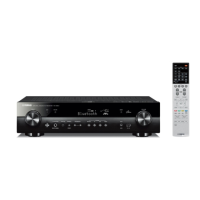
Do you have a question about the Yamaha RX-S601 and is the answer not in the manual?
Overview of the unit's capabilities and supported content types.
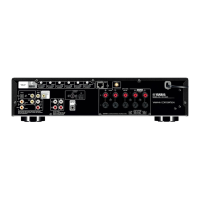
Detailed explanation of front panel controls, indicators, rear panel, and remote control.
Step-by-step guide to connect and set up the unit.
Guidance on speaker layout and connection for optimal surround sound.
Instructions for connecting speaker cables to the unit's terminals.
Procedures for connecting the unit to a TV via HDMI or composite cables.
Automatic speaker calibration process for room acoustics and sound optimization.
Methods for establishing a wireless network connection for streaming services.
General steps to start playing audio or video sources.
Using SCENE keys to quickly select input and sound settings.
Options for choosing different sound programs and surround decoders.
Connecting and playing music from Bluetooth-enabled devices.
Connecting and playing music from iPod devices via USB.
Connecting and playing music files from USB storage devices.
Tuning into and playing Internet radio stations from around the world.
Setting up and controlling audio playback in different rooms (main zone and Zone2).
Navigating and adjusting various unit settings via the setup menu.
Advanced system configuration options including firmware updates.
Common user queries and their solutions.
Solutions for problems related to power, remote control, audio, and video issues.
Definitions of technical terms and audio formats used in the manual.
Technical specifications of the unit including input/output jacks and power consumption.

 To Next Page

 General