EasyManua.ls Logo

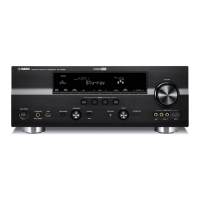
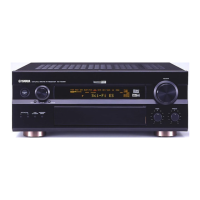
Yamaha RX-V2700 - User Manual

Yamaha RX-V2700
174 pages
Print Icon
To Next Page IconTo Next Page
Loading...
YAMAHA ELECTRONICS CORPORATION, USA
6660 ORANGETHORPE AVE., BUENA PARK, CALIF. 90620, U.S.A.
YAMAHA CANADA MUSIC LTD.
135 MILNER AVE., SCARBOROUGH, ONTARIO M1S 3R1, CANADA
YAMAHA ELECTRONIK EUROPA G.m.b.H.
SIEMENSSTR. 22-34, 25462 RELLINGEN BEI HAMBURG, GERMANY
YAMAHA ELECTRONIQUE FRANCE S.A.
RUE AMBROISE CROIZAT BP70 CROISSY-BEAUBOURG 77312 MARNE-LA-VALLEE CEDEX02, FRANCE
YAMAHA ELECTRONICS (UK) LTD.
YAMAHA HOUSE, 200 RICKMANSWORTH ROAD WATFORD, HERTS WD18 7GQ, ENGLAND
YAMAHA SCANDINAVIA A.B.
J A WETTERGRENS GATA 1, BOX 30053, 400 43 VÄSTRA FRÖLUNDA, SWEDEN
YAMAHA MUSIC AUSTRALIA PTY, LTD.
17-33 MARKET ST., SOUTH MELBOURNE, 3205 VIC., AUSTRALIA
©
2006 All rights reserved.
RX-V2700
Printed in Malaysia WJ55210
RX-V2700
AV Receiver
OWNER’S MANUAL
U
RX-V2700_U-cv.fm Page 1 Thursday, August 24, 2006 3:36 PM

Table of Contents

Other manuals for Yamaha RX-V2700

Questions and Answers

  • B
    Bradley MitchellSep 23, 2025
    Why Yamaha Receiver doesn't recognize USB device?
    • C
      Charles ThompsonSep 23, 2025
      If the USB device is not recognized by your Yamaha Receiver, it's likely because the connected device is not a USB mass storage class USB memory device or a USB portable audio player. This unit only recognizes these types of devices.
  • J
    jeffrey16Aug 25, 2025
    How to troubleshoot no sound on Yamaha RX-V2700 Receiver?
    • J
      Justin WalkerAug 25, 2025
      If there is no sound coming from your Yamaha Receiver, consider the following: * Check and properly connect all input and output cables. If the issue continues, the cables might be defective. * Disconnect the optimizer microphone. * Ensure the Audio input jack select is set to “AUTO”. * If playing a Dolby Digital or DTS source, avoid setting Audio input jack select to “ANALOG”. Instead, select the appropriate input source using the INPUT selector. * Make sure the volume isn't too low and that the receiver isn't muted. Adjust the volume and press MUTE to resume audio output. * Confirm that the input signals are reproducible by the unit. Finally, note that HDMI components might need to support HDCP copy protection standards.
  • K
    keithmorrowAug 25, 2025
    Why is there no sound from my Yamaha RX-V2700 Receiver?
    • A
      Anne WilsonAug 26, 2025
      If your Yamaha Receiver has no sound, check that all input and output cables are properly connected and not defective. Ensure the optimizer microphone is disconnected. Verify that 'Audio input jack select' is set to 'AUTO'. If set to 'ANALOG' while playing Dolby Digital or DTS, select an appropriate input source. Also, make sure the volume isn't turned down or muted. Finally, ensure the source signals can be reproduced by the unit.
  • J
    Jessica FoleyAug 27, 2025
    What causes the sound to suddenly go off on my Yamaha RX-V2700?
    • R
      Raymond CarrollAug 27, 2025
      If the sound suddenly goes off on your Yamaha Receiver, it might be due to the activation of the protection circuitry because of a short circuit. Check that the speaker impedance setting is correct and ensure that the speaker wires are not touching each other, then turn the unit back on.
  • M
    Michelle RyanNov 25, 2025
    Why is sound only coming from one side of my Yamaha Receiver?
    • E
      Elizabeth CookNov 25, 2025
      If sound is only coming from one side of your Yamaha Receiver, try these solutions: * If the sleep timer has turned the unit off, turn the unit back on and play the source again. * Ensure the unit is not muted by pressing MUTE or VOLUME +/- on the remote control. * Check and properly connect the cables; if the problem persists, the cables may be defective. * Adjust the “Speaker Level” settings. * If “Center” in “Speaker Set” is set to “None”, change it to “Small” or “Large.” * If one of the HiFi DSP programs (except for “7ch Stereo”) has been selected, try another sound field program. * If the sound field programs are turned off, press STRAIGHT to turn them on. * If the unit is in “STRAIGHT” mode and a monaural source is being played back, press STRAIGHT on the front panel...
  • H
    hayleywebbSep 14, 2025
    Why doesn't my Yamaha Receiver recall the correct preset item?
    • R
      Randy MannSep 14, 2025
      If your Yamaha Receiver does not recall the correct item when using numeric buttons (1-8), connect the USB device that stores the preset item. If the directory that stores the selected item is changed, preset the desired item to the numeric button (1-8) again. Ensure the USB device is connected correctly. Turn on the PC or MCX-2000 if it stores the selected item. If the selected Internet Radio station is temporarily unavailable or out of service, try again later.
  • K
    kennethlawrenceSep 12, 2025
    Why won't Internet Radio play on my Yamaha RX-V2700?
    • R
      Rebecca BarkerSep 12, 2025
      If the Internet Radio cannot be played on your Yamaha Receiver, check the firewall setting of the network device to ensure it is not activated.
  • W
    Wanda KramerSep 13, 2025
    Why can't I see music files on USB with my Yamaha RX-V2700 Receiver?
    • H
      Heather JacksonSep 13, 2025
      If you cannot view music files and directories in the USB device connected to your Yamaha Receiver, check the configuration of the network device and contact the network connection provider to ensure the Internet connection is active. Also, place music files and directories in the FAT area. Modify the data structure on your USB device if you are browsing directory hierarchies of over 8 levels or a directory with more than 500 files.
  • K
    Kevin BanksSep 5, 2025
    How to stop a humming sound from my Yamaha RX-V2700 Receiver?
    • M
      michaeldavisSep 5, 2025
      If you hear a humming sound from your Yamaha Receiver, ensure the audio cables are firmly connected. If the problem persists, the cables may be defective.
  • J
    Julie BurkeSep 3, 2025
    Why is there no picture on my Yamaha RX-V2700 Receiver?
    • K
      Kathleen WilsonSep 3, 2025
      If you are getting no picture from your Yamaha Receiver, check if the output and input for the picture are connected to different types of video jacks. If so, set “Conversion” to “On” or connect your source components in the same way as you connect your video monitor to this unit.

Yamaha RX-V2700 Specifications

General IconGeneral
Channels7.1
Total Harmonic Distortion (THD)0.04%
HDMI outputs1
Signal to noise ratio100 dB
Frequency Response10Hz - 100kHz
Audio Formats SupportedDolby Digital, Dolby Digital EX, DTS, DTS-ES, Dolby Pro Logic IIx, DTS 96/24
Tuning rangeFM, AM
Input sensitivity200mV
Digital inputs3 x coaxial
Video ConnectionsComponent, Composite, S-Video
Video InputsComponent: 3
Video OutputsComponent: 1
Audio Inputs7.1 channel input
Audio Outputs7.1 channel pre-out, 2 x RCA
Power Output (8 ohms)140 W (8 ohms, 20 Hz - 20 kHz, 0.04% THD)

Related product manuals