EasyManua.ls Logo

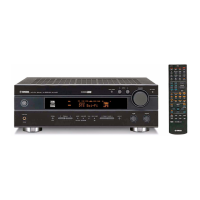
Yamaha RX-V440RDS - User Manual

Yamaha RX-V440RDS
63 pages
Print Icon
To Next Page IconTo Next Page
Loading...
YAMAHA ELECTRONICS CORPORATION, USA 6660 ORANGETHORPE AVE., BUENA PARK, CALIF. 90620, U.S.A.
YAMAHA CANADA MUSIC LTD. 135 MILNER AVE., SCARBOROUGH, ONTARIO M1S 3R1, CANADA
YAMAHA ELECTRONIK EUROPA G.m.b.H. SIEMENSSTR. 22-34, 25462 RELLINGEN BEI HAMBURG, F.R. OF GERMANY
YAMAHA ELECTRONIQUE FRANCE S.A. RUE AMBROISE CROIZAT BP70 CROISSY-BEAUBOURG 77312 MARNE-LA-VALLEE CEDEX02, FRANCE
YAMAHA ELECTRONICS (UK) LTD. YAMAHA HOUSE, 200 RICKMANSWORTH ROAD WATFORD, HERTS WD1 7JS, ENGLAND
YAMAHA SCANDINAVIA A.B. J A WETTERGRENS GATA 1, BOX 30053, 400 43 VÄSTRA FRÖLUNDA, SWEDEN
YAMAHA MUSIC AUSTRALIA PTY, LTD. 17-33 MARKET ST., SOUTH MELBOURNE, 3205 VIC., AUSTRALIA
Printed in Malaysia
WA88370
RX-V440RDS
GB
OWNER’S MANUAL
MODE D’EMPLOI
BEDIENUNGSANLEITUNG
BRUKSANVISNING
MANUALE DI ISTRUZIONI
MANUAL DE INSTRUCCIONES
GEBRUIKSAANWIJZING
RX-V440RDS
AV Receiver
Ampli-tuner audio-vidéo
0100RX-V440_cv_GB.p65 1/20/03, 5:38 PM1

Table of Contents

Other manuals for Yamaha RX-V440RDS

Questions and Answers

  • L
    Lance BlackSep 23, 2025
    How to eliminate buzzing noises on Yamaha RX-V440RDS Receiver?
    • J
      Joseph JohnstonSep 23, 2025
      If you are experiencing buzzing and whining noises (especially in the evening) with your Yamaha Receiver, and a TV set is being used nearby, move the unit away from the TV.
  • Z
    zachary61Aug 23, 2025
    What to do if my Yamaha RX-V440RDS Receiver won't turn on?
    • C
      Chad MartinezAug 25, 2025
      If your Yamaha Receiver fails to turn on or enters standby mode shortly after being powered on, consider these potential causes: * Ensure the power cord is fully connected. * Verify the IMPEDANCE SELECTOR switch on the rear panel is completely set to either the left or right position while the unit is in standby mode. * Check speaker wire connections for any shorts that may have activated the protection circuitry. Make sure each wire only touches its respective connection. * If the unit experienced a strong electric shock, place the unit in standby mode, disconnect the power cord for 30 seconds, reconnect it, and then try using it normally.
  • J
    john90Aug 25, 2025
    Why does the sound on my Yamaha Receiver suddenly go off?
    • K
      Katherine MartinezAug 26, 2025
      If the sound suddenly goes off on your Yamaha Receiver, here's what might be happening: * The protection circuit may have been activated due to a short circuit. Check that the IMPEDANCE SELECTOR switch is in the correct position and then restart the unit. * The sleep timer may have turned the unit off. Turn the power back on and restart your source. * The sound may be muted. Press the MUTE button or any other operation button to cancel the mute function and adjust the volume.
  • C
    Caleb MackAug 27, 2025
    Why is my Yamaha RX-V440RDS remote control not working?
    • A
      April HodgesAug 27, 2025
      If the remote control for your Yamaha Receiver isn't working correctly, check these potential issues: * Ensure you are within the operational range of 6 meters (20 feet) and within a 30-degree angle from the front panel. * Replace weak batteries with new ones. * Verify that the manufacturer code is correctly set.
  • R
    ryan95Aug 27, 2025
    How to fix no subwoofer sound on Yamaha RX-V440RDS?
    • K
      Kimberly GomezAug 27, 2025
      If you're not getting any sound from the subwoofer connected to your Yamaha Receiver, check these settings: * If playing a Dolby Digital or DTS signal, ensure “SOUND 1E BASS” in the set menu is set to SWFR or BOTH. * If playing a 2-channel source, ensure “SOUND 1E BASS” in the set menu is set to BOTH.
  • A
    Ashley SmithSep 15, 2025
    How to eliminate distortion on Yamaha RX-V440RDS?
    • T
      tbrownSep 15, 2025
      If you're experiencing distortion and cannot get clear reception on your Yamaha Receiver, even with a good FM antenna, adjust the antenna position to eliminate multipath interference.
  • M
    michaelgreenSep 12, 2025
    What does 'CHECK SP WIRES' mean on my Yamaha Receiver?
    • A
      Antonio WrightSep 12, 2025
      If “CHECK SP WIRES” appears on the front panel display of your Yamaha Receiver, make sure all speaker cables are connected correctly, as this indicates a short circuit in the speaker cables.
  • R
    richardhensonSep 14, 2025
    How to change sound field parameters on Yamaha RX-V440RDS?
    • J
      juliejenkinsSep 14, 2025
      If the sound field parameters and other settings on your Yamaha Receiver cannot be changed, check if “OPTION 2 MEM. GUARD” in the set menu is set to ON. If it is, set it to OFF.
  • K
    Kimberly WilkersonSep 5, 2025
    How to improve poor bass reproduction on Yamaha Receiver?
    • N
      Nichole Robbins PhDSep 5, 2025
      If you are experiencing poor bass reproduction with your Yamaha Receiver, consider these points: * If “SOUND 1E BASS” in the set menu is set to SWFR or BOTH and you don't have a subwoofer, select MAIN. * Ensure the speaker mode settings (main, center, rear, or rear center) in the set menu match your speaker configuration. Select the appropriate position for each speaker based on their size.
  • S
    Sophia PetersonSep 2, 2025
    Why is there no sound from the rear center speaker on my Yamaha RX-V440RDS Receiver?
    • B
      Brooke RiveraSep 3, 2025
      If you're not getting sound from the rear center speaker on your Yamaha Receiver, check these settings: * Ensure that “SOUND 1C REAR LR” or “SOUND 1D REAR CT” on the set menu is set to LRG or SML, not NON. * If using Dolby Digital EX or DTS-ES, press 6.1/5.1 on the remote control to switch the decoder on.

Summary

CAUTION: READ THIS BEFORE OPERATING YOUR UNIT

Safety Precautions

Important safety instructions for operating the unit safely and preventing damage.

FEATURES

Amplifier, DSP, and Tuner Capabilities

Details power output, sound field processing, and tuner features.

CONTROLS AND FUNCTIONS

Front Panel Operation

Explains the front panel buttons, jacks, display, and their functions.

Remote Control Operation

Details the functions of the remote control buttons and how to operate other components.

CONNECTIONS

Speaker and Power Connections

Guides for connecting speakers, wires, power supply, and initial power-on.

BASIC SYSTEM SETTINGS

DIGITAL SOUND FIELD PROCESSING (DSP)

CINEMA-DSP

TUNING

RECEIVING RDS STATIONS

SET MENU

REMOTE CONTROL FEATURES

Setting Manufacturer Codes and Mapping

Steps to set manufacturer codes and understand button mapping for component control.

SETTING THE SPEAKER LEVELS

Volume Adjustment and Test Tone Calibration

How to adjust speaker volume and use the test tone for precise level balancing.

SOUND FIELD PROGRAM PARAMETER EDITING

TROUBLESHOOTING

Common Unit and Speaker Issues

Solutions for general problems like power, sound, picture, and speaker issues.

Audio, Tuner, and Remote Control Problems

Troubleshooting for sound effects, tuner reception, noise, and remote control malfunctions.

SPECIFICATIONS

Audio, Tuner, and General Specifications

Technical details for audio, tuner, power supply, and general unit characteristics.

Yamaha RX-V440RDS Specifications

General IconGeneral
BrandYamaha
ModelRX-V440RDS
CategoryReceiver
LanguageEnglish

Related product manuals