EasyManua.ls Logo

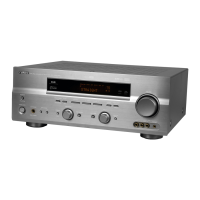
Yamaha RX-V540RDS - User Manual

Yamaha RX-V540RDS
67 pages
Print Icon
To Next Page IconTo Next Page
Loading...
YAMAHA ELECTRONICS CORPORATION, USA 6660 ORANGETHORPE AVE., BUENA PARK, CALIF. 90620, U.S.A.
YAMAHA CANADA MUSIC LTD. 135 MILNER AVE., SCARBOROUGH, ONTARIO M1S 3R1, CANADA
YAMAHA ELECTRONIK EUROPA G.m.b.H. SIEMENSSTR. 22-34, 25462 RELLINGEN BEI HAMBURG, F.R. OF GERMANY
YAMAHA ELECTRONIQUE FRANCE S.A. RUE AMBROISE CROIZAT BP70 CROISSY-BEAUBOURG 77312 MARNE-LA-VALLEE CEDEX02, FRANCE
YAMAHA ELECTRONICS (UK) LTD. YAMAHA HOUSE, 200 RICKMANSWORTH ROAD WATFORD, HERTS WD1 7JS, ENGLAND
YAMAHA SCANDINAVIA A.B. J A WETTERGRENS GATA 1, BOX 30053, 400 43 VÄSTRA FRÖLUNDA, SWEDEN
YAMAHA MUSIC AUSTRALIA PTY, LTD. 17-33 MARKET ST., SOUTH MELBOURNE, 3205 VIC., AUSTRALIA
Printed in Malaysia
WA72760
RX-V540RDS
GB
OWNER’S MANUAL
MODE D’EMPLOI
BEDIENUNGSANLEITUNG
BRUKSANVISNING
MANUALE DI ISTRUZIONI
MANUAL DE INSTRUCCIONES
GEBRUIKSAANWIJZING
RX-V540RDS
AV Receiver
Ampli-tuner audio-vidéo
0100RX-V540_cv_GB.p65 1/20/03, 3:12 PM1


Table of Contents

Other manuals for Yamaha RX-V540RDS

Questions and Answers

  • M
    michelejohnsSep 9, 2025
    Why volume level cannot be increased on Yamaha Receiver?
    • J
      Joseph StephensonSep 9, 2025
      If the volume level cannot be increased, or the sound is distorted on your Yamaha Receiver, the component connected to the OUT (REC) jacks of this unit may be turned off. Turn on the power to the component.
  • R
    Ryan JonesAug 23, 2025
    What to do if there is no sound from my Yamaha RX-V540RDS Receiver?
    • N
      Nancy ChavezAug 23, 2025
      If there is no sound from your Yamaha Receiver, here are some things to check: * Ensure all input and output cables are correctly connected and not defective. * Select the appropriate input source using the INPUT or 6CH INPUT (or the input selector buttons). * Make sure the speaker connections are secure. * Select the main speakers with SPEAKERS A and/or B. * Increase the volume. * Deactivate mute by pressing MUTE or any operation buttons and adjust the volume. * Ensure the source component is sending signals the unit can reproduce.
  • A
    Alyssa WilliamsAug 25, 2025
    Why does the sound suddenly go off on my Yamaha RX-V540RDS?
    • W
      williamsderekAug 25, 2025
      If the sound suddenly goes off on your Yamaha Receiver, it could be due to several reasons: * The protection circuit may have been activated due to a short circuit. Check that the IMPEDANCE SELECTOR switch is set to the appropriate position and then turn the unit back on. * The sleep timer may have turned the unit off. Turn the power back on and play the source again. * The sound may be muted. Press MUTE or any operation buttons to cancel mute and adjust the volume.
  • G
    Gabriel HoAug 27, 2025
    What to do if only one speaker works on my Yamaha RX-V540RDS Receiver?
    • M
      Michael HallAug 27, 2025
      If you can only hear sound from one speaker on your Yamaha Receiver, the cable connections might be incorrect. Connect the cables properly. If the problem persists, the cables may be defective.
  • A
    Annette TuckerAug 27, 2025
    Why is there no sound from the subwoofer on my Yamaha RX-V540RDS?
    • M
      melissa90Aug 28, 2025
      If there is no sound from the subwoofer connected to your Yamaha Receiver: * If “SOUND 1E BASS” on the set menu is set to MAIN when a Dolby Digital or DTS signal is being played, select SWFR or BOTH. * If “SOUND 1E BASS” on the set menu is set to SWFR or MAIN when a 2-channel source is being played, select BOTH.
  • J
    josephwashingtonAug 29, 2025
    Why is there no sound from center speaker on Yamaha Receiver?
    • D
      Dawn ArellanoAug 29, 2025
      If there is no sound from the center speaker on your Yamaha Receiver: * Raise the level of the center speaker. * Ensure “SOUND 1A CENTER” on the set menu is not set to NON. Select the appropriate mode for your center speaker. * If one of the Hi-Fi DSP programs (1 to 4) has been selected (except for 6ch Stereo), select another DSP program.
  • J
    joshua90Sep 17, 2025
    Why does my Yamaha Receiver turn into standby mode suddenly?
    • H
      Heather Jordan MDSep 18, 2025
      If your Yamaha Receiver suddenly turns into standby mode, the internal temperature may have become too high, and the overheat protection circuitry has been activated. Wait until the unit cools down and then turn it back on.
  • L
    lisa38Sep 18, 2025
    What does 'Check SP Wires' mean on Yamaha RX-V540RDS?
    • A
      Angela ThomasSep 18, 2025
      If “CHECK SP WIRES” appears on the front panel display of your Yamaha Receiver, the speaker cables may be short-circuited. Make sure all speaker cables are connected correctly.
  • M
    murphywilliamSep 7, 2025
    What to do if the picture does not appear on my Yamaha RX-V540RDS Receiver?
    • R
      Rebekah WeberSep 8, 2025
      If the picture does not appear on your Yamaha Receiver, the output and input for the picture may be connected to different types of video jacks. Connect components using the same type of video jacks (S VIDEO, VIDEO (composite), or COMPONENT VIDEO) for both the input and output.
  • K
    Kristin BallSep 4, 2025
    Why is there no sound from the rear speakers on my Yamaha RX-V540RDS?
    • W
      Wanda MaxwellSep 4, 2025
      If there is no sound from the rear speakers on your Yamaha Receiver: * Raise the output level of the rear speakers. * If a monaural source is being played with program 9, select another DSP program.

Summary

Safety Precautions

Introduction

Features Overview

Overview of the unit's key capabilities and technologies.

Getting Started Guide

Initial setup steps, including accessories and battery installation.

Controls and Functions

Details the unit's front panel and remote control operations.

Preparation

Component Connection Guide

Instructions for connecting various audio, video, and digital sources.

Antenna and Speaker Connections

Guide for connecting antennas, speakers, and setting impedance.

Power Supply Connection

Information on connecting the AC power cord and voltage selection.

Basic System Settings

Basic Menu Configuration

How to navigate and adjust basic setup options using the remote.

Speaker Setup and Level Adjustment

Configures room size, speaker count, and balances speaker output levels.

Basic Operation

Playback and Source Selection

How to select input sources, use 6CH INPUT, and start playback.

Sound Field Program Selection

Choosing DSP programs to enhance the listening experience.

Tuning Procedures

Instructions for automatic and manual tuning of radio stations.

Receiving RDS Stations

Explains how to receive and display RDS data from radio stations.

Sleep Timer and Recording

Setting the sleep timer and guidance on performing recording operations.

Advanced Operation

Set Menu Parameter Adjustments

Navigating and customizing settings within the comprehensive set menu.

Sound Field Parameter Editing

Customizing sound field program settings for personalized audio.

Remote Control Programming

How to set manufacturer codes for controlling other A/V components.

Troubleshooting

General Operation Issues

Solutions for common problems like unit not turning on or no sound.

Speaker and Audio Issues

Troubleshooting missing sound from specific speakers or distorted audio.

Tuner and Remote Control Issues

Solutions for reception problems, tuning difficulties, and remote control malfunctions.

Additional Information

Glossary of Terms

Definitions of technical terms and audio formats used in the manual.

Specifications Overview

Technical details and performance characteristics of the unit.

Manufacturer Codes List

Codes for programming the remote to control other A/V components.

Yamaha RX-V540RDS Specifications

General IconGeneral
TypeAV Receiver
Channels5.1
Total Harmonic Distortion0.06%
Input Impedance47 k ohms
Input Sensitivity200 mV
Signal to Noise Ratio100 dB
Surround SoundDolby Digital, DTS
Tuner SectionFM/AM
Preset Stations40
Audio DecodersDolby Digital, DTS
Digital Inputs2 Optical, 1 Coaxial
Analog Inputs5
Frequency Response10 Hz - 100 kHz
Video SectionComposite, S-Video
OutputsSpeaker outputs, subwoofer out
Dimensions435 x 151 x 380 mm

Related product manuals