EasyManua.ls Logo

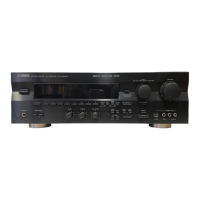
Yamaha RX-V596 - User Manual

Yamaha RX-V596
67 pages
Print Icon
To Next Page IconTo Next Page
Loading...
YAMAHA ELECTRONICS CORPORATION, USA 6660 ORANGETHORPE AVE., BUENA PARK, CALIF. 90620, U.S.A.
YAMAHA CANADA MUSIC LTD. 135 MILNER AVE., SCARBOROUGH, ONTARIO M1S 3R1, CANADA
YAMAHA ELECTRONIK EUROPA G.m.b.H. SIEMENSSTR. 22-34, 25462 RELLINGEN BEI HAMBURG, F.R. OF GERMANY
YAMAHA ELECTRONIQUE FRANCE S.A. RUE AMBROISE CROIZAT BP70 CROISSY-BEAUBOURG 77312 MARNE-LA-VALLEE CEDEX02, FRANCE
YAMAHA ELECTRONICS (UK) LTD. YAMAHA HOUSE, 200 RICKMANSWORTH ROAD WATFORD, HERTS WD1 7JS, ENGLAND
YAMAHA SCANDINAVIA A.B. J A WETTERGRENS GATA 1, BOX 30053, 400 43 VÄSTRA FRÖLUNDA, SWEDEN
YAMAHA MUSIC AUSTRALIA PTY, LTD. 17-33 MARKET ST., SOUTH MELBOURNE, 3205 VIC., AUSTRALIA
Printed in Malaysia ID
V471910
OWNER’S MANUAL
MODE D’EMPLOI
RX-V596
Natural Sound AV Receiver
Ampli-tuner audio-vidéo
U C A
0100V596(UCA)-cv1/4 3/2/0, 3:17 PM1

Other manuals for Yamaha RX-V596

Questions and Answers

  • P
    petersenpatrickJul 26, 2025
    What to do if my Yamaha Receiver has no sound or picture?
    • R
      ryannelsonJul 26, 2025
      If your Yamaha Receiver has no sound or picture, check the following: * Ensure all input and output cables are correctly connected. If the problem continues, the cables may be defective. * Verify that you've selected the correct input source using the INPUT SELECTOR or TAPE/MD MON / EXT. DECODER (or the input selector buttons). * Make sure the speaker connections are secure. * Confirm that SPEAKERS are set to the ON position for the speakers you're using. * Check that the sound isn't muted; adjust the volume and press MUTE to cancel muting if necessary. * If using a CD-ROM, ensure it's playing signals that the unit can reproduce, such as PCM audio or signals encoded with Dolby Digital or DTS.
  • D
    Dawn RiosJul 31, 2025
    What to do if the sound suddenly goes off on my Yamaha Receiver?
    • D
      Deborah FergusonAug 1, 2025
      If the sound suddenly goes off on your Yamaha Receiver, it could be due to these reasons: * The protection circuit may have been activated due to a short circuit. Set the unit to standby mode and then turn it back on to reset the protection circuit. * The SLEEP timer may have activated. Turn the power back on and play the source again.
  • G
    Gary TateAug 6, 2025
    Why can I only hear sound from one speaker on my Yamaha RX-V596 Receiver?
    • K
      Kristin WoodsAug 6, 2025
      If you only hear sound from one speaker on your Yamaha Receiver, consider the following: * Check that the speaker cables are connected correctly. If the issue persists, the cables might be defective. * Verify that the BALANCE setting is adjusted appropriately.
  • S
    Sierra WaltonAug 13, 2025
    Why is there no sound from the effect speakers on my Yamaha RX-V596?
    • R
      Raymond NicholsonAug 13, 2025
      If there is no sound from the effect speakers on your Yamaha Receiver: * Ensure that the sound effect is turned on by pressing EFFECT. * If you're using a Dolby Surround, Dolby Digital, or DTS decoding DSP program, make sure the source material is actually encoded with Dolby Surround, Dolby Digital, or DTS. If not, select another DSP program.
  • E
    Edward RichardsonAug 19, 2025
    Why my Yamaha RX-V596 fails to turn on?
    • G
      Glenn ParsonsSep 12, 2025
      If your Yamaha Receiver fails to turn on or enters standby mode shortly after being turned on, check these possible causes: * Make sure the power cord is firmly connected to the outlet. * When the unit is in standby mode, ensure the IMPEDANCE SELECTOR switch on the rear panel is fully set to either the right or left position.

Summary

SAFETY INSTRUCTIONS

General Safety Precautions

Important safety guidelines for operating the unit safely.

FCC Information for US Customers

Compliance and interference guidelines for US users.

Operating Precautions and Canadian Safety

Critical warnings before operating and Canadian specific advice.

CONTROLS AND FUNCTIONS

Front Panel Controls

Detailed explanation of all front panel buttons and selectors.

PREPARATION

Speaker Setup and Placement

Guidelines for speaker configuration, placement, and subwoofer use.

Adjusting Speaker Balance with Test Tone

Using the built-in test tone to balance speaker levels.

Fine-Tuning Speaker Balance

Fine-tuning speaker output levels for optimal balance.

CONNECTIONS

Component Connection Precautions

Important steps before connecting external components.

Speaker and Subwoofer Wiring

Wiring instructions for speakers and subwoofer.

Impedance Selector and Power Connections

Setting speaker impedance and connecting power cords.

BASIC OPERATION

Selecting and Playing a Source

How to choose and play audio/video inputs.

Digital Sound Field Processor (DSP) Effect

Selecting and applying DSP sound programs.

Tuning Radio Stations

Procedures for automatic and manual FM/AM tuning.

TUNING

SOUND FIELD PROGRAM

SET MENU

ADVANCED OPERATION

Delay Time and Speaker Output Level Adjustment

Adjusting delay and sound levels for speakers and subwoofer.

Adjusting Delay Time and Speaker Output Levels

Method for adjusting delay times and speaker output levels.

TROUBLESHOOTING

General Troubleshooting Issues

Solutions for common problems like unit not turning on or no sound.

Speaker and Sound Troubleshooting

Resolving issues with speakers, subwoofer, and humming sounds.

Tuner, Remote Control, and Other Issues

Troubleshooting tips for tuner, remote, and other problems.

DTS Playback Troubleshooting

Resolving issues related to playing DTS encoded sources.

Yamaha RX-V596 Specifications

General IconGeneral
TypeAV receiver
Amplifier TypeDiscrete
Channels5.1
Weight22.5 lbs
Surround Sound FormatsDolby Digital, DTS
Input Sensitivity200 mV
Video ConnectionsComposite, S-Video
Tuner TypeFM/AM
Preset Stations30
Output Power per Channel70W (8 ohms, 20Hz-20kHz, 0.06% THD)
Frequency Response10 Hz - 100 kHz
Total Harmonic Distortion0.06 %
Inputsdigital coaxial, digital optical
OutputsS-Video, composite video/audio
Dimensions435 x 151 x 390 mm
Signal to Noise Ratio100 dB
Digital Inputs1 Coaxial, 1 Optical
Headphone Output1
Dimensions (W x H x D)435 x 151 x 390 mm
Audio Inputs6 x RCA
Analog Inputs6 x RCA

Related product manuals